What a good database MCP server gets right
Wrapping a few queries as MCP tools is the easy weekend part. What makes a database MCP server safe to point at real data is everything around the tools: read-only by default, narrow tools, per-request scoping, and bounded results.
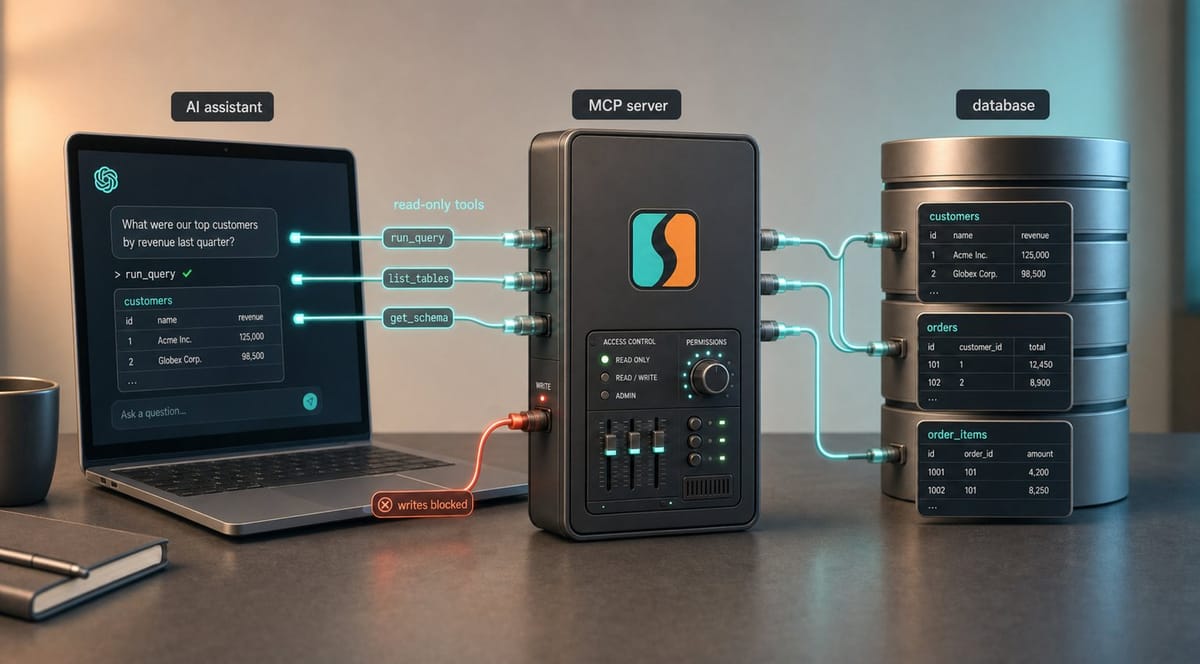
Notes from building the MCP server in DBConvert Streams. Exposing the tools was the easy part. The decisions around them were not.
Connecting an AI assistant to a database through MCP is, mechanically, not hard. You wrap a few queries as tools (list tables, describe a table, run a SELECT) and the model can call them. A weekend gets you that far.
What separates a toy from something you would point at real data is everything around the tools:
- where the boundary lives
- how much access you hand over
- what comes back
- what happens when the model reads something it should not act on
Those are the decisions a "wrap the queries and ship" server skips. They are the ones worth getting right.
Make it a separate service, not an API wrapper
The quickest way to expose MCP is to route every tool call through your existing app API. It works, but it ties the agent surface to the rest of the app and blurs where the boundary is.
In DBConvert Streams, the MCP server runs as its own service. It shares the same internal exploration logic and the same workspace, but runs its own path. For data exploration it does not even need the main API/UI layer running: if that layer is down or restarting, the MCP server can still inspect connections, schemas, tables, and data.
The payoff is an explicit agent-facing boundary: a separate tool surface, separate request scoping, and a separate place to enforce MCP-specific rules.
Prefer narrow tools over one clever query tool
The tempting shortcut is a single tool that takes arbitrary SQL and trusts the model to use it well. It is less code and it demos fine. It is also what makes a database server impossible to reason about: one tool that can do anything is one tool you cannot constrain, describe precisely, or audit.
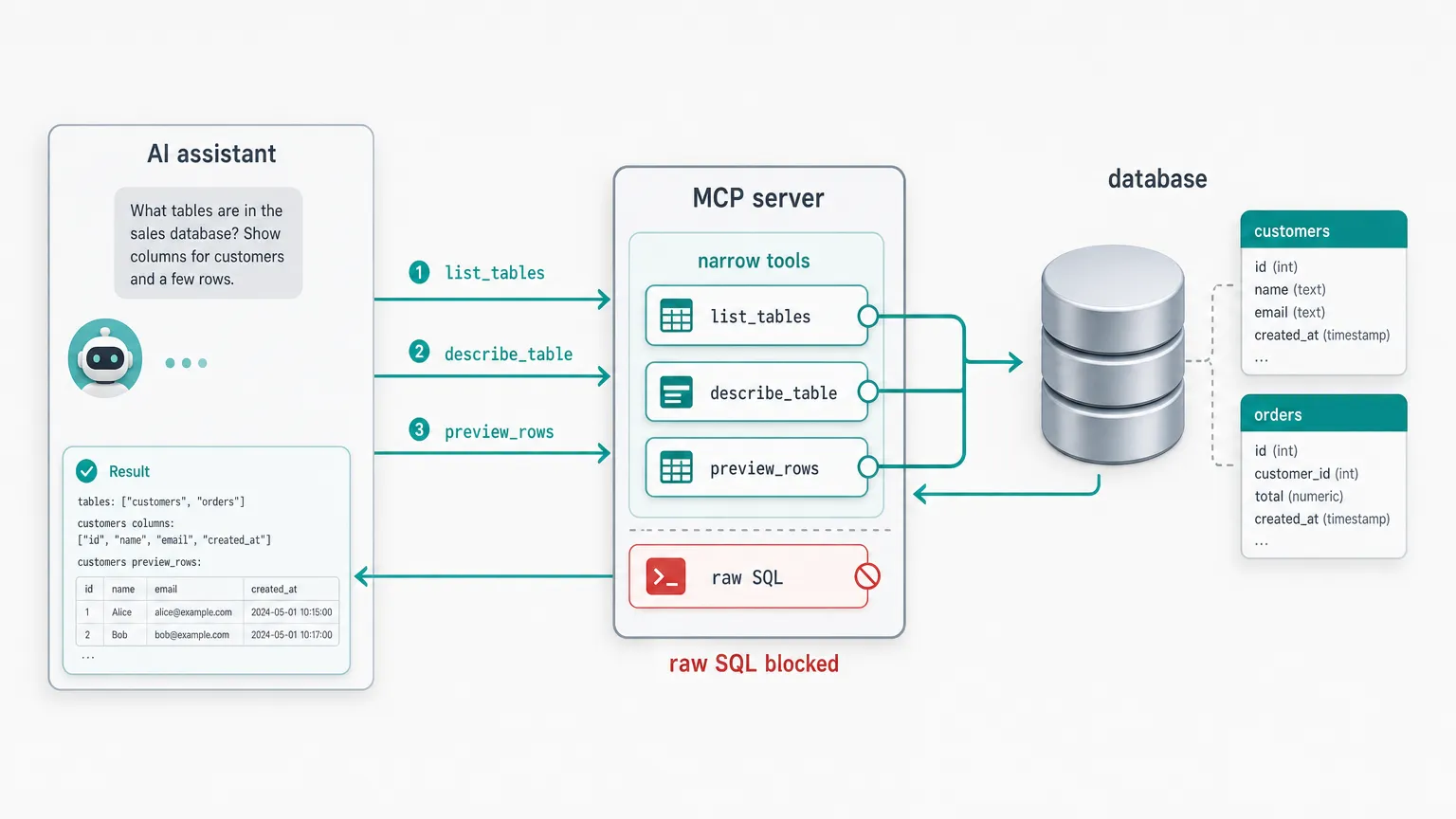
Narrow tools are the opposite. Each does one thing, returns a predictable shape, and can be reasoned about on its own:
- list connections, schemas, tables
- describe a table
- preview rows
- run a bounded
SELECT, or one across multiple sources
The model composes them instead of hand-rolling SQL for everything, and you can say exactly what each one is allowed to do.
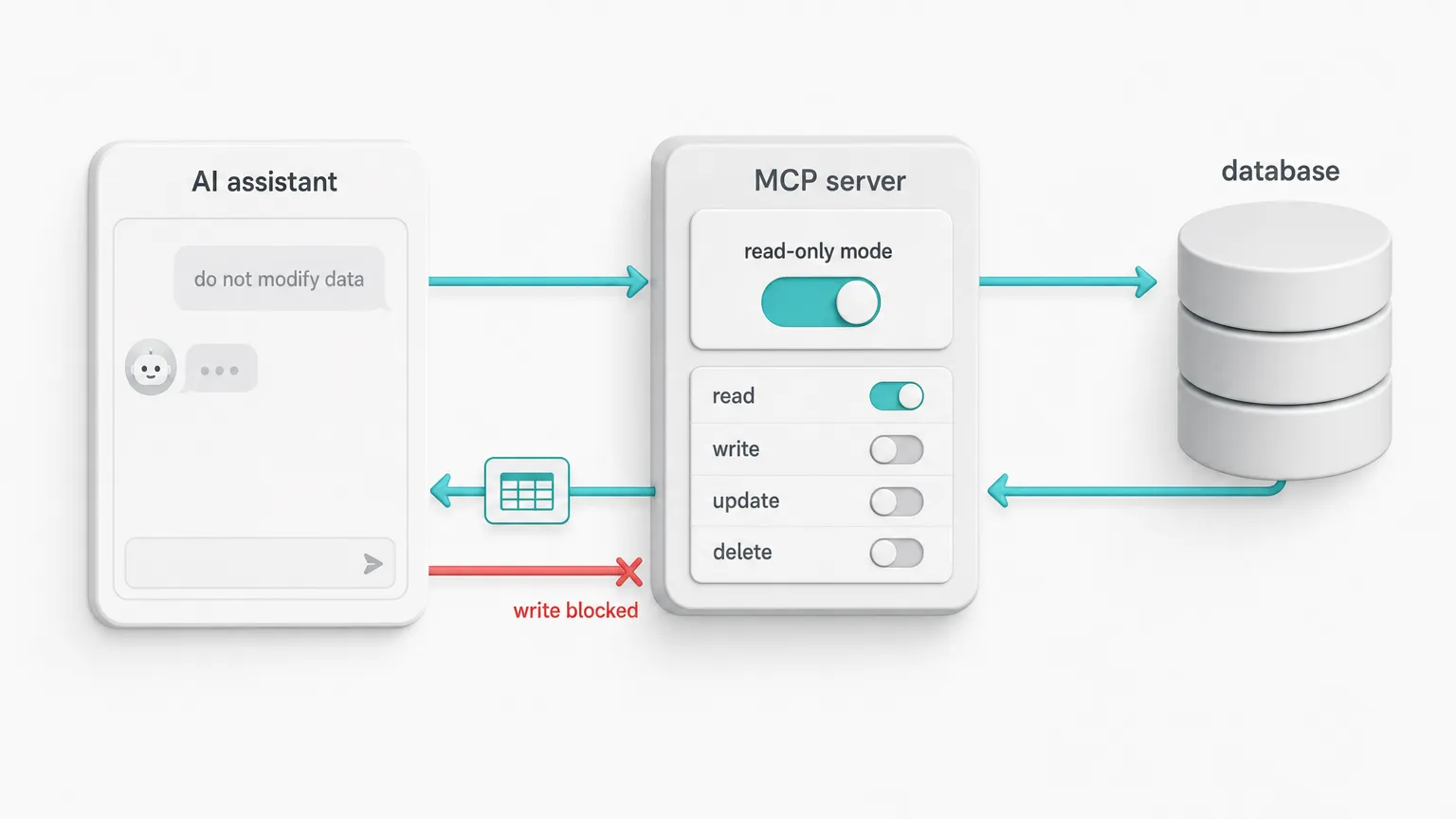
Treat access level as configuration, not a prompt
The default should be read-only: the assistant inspects and queries, it does not modify. Some workflows genuinely need writes, so access level is a legitimate thing to configure. But two rules hold wherever you set it:
- the safe mode is the default
- the mode is enforced by the server, not requested of the model
"You are read-only, do not modify data" in a system prompt is a suggestion the model usually follows, not a rule the database enforces. That gap matters because the real risk is not the model misbehaving on its own. It is the model being instructed by something it read: a poisoned support ticket, a row of user content, a webhook payload. If the access boundary lives in the prompt, that injected instruction is all it takes.
So in the default read-only mode, write tools are not exposed to the model at all. They are not present in that tool surface, and they are not left for the model to avoid.
For SQL-style read tools, a server-side filter rejects anything that is not a single SELECT/WITH statement before it reaches the connection. That filter is a guardrail, not a replacement for database permissions.
If a deployment enables write-capable workflows later, those tools need their own explicit access mode, permissions, and audit trail, not a relaxed prompt.
Scope every request
A request authenticated for one account must not reach another account's connections. In a normal database tool this is boring connection plumbing. In an MCP server it becomes part of the security boundary, because the agent is the one choosing what to touch, so the scoping has to be enforced per request, not assumed. It was more fiddly to get right than the SQL filtering.
Bound what comes back
A database can return far more than a model can use, and an unbounded result is both a context-window problem and a cost problem. Accepted queries are bounded with a row limit, so one call cannot drag an entire table into the model's context. A single read should not pull more rows (or run up more bill) than the question needs.
Return structured results, not prose
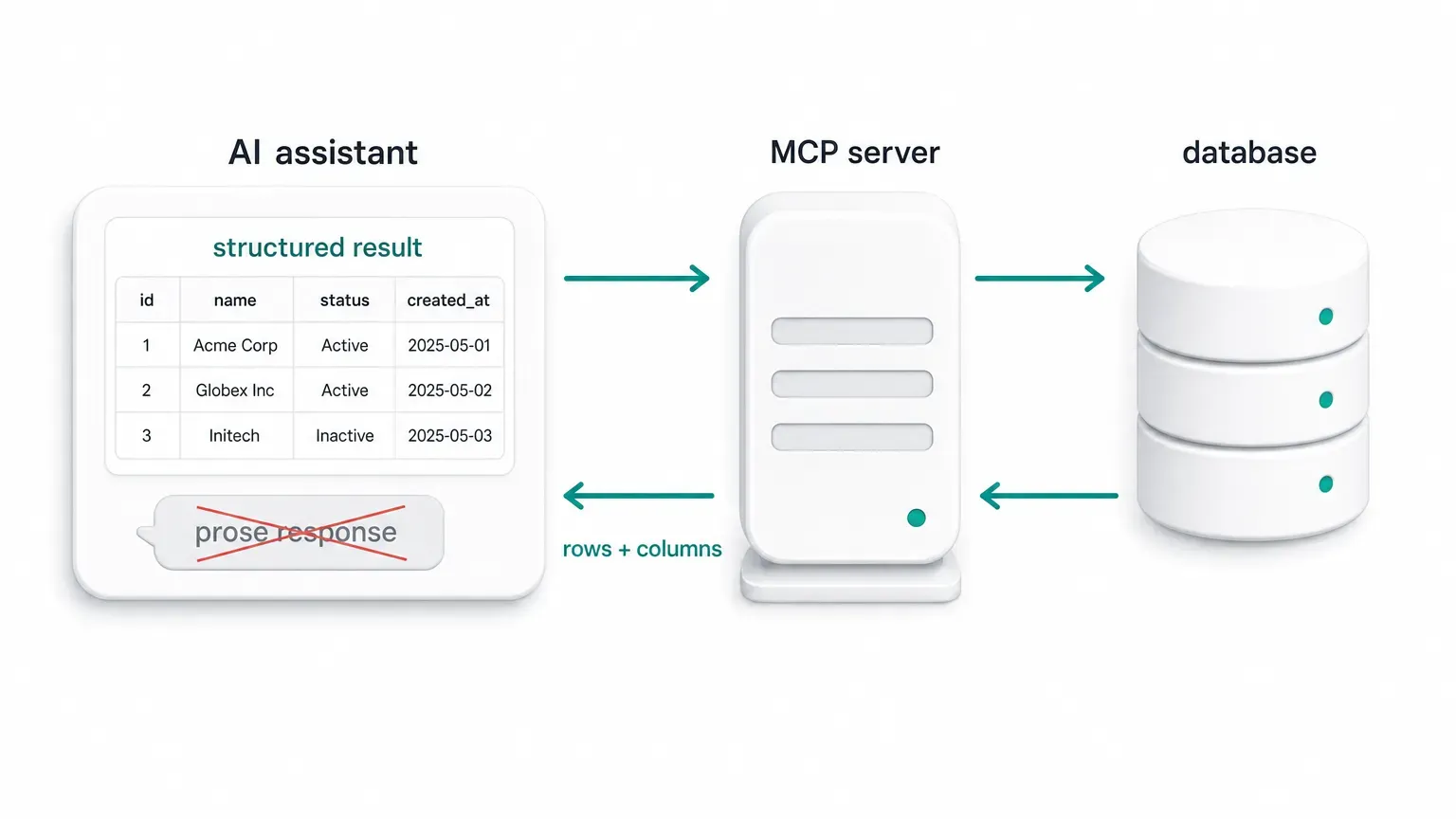
A tool that answers in prose is a dead end for everything downstream: the UI, the agent's next call, another tool. A good database tool returns predictable, structured shapes:
- schemas and columns as fields, not sentences
- rows with their column names and types
- errors with a code and details, not just a message
- query plans as structured objects where the engine allows
Structured output is what lets the model chain calls reliably and lets a UI render the result instead of re-parsing English.
A concrete example
Point the assistant at a PostgreSQL database and ask it to look for anything odd in recent payments. With no hand-written query, it:
- lists the connection and finds the
paymenttable - runs a bounded
SELECTordered by date - flags two rows on its own, a negative amount and a future date:
payment_id | amount | payment_date
16050      | -4.99  | 2026-06-09
16051      |  9.99  | 2026-07-21
Both are the kind of thing you scroll past by hand. The value is not the SQL. It is that you asked a question in plain English and got a specific, checkable answer back.
What the server can't do for you
Even a careful server only owns part of the picture, and a good one is honest about that. The read side is the clearest example: read-only stops DROP TABLE, but it does not stop an agent reading sensitive rows and leaking them through whatever outbound channel it has. Reading is the whole job, so that risk cannot be closed at the tool layer.
The rest is the deployment's call:
- which connections the agent can see at all
- what rows and columns its database role is allowed to read
- whether it points at a read replica or the primary
- what outbound channels exist on the client side
- what is logged and audited
- if writes are enabled, for which workflows and with what approval
A read replica is the usual answer for the read side, and a good one, though not always available (some engines make it a licensing decision) or fresh enough (replication lag rules it out for live data). When you have to point at the primary, server-enforced access is what keeps that risk easier to reason about. None of it replaces deciding what the connection is allowed to see in the first place.
The shape of a good one
A good database MCP server is not a list of tools. It is the boundary around those tools: the access mode, the scope, the limits, the shape of the output, and the parts you refuse to leave to the model.
The tools are the easy part. The boundary is the product.