New Your AI assistant can now see your databases

Explore, Query, and Replicate Data

Run SQL, migrate data, and keep systems in sync — all in one tool.

Free IDEPaid migration + CDCDesktop or Docker

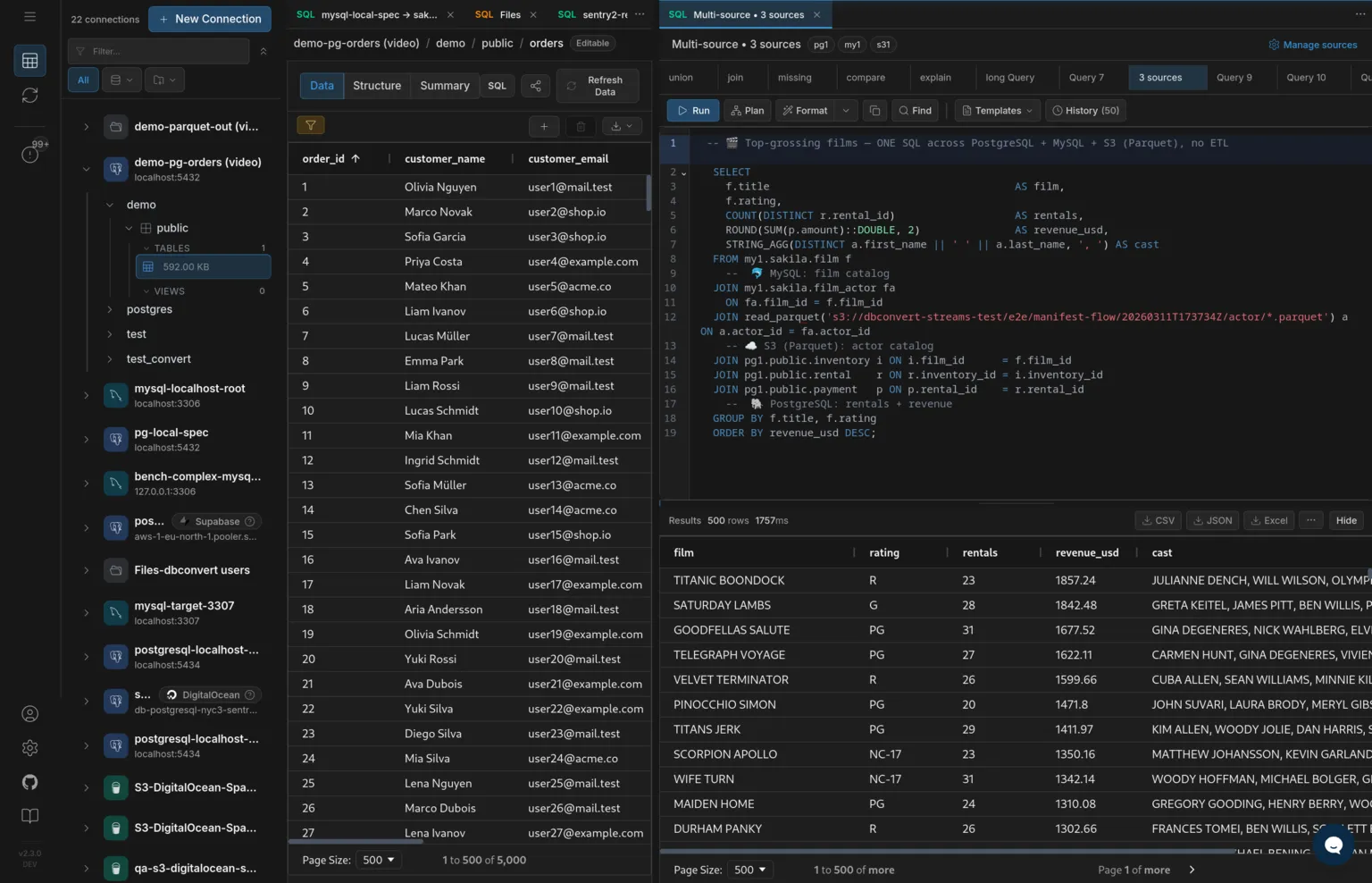
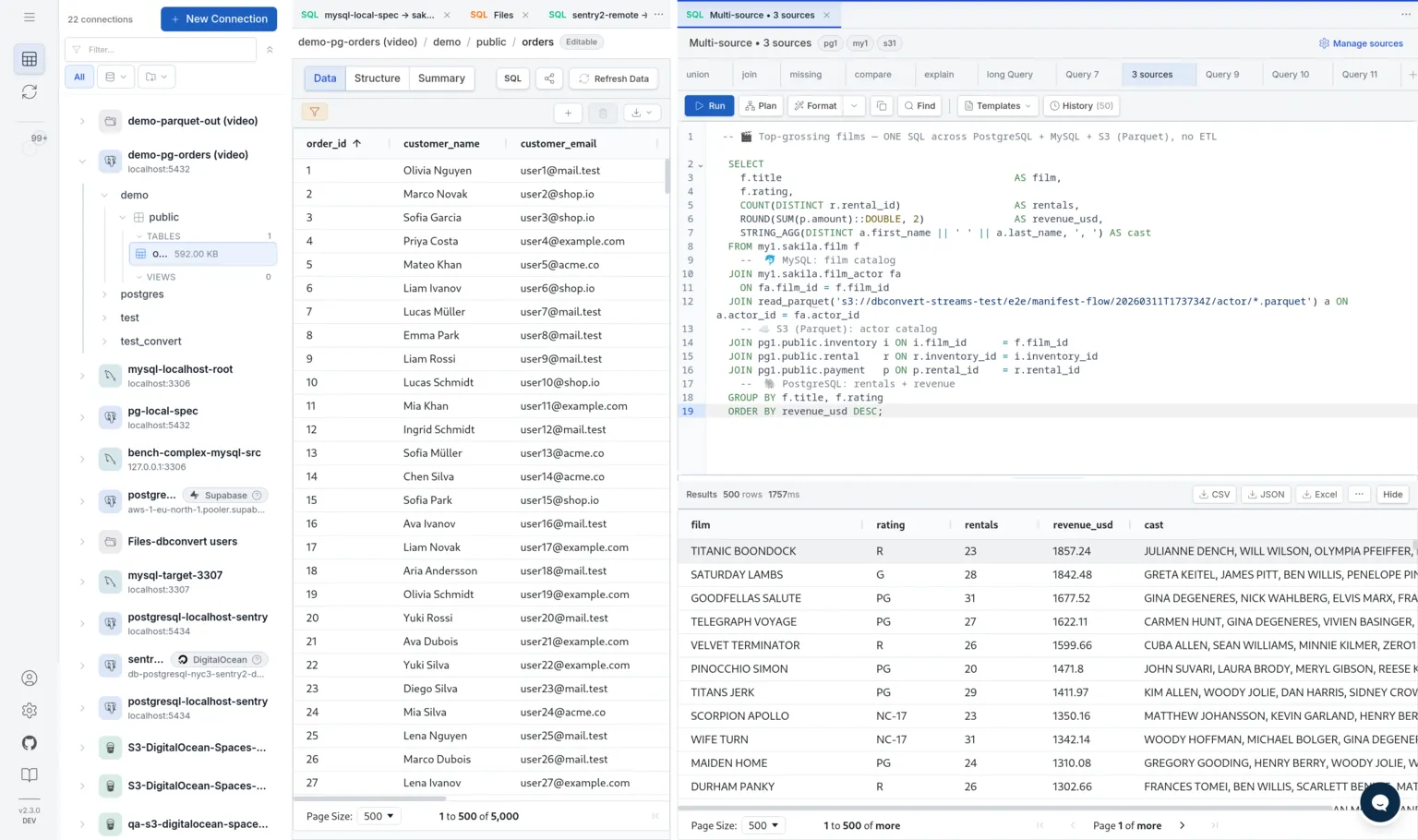
One query. Multiple sources.

SQL Editor
SELECT *
FROM read_parquet('orders.parquet') o
JOIN postgres.public.customers c
  ON o.customer_id = c.id
LIMIT 10;

Join a Parquet file with a live PostgreSQL table — then use the same query as a stream source. No export. No rebuild. No second tool.

DBConvert Streams gives you one self-hosted product for working with databases end to end: a free IDE for browsing schemas, running SQL across PostgreSQL, MySQL, files, and S3, and editing data inline; and a paid streaming engine for bulk migration with automatic schema conversion and log-based CDC. Same install, same UI, same API.

The point is to remove the gap between "I need to look at this data" and "I need to move this data." You explore, validate, and configure in the IDE — for free — and only pay when you actually run a migration or replication job.

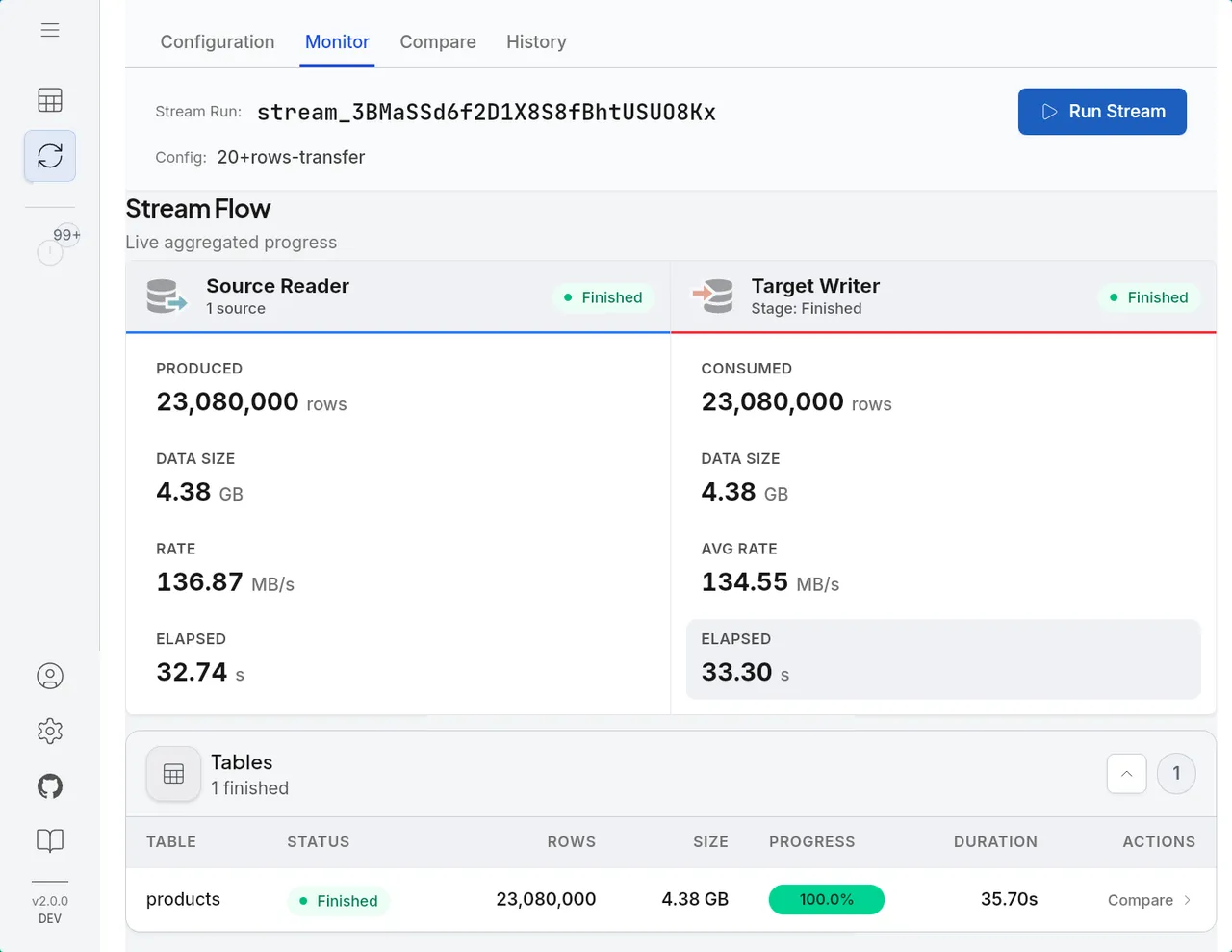
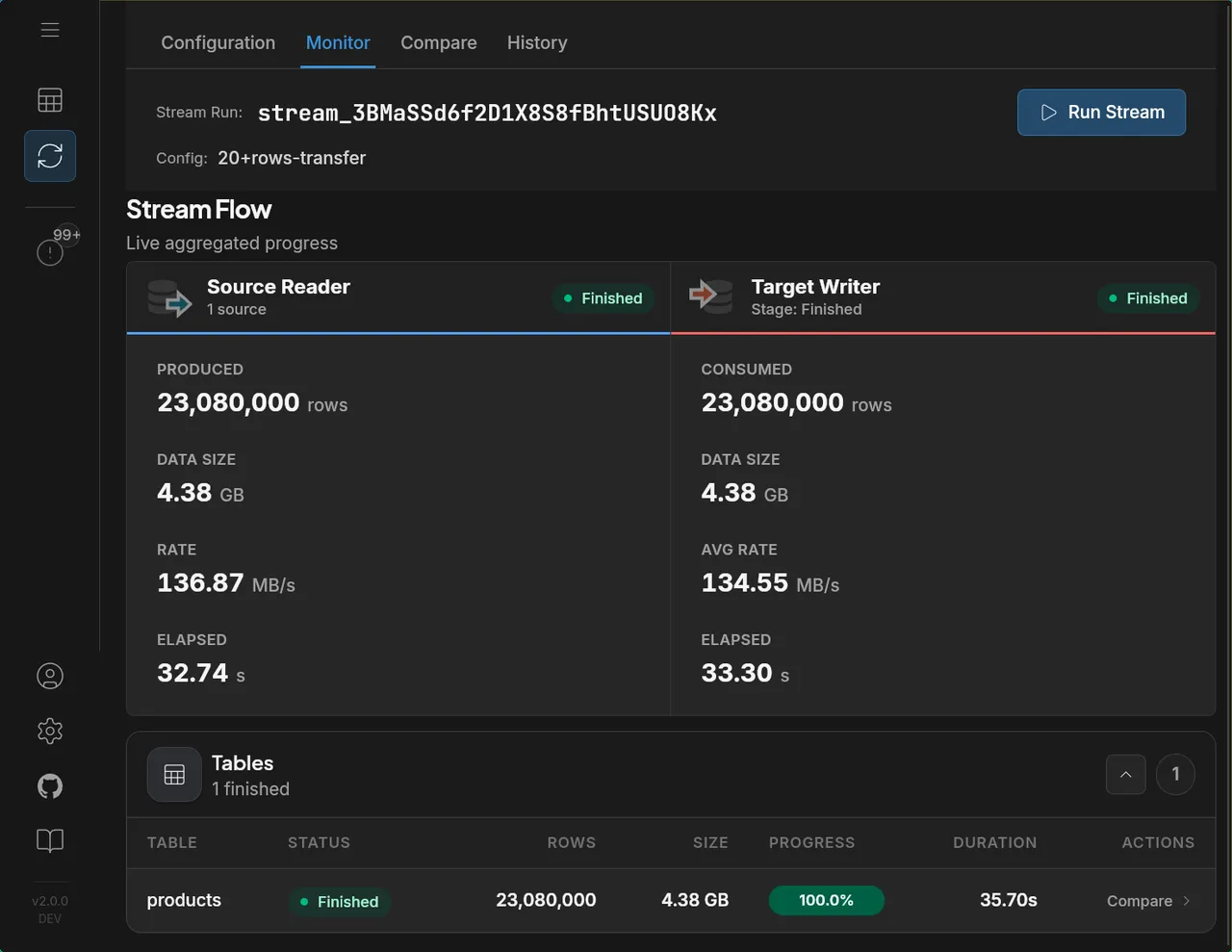
Stream flow showing source reader to target writer progress

What you can do in one workflow

Explore data, run migrations, and keep target systems in sync.

Explore

Explore and validate

  • Browse databases, local files, and S3 in one tree
  • Run SQL for deeper validation and ad-hoc checks
  • Filter and edit rows with server-side pagination
  • ER diagrams and schema comparison
Explore Data Explorer
Data Explorer
Move

Run migration with schema conversion

  • Migrate between database types with automatic mapping
  • Use Resumable Load for eligible large-table transfers
  • Pull from databases, files, or S3; write to databases or files
  • Track progress table-by-table
Explore Migration
Data Migration
Keep in sync

Keep systems in sync with CDC

  • Capture committed INSERT, UPDATE, and DELETE changes
  • Use Initial Load + CDC for empty-target cutovers
  • Resume from durable MySQL/PostgreSQL CDC checkpoints
  • Validate reliability state, logs, and history
Explore CDC Replication
Real-time Replication

Now with AI

Your AI assistant works in the same workspace

AI Assistant

You: Is my Parquet export of orders still in sync with the live Postgres table?

AI: Joined both in one cross-source query, matched on order_id: both hold 5,000 rows, 0 missing on either side. The snapshot is still current.

Connect Claude, Cursor, or Copilot via MCP — your assistant reads live connections, schemas, and streams. Read-only, on your infrastructure.

Explore AI Assistants

Why teams replace multi-tool stacks

First-class file and object storage support

Files and object storage are first-class query sources, not external imports.

Cross-source SQL for faster validation

Cross-source SQL makes validation and data prep faster than switching between tools.

No context switching across tools

Use one interface for SQL exploration, migration execution, CDC status, and run history.

Connect databases, files, and object storage

Use databases as sources and targets. Treat files and S3 as queryable datasets.

MySQL
MySQL
PostgreSQL
PostgreSQL
Amazon RDS
Amazon RDS
Google Cloud SQL
Google Cloud SQL
Azure Database
Azure Database
S3
S3AWS, MinIO, etc.
CSV
CSV
JSONL
JSONL
Parquet
Parquet
Snowflake
Snowflake Coming soon

More connectors added regularly.

Run anywhere

Your laptop, a VPS, or your own server. No cloud dependency, no vendor lock-in.

Desktop Apps

Native installers for Windows, macOS, and Linux.

Docker

Self-host on any machine — local server, VPS, or cloud VM.

$
curl -fsSL https://dbconvert.nyc3.digitaloceanspaces.com/downloads/streams/latest/docker-install.sh | sh

Cloud Images

1-click images for AWS, Azure, GCP, DigitalOcean, Hetzner, and Vultr.

FAQ

Common questions

What is DBConvert Streams?

A self-hosted product that combines a free SQL IDE for PostgreSQL, MySQL, files, and S3 with a paid streaming engine for one-time migration and ongoing CDC replication. One install handles exploration, validation, migration, and replication.

Is there a free tier?

Yes. The IDE — connections, schema browsing, SQL console, cross-database queries, ER diagrams, file and S3 access, inline editing — is free with no subscription. Paid is only the streaming engine: starting, pausing, and stopping migration or CDC runs.

Where does it run?

Self-hosted. Desktop on macOS, Windows, or Linux; or Docker on a server. There is no SaaS tier; you control the deployment, the data, and the network boundary.

Which databases and storage are supported?

PostgreSQL and MySQL as both source and target, including managed services like AWS RDS, Azure Database, GCP Cloud SQL, Supabase, Neon, and DigitalOcean. File targets include CSV, JSON, JSONL, and Parquet; S3-compatible storage includes AWS S3, MinIO, DigitalOcean Spaces, Backblaze B2, and Wasabi. Snowflake as a target is in progress.

Can AI assistants like Claude or Cursor work with my data?

Yes — through the built-in MCP server. Your assistant reads live schemas, runs read-only SQL, and checks stream state directly from your workspace. Only SELECT statements pass the server-side filter, and nothing leaves your infrastructure. How it works →

How is it different from Debezium, Airbyte, or Fivetran?

Debezium provides log-based CDC but expects Kafka and orchestration around it. Airbyte and Fivetran are SaaS-style ELT platforms focused on connector breadth, not on operational database-to-database use. DBConvert Streams is self-hosted, focused on PostgreSQL and MySQL workflows, and bundles exploration, migration, and CDC into one workspace — no Kafka, no external orchestrator. See full comparisons →

Start exploring, querying, and replicating

The IDE is free. Streams run on a pay-as-you-go plan.