Do I need to install a separate database client?
No. The explorer is part of DBConvert Streams. Connections, schema browsing, SQL console, ER diagrams, and inline editing all live in the same workspace.
One workspace for databases, files, and object storage.
Free IDE workflows. Add paid migration or CDC runs only when you need them.
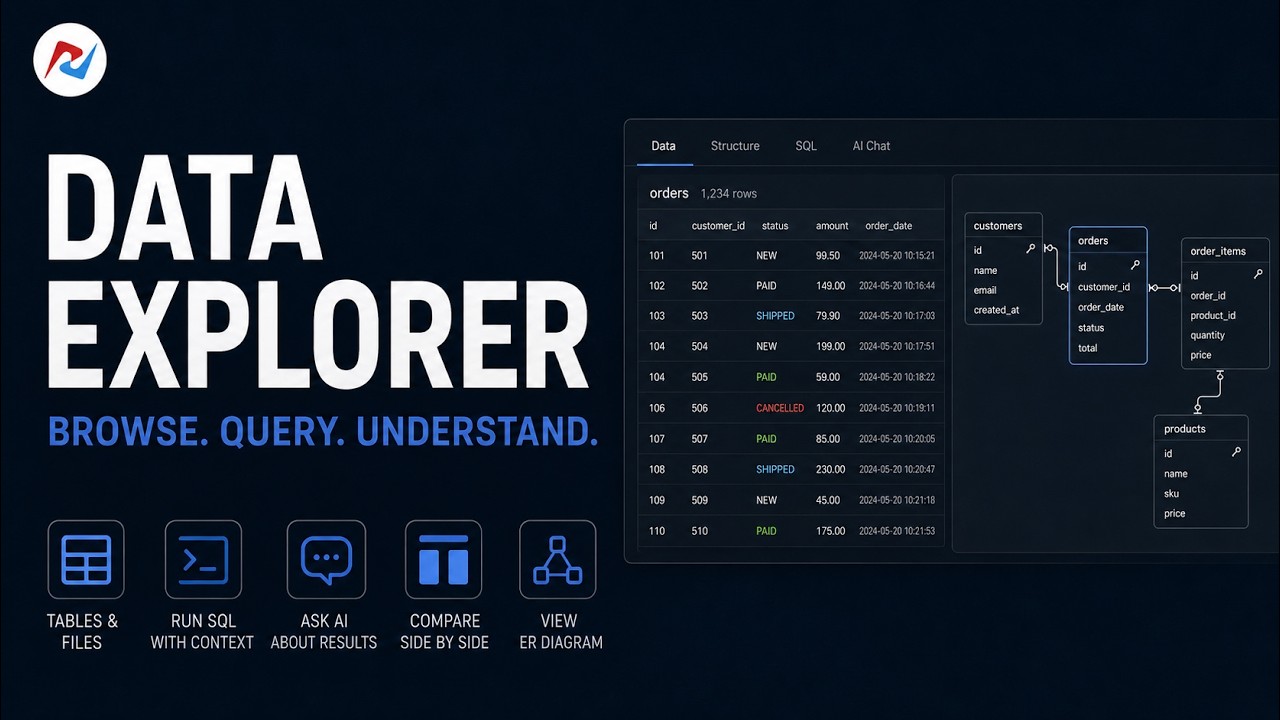
Browse. Query. Understand.
A database explorer lets you browse schemas, run SQL, inspect rows, and edit data without writing scripts or switching between vendor-specific tools. It is the IDE workflow you use before you start moving data — to verify what is on the source, what already exists on the target, and whether the schema you assume is the schema you actually have.
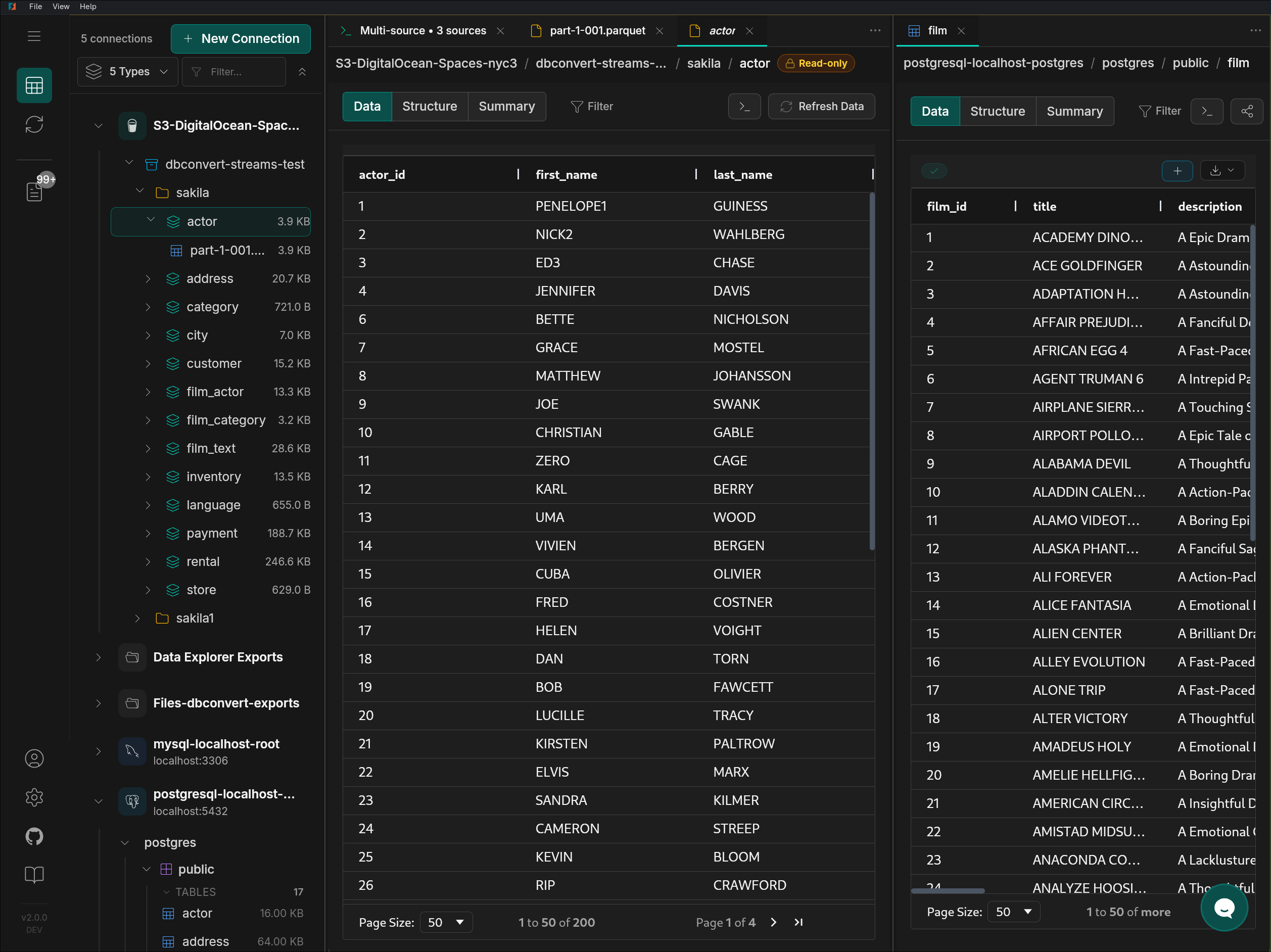
DBConvert Streams puts databases, local files, and S3 buckets into the same connection tree. A PostgreSQL table, a CSV file, and a Parquet object in S3 open in the same grid, with the same SQL console and the same comparison view — so validating data does not depend on which storage layer it happens to live in.
A guided tour: browse tables and files, inspect structure, run SQL with table context, ask AI about the result, and see the whole schema as an ER diagram.
Want the inline-editing demo instead? Edit tables & preview Parquet files
Databases, local files, and S3 buckets appear side-by-side in one navigation tree.
Snowflake is available as a target for Load and CDC from MySQL or PostgreSQL. Read the Snowflake target guide.
Core Feature
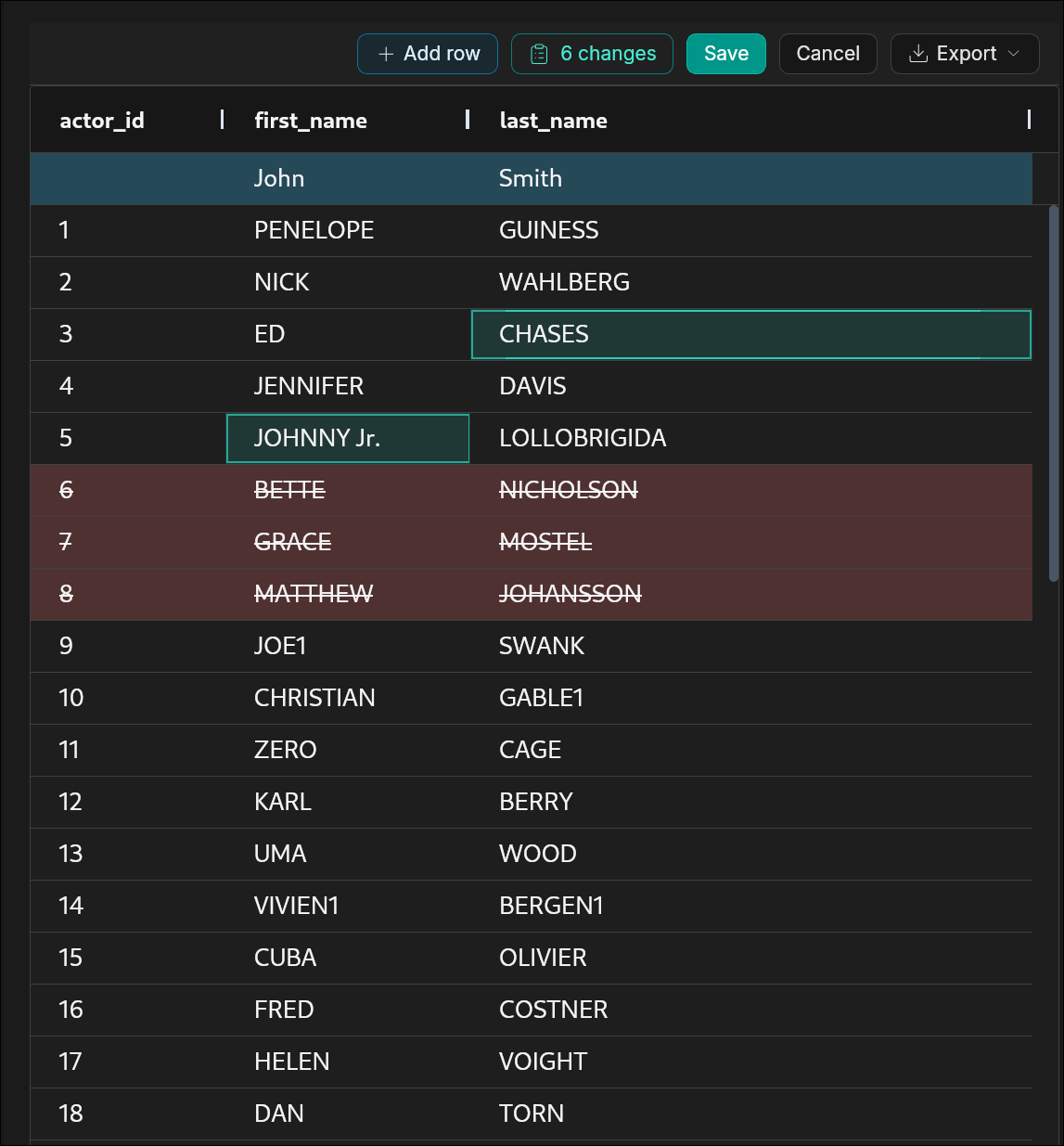
Browse, filter, and edit records from connected sources with the same grid workflow.
Only in DBConvert Streams
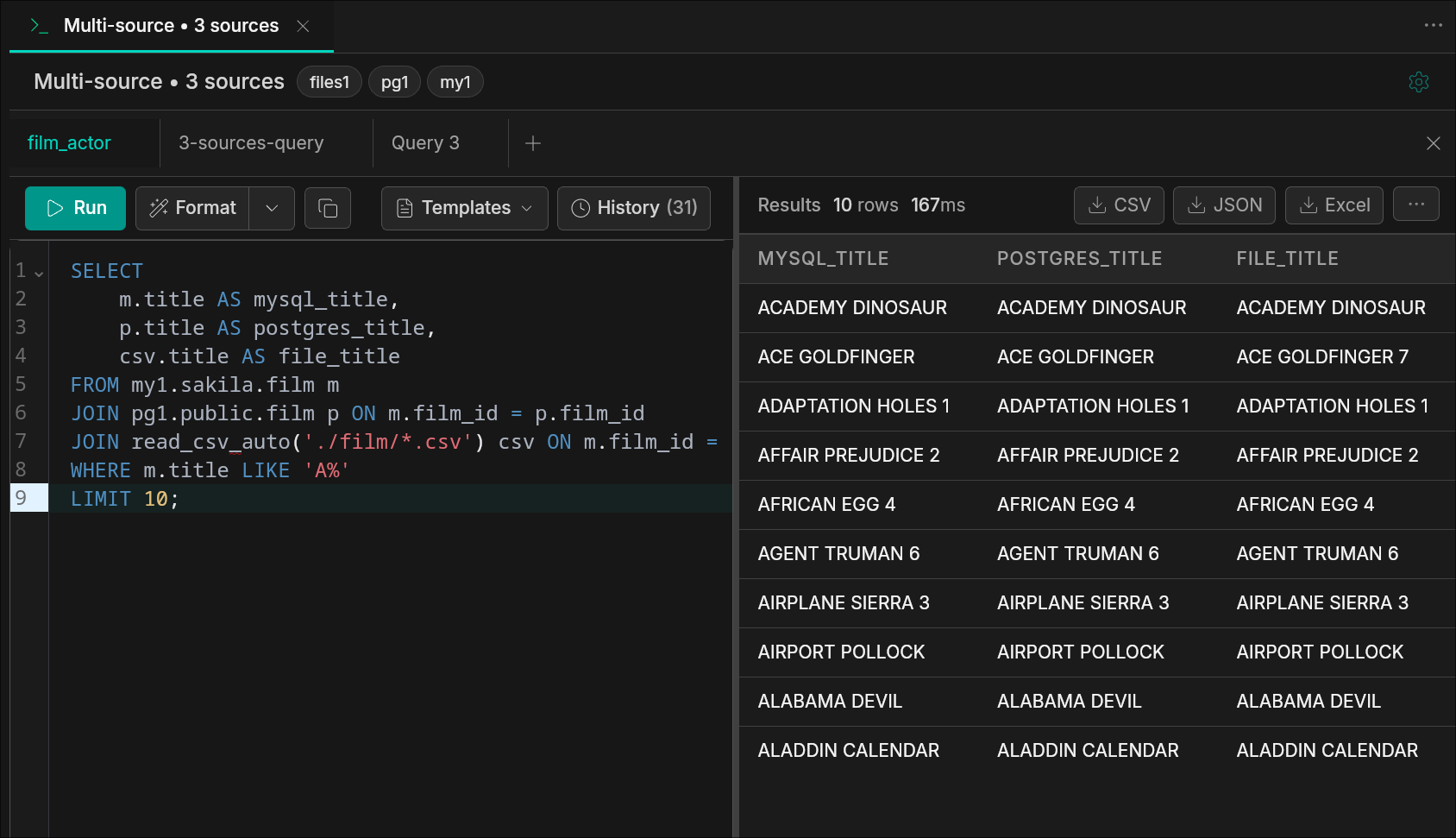
Run a single SQL query across databases and files — no ETL, no staging.
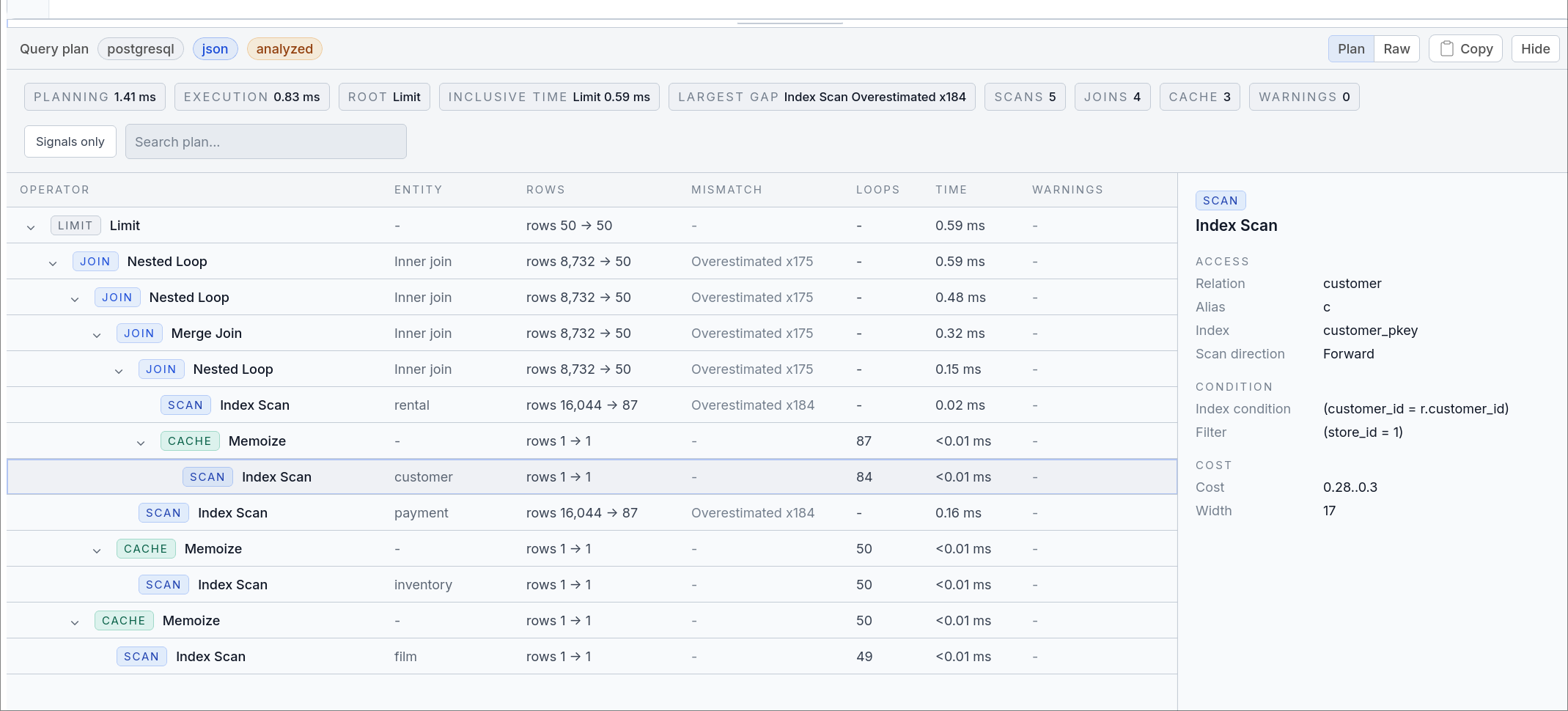
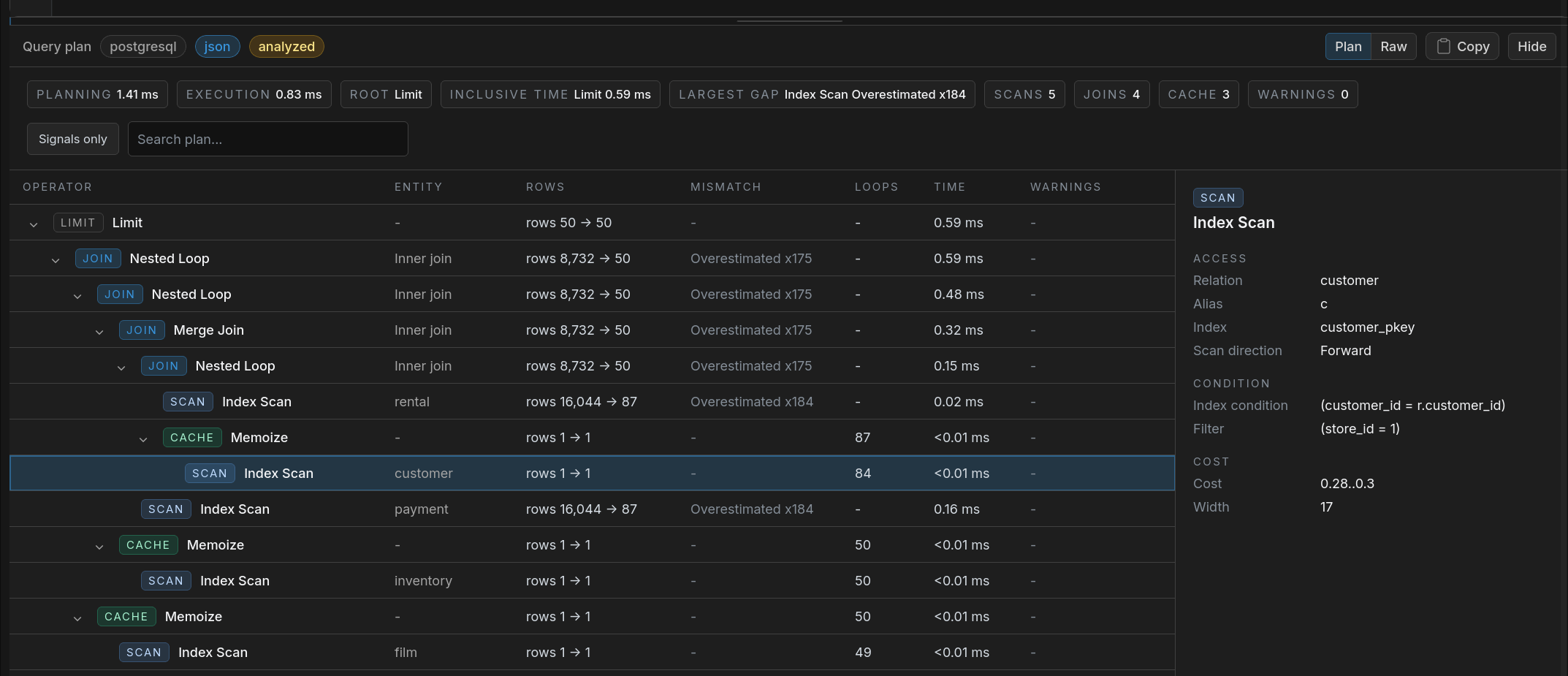
Inspect PostgreSQL, MySQL, and DuckDB-backed plans in the same SQL Console. Use the Plan view for operator comparisons and selected-node details, then switch to Raw when you need the database output exactly as returned.
Read query plan docsNo ETL pipelines. No staging tables. Query live data across sources in real time. Learn more about Cross-Database SQL →
Ask AI in the console. Describe what you want in plain language — the assistant reads your live schema and writes or explains the query, with the current query and database attached. Read-only. Set up AI Chat or connect your own client over MCP →
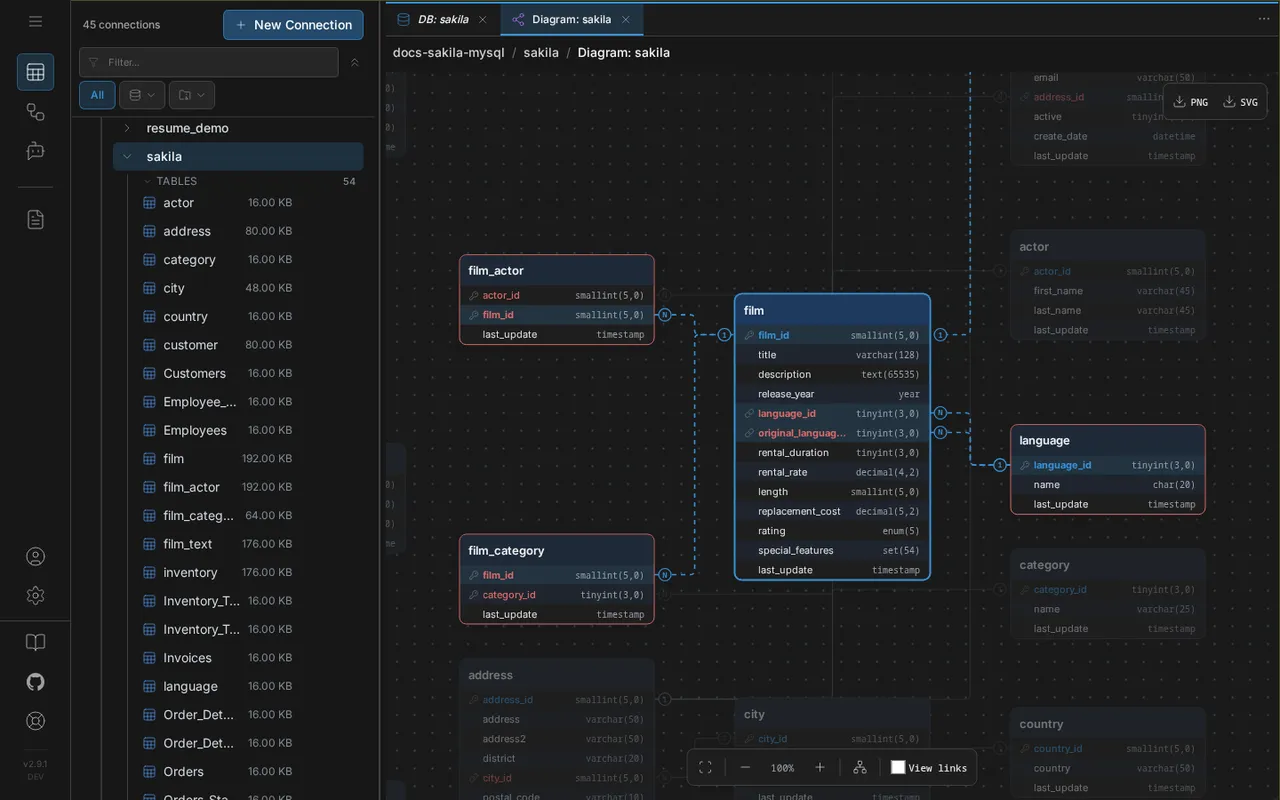
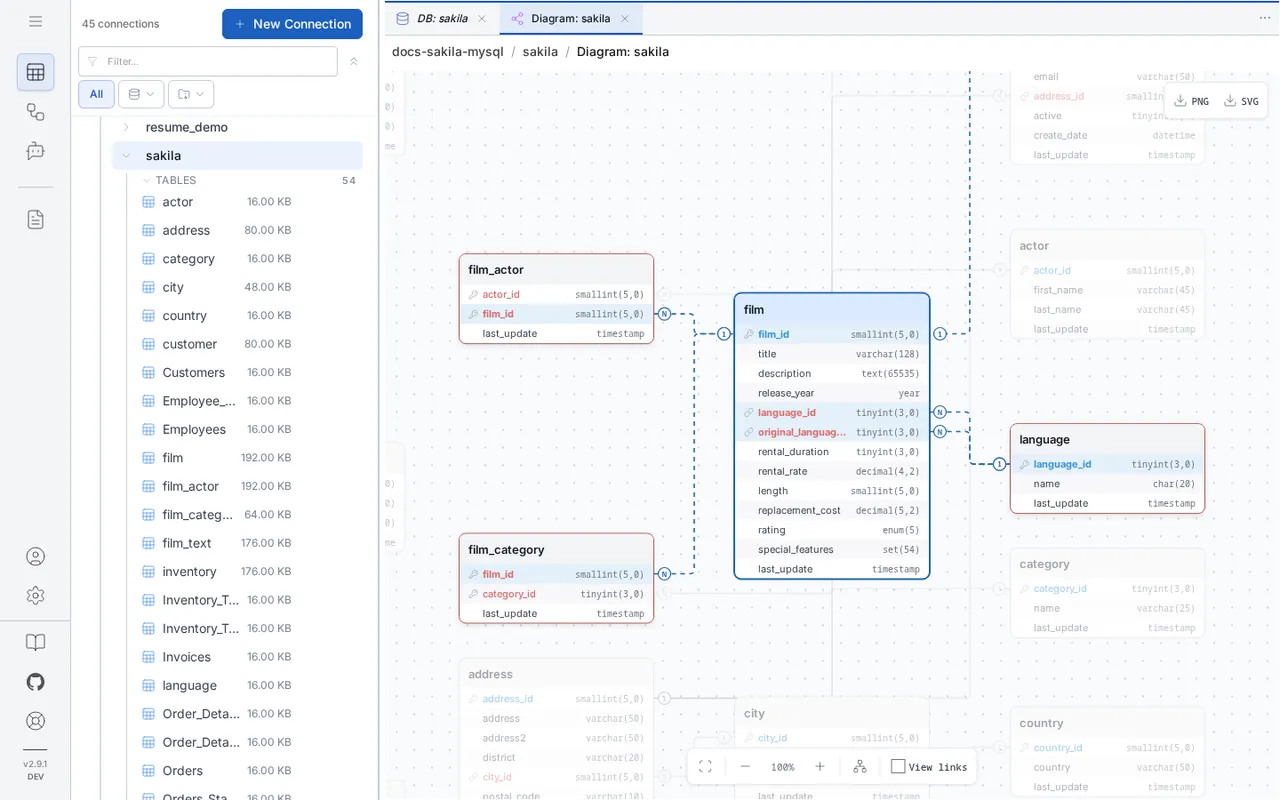
Inspect columns, keys, indexes, and DDL definitions. Visualize relationships with interactive ER diagrams.
View detailed column information including data types, nullability, defaults, and constraints.
Examine table relationships, key constraints, and referential integrity rules.
Review table indexes, their types, and configurations for performance analysis.
View the complete DDL definition of any database object — tables, views, and more.
Full interactive ER diagrams. Select a table to trace its relationships, marked N and 1 on every foreign key, with automatic layout and export to PNG or SVG. Learn more about the ER Diagram Tool →
Query CSV, JSON, Parquet, and S3 objects directly as tables.
Powered by DuckDB. Vectorized execution engine for fast analytical queries — even on large Parquet datasets across local files and S3.
Open two data sources side by side to compare schemas, data, and structures visually.
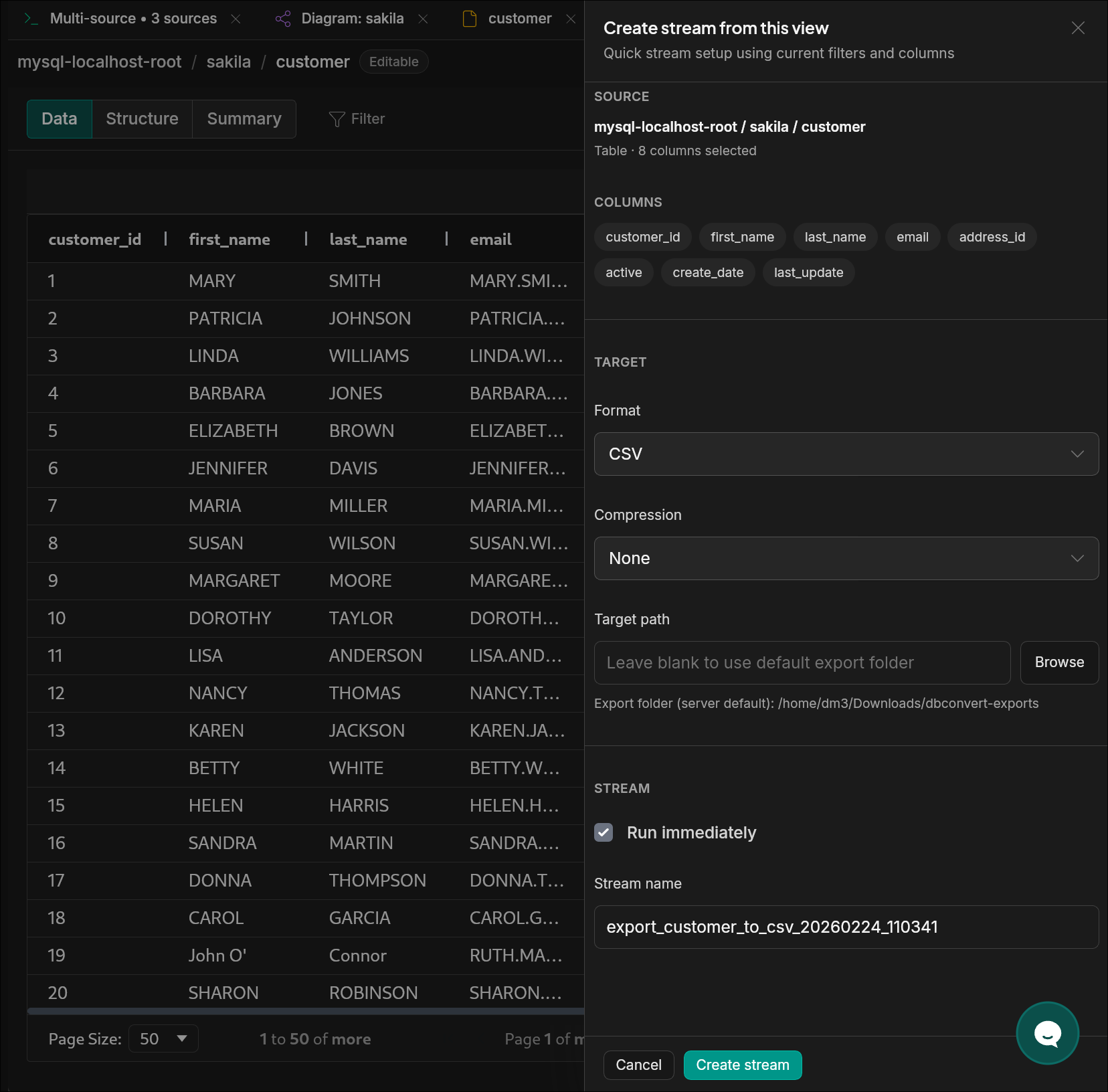
Transition from analysis to migration — create a stream directly from the explorer.
Related workflows
Every next step starts from the connections you already added here.
The question stops fitting in one database. Write a single SQL query over Postgres, MySQL, files, and S3 — no exports in between.
Validated the source? Turn it into a migration: snapshot transfer with schema conversion, progress tracked table by table.
After the initial load, log-based CDC streams committed changes so the target never goes stale.
Claude, Cursor, and Copilot read the same connections and schemas over MCP — ask in plain language, get answers from live data.
No. The explorer is part of DBConvert Streams. Connections, schema browsing, SQL console, ER diagrams, and inline editing all live in the same workspace.
Yes. Browsing, schema inspection, SQL console, ER diagrams, and inline editing are included with DBConvert Streams. Paid stream execution applies only when you start a migration or CDC run.
Tables and query results are loaded in pages, not all at once. Sorting, filtering, and inline inspection work on the current page. For analytical queries, the SQL console executes through DuckDB and uses vectorized execution.
Yes. The SQL Console can show visual query plans for supported engines, with compact operator tables, selected-node details, and the original Raw plan output when you need the database response exactly as returned.
No. Queries run in the local DBConvert Streams instance against your configured connections. Source data is not uploaded to any external service.
Start with the built-in IDE workflows to browse schemas, run validation queries, compare environments, and review targets before you plan migration or CDC.
Add paid stream execution only when the workflow moves into migration or replication.
Read the Database Explorer docs