What's New in DBConvert Streams
Values that arrive intact. Runs that finish, or say why.
Version 2.12.0
Released September 24, 2026
Faster CDC from MySQL, large tables to files and Snowflake in bounded memory, and a Snowflake load that uploads while it reads.
Faster CDC
Three times the CDC throughput from MySQL
Streams joins the pieces of a MySQL transaction before writing them.
- 64,000 rows/s MySQL → PostgreSQL · was 21,000
- 20,000 rows/s MySQL → Snowflake · was 3,300
For transactions that change many rows.
Lag that stays flat
PostgreSQL keeps up with MySQL well past the old limit.
- 0.2 s behind the source at 40,000 changes per second
- 1 ms for a single-row change
Restart and go on
Close the app with a CDC stream running, open it again, and start CDC right away — the pipeline is yours again.
Large tables to files and Snowflake
Any table size, bounded memory
Parquet, CSV and JSONL targets write part files of about 200 MB while the table is read, so memory stays flat however large the table.
Snowflake uploads while it reads
Each part file goes to your stage as soon as it is cut.
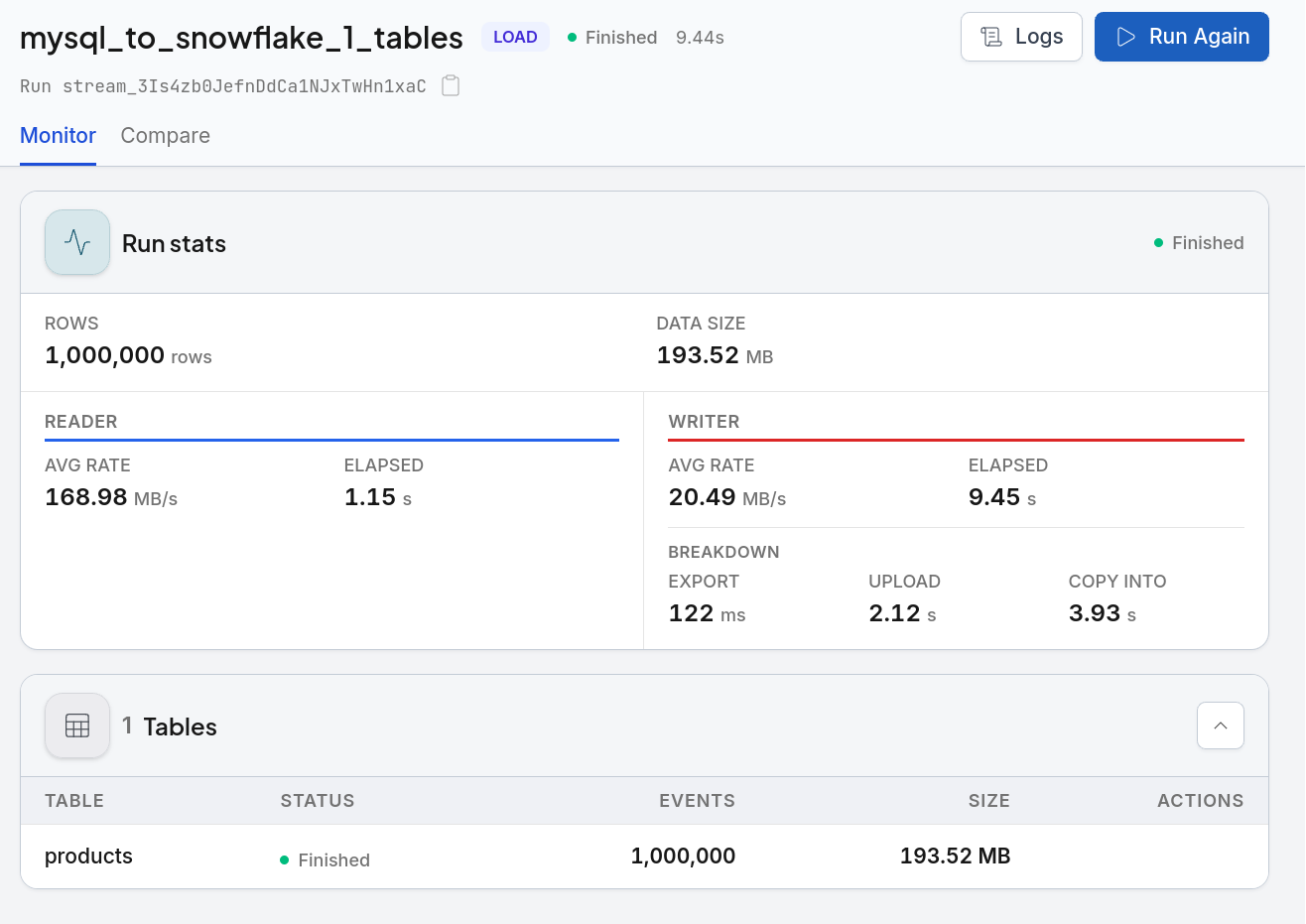
- 8 min 56 s for 260 million rows, 49 GB, from MySQL
- 10 s of upload left after the read
The run shows COPY INTO, removes its staging files, and creates a missing database or schema.
Run progress you can read
Each table shows rows copied out of its total, and says Finalizing while the target finishes it after the last row — building indexes, or Snowflake’s COPY INTO.
Data Explorer
Jump to the end of a big table
In Data Explorer, the last page of a large table opens at once, however many rows come before it.
- 0.04 s to open the last page of a 73-million-row table
Version 2.11.0
Released September 18, 2026 · includes 2.10.0
A Load now shows what it will do to every target table before it starts, and proves afterwards that the target holds the same rows as the source — with the rows that differ opened side by side. Plans are simpler too: PRO for the IDE, a one-time Load pass for migrations, and CDC paid per pipeline.
Review before start, verify after
A plan before anything is written
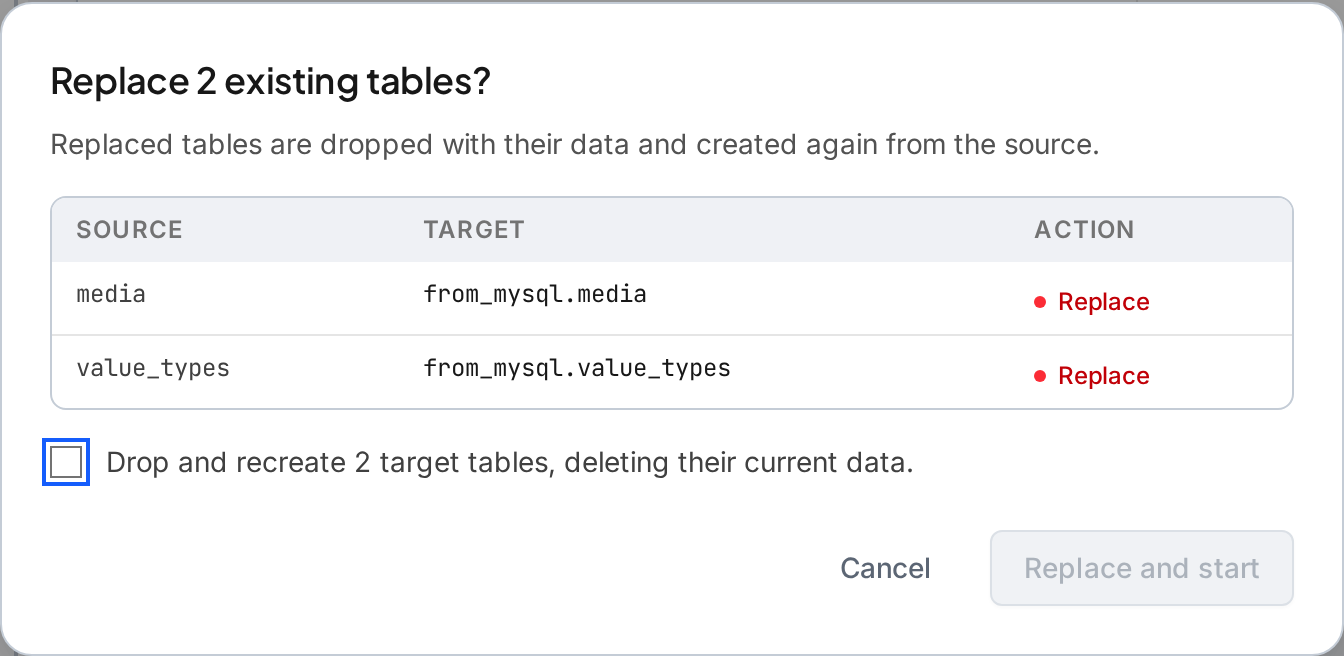
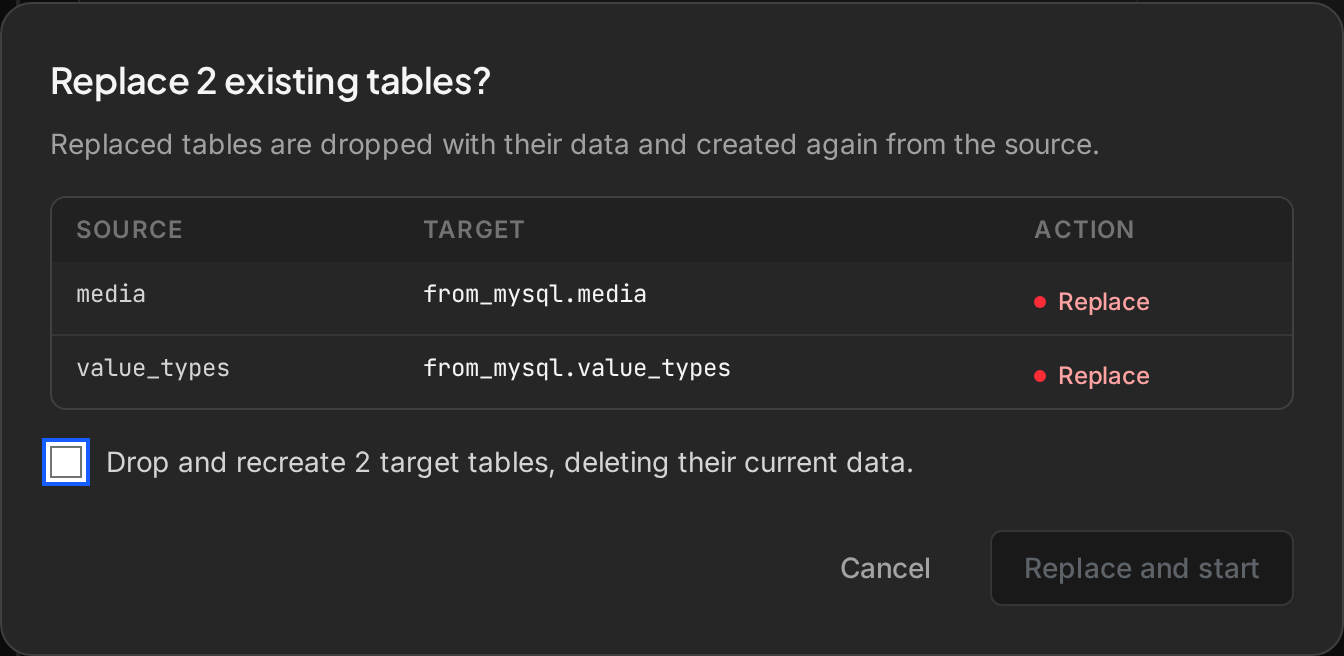
Starting a Load lists every selected table as created, replaced, used as it is, or blocked, with the reason. Replacing tables needs a second confirmation, missing privileges are found before the run instead of halfway through it, and the plan you start is the plan you reviewed. Review and Verify a Load.
Verify data
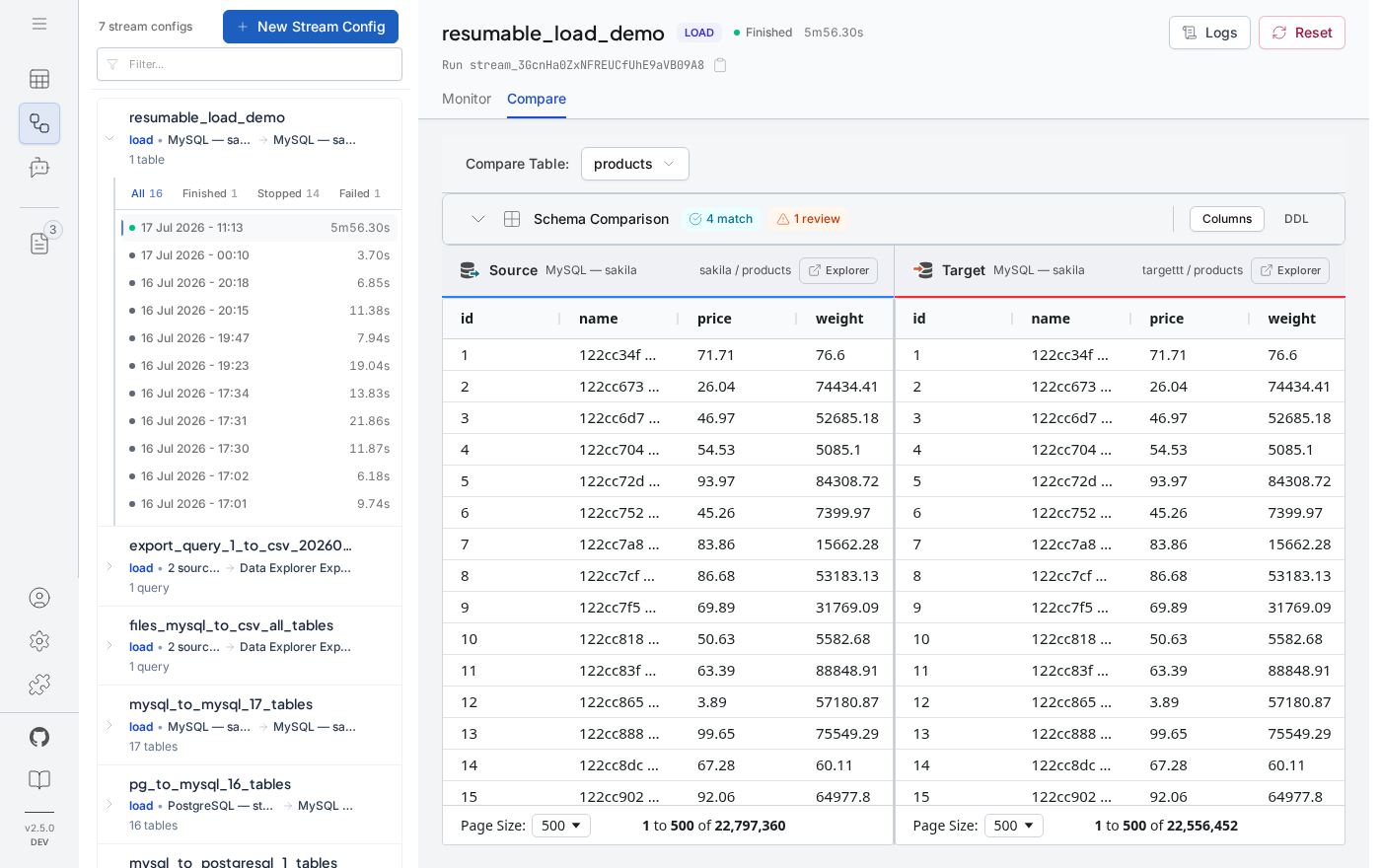
One button compares a finished Load with the source: totals for every table, then the rows themselves wherever the totals differ. Turn on Verify data after run to check every Load when it finishes. 20 million rows compare row by row in about 72 seconds on a workstation.
The differing rows, side by side
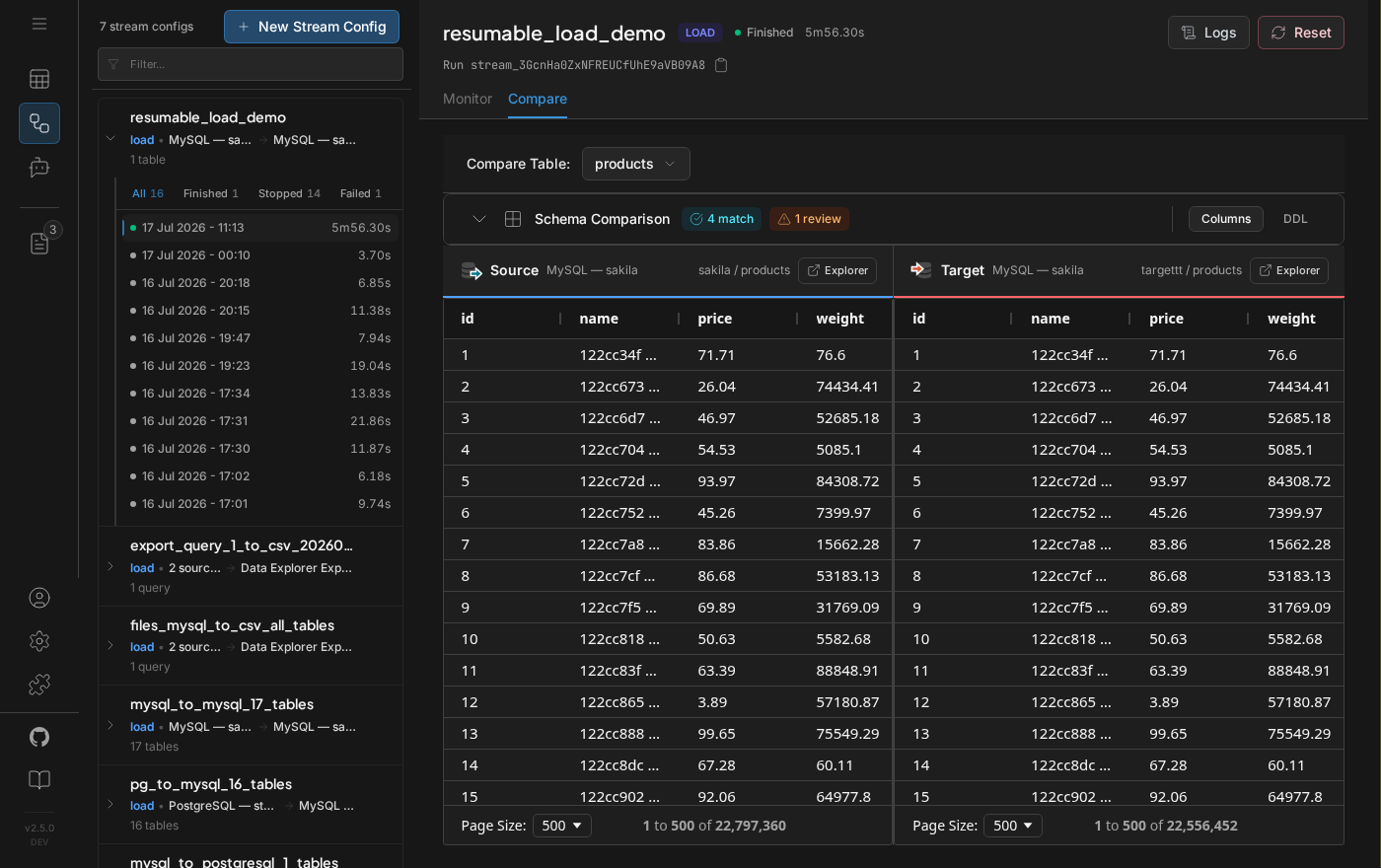
See them in Compare opens the source and target tables narrowed to the rows that differ and lined up by key: the expected value in blue, the value found in red, and a row missing from one side held in place so nothing below it shifts.
Totals that match can still hide changes
Row counts and sums can agree while values differ. Row comparison reads both tables by primary key and converts source values the way the Load wrote them, so a type mapping is not reported as a difference.
Plans
PRO for the IDE
Data Explorer, SQL and connections stay free, with federated queries over up to two sources and 5 AI questions a day over live databases — the app shows how many are left. PRO ($9 a month) adds more sources, diagram export and unlimited AI questions. Licensing.
Load pass and CDC pipelines
A Load pass ($149, 30 days) makes Load output clean. CDC is paid per pipeline — one CDC stream running at a time — and every account gets a 7-day CDC trial on up to 3 tables. Both include PRO. The app’s Account page shows the pass and the trial.


Schema diagram
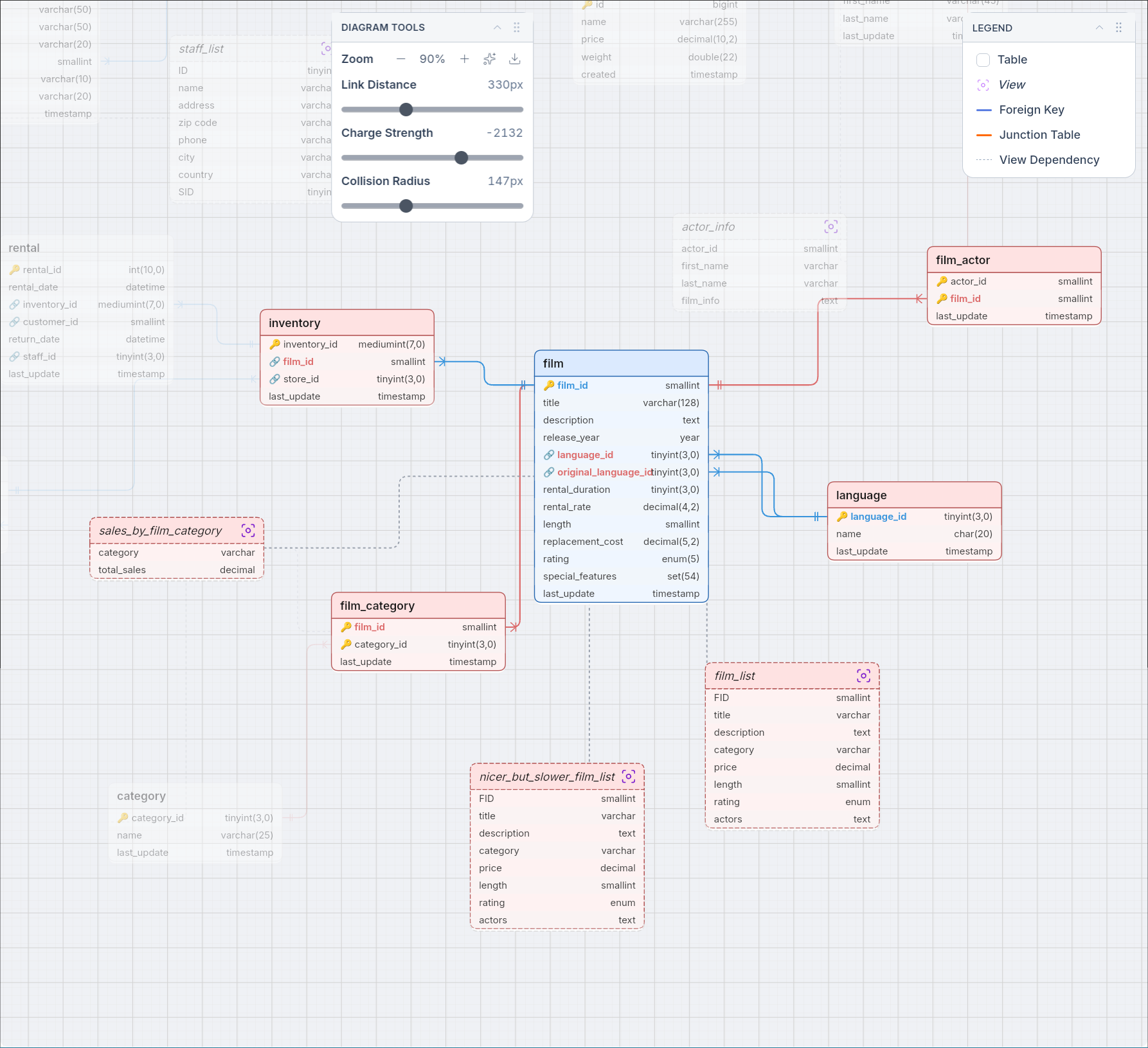
Relations from the catalog
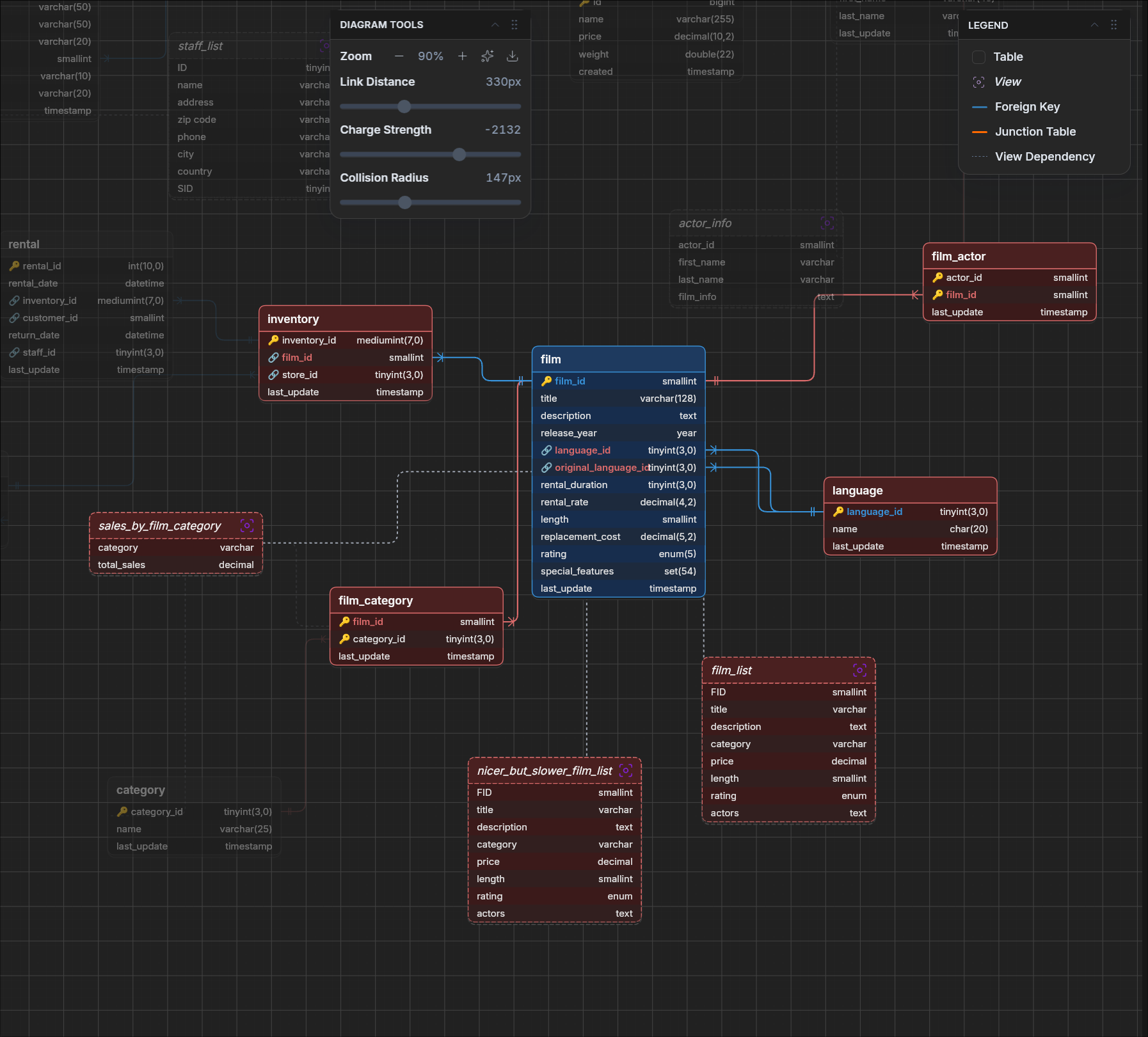
The diagram draws the foreign keys the database reports, not relations guessed from column names, and lays the tables out so the controls never cover them.
Exports that open
SVG export is a real vector file, the PNG no longer comes out blank, and each export gets its own name instead of overwriting the last one.
Fixes worth knowing about
PostgreSQL range columns
A table with a tsrange, daterange or other range column stopped a PostgreSQL migration with an encoding error. Range values now arrive intact, through both bulk load and upsert.
The right reason for a missing table
A table dropped after the stream was configured was reported as a privileges problem. It is now reported as missing.
Also new on the website
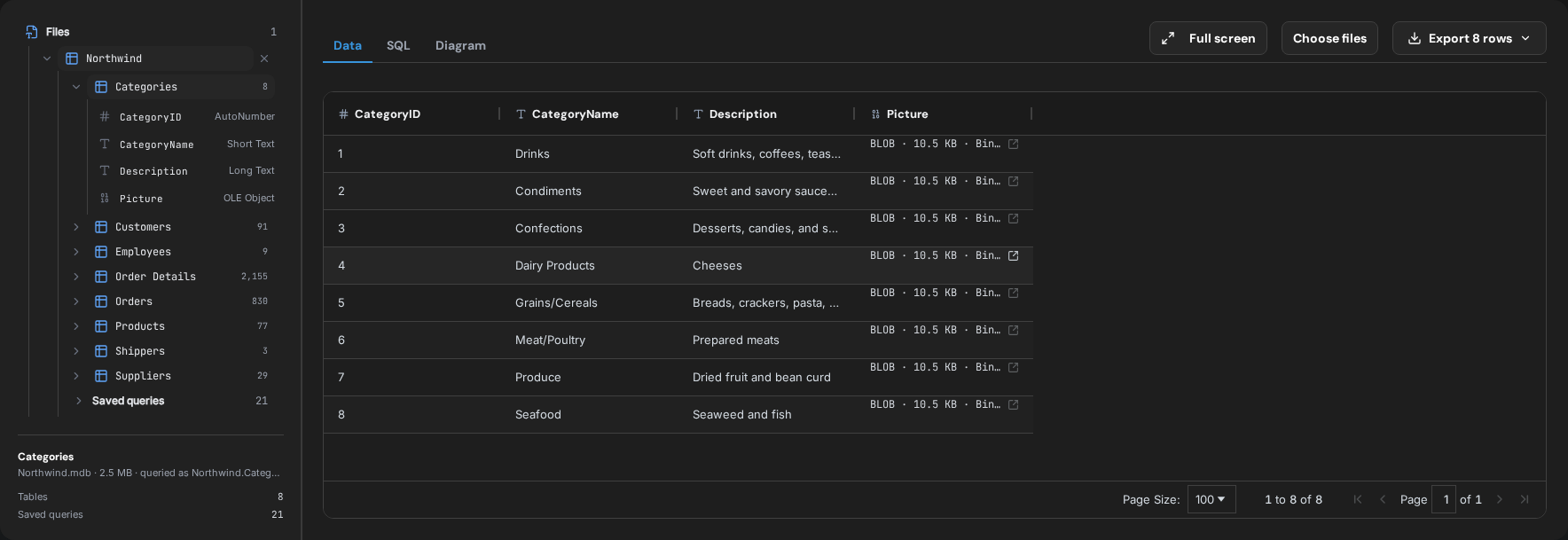
Open a Microsoft Access .mdb or .accdb file without Access, Java, ODBC or Windows: tables with their Access types, the relationships as an ER diagram, saved queries and read-only SQL across several databases. It runs in the MDB and ACCDB Viewer in your browser, and as an extension for VS Code and Open VSX editors such as Cursor and Windsurf. The file stays on your computer.
Version 2.9.1
Released September 10, 2026
A CDC stream no longer misses rows that were written while it was starting up. Schema options do what they say. And YugabyteDB joins the list of databases you can migrate to and from.
Fixes worth knowing about
No changes lost at the start of a stream
A new PostgreSQL CDC stream began a moment later than it should have, so rows committed during those first seconds never arrived — and nothing reported it. Every change is now delivered from the point the stream was created.
Schema options that hold
Switching off indexes or foreign keys was forgotten when the configuration was saved, so the run rebuilt them anyway and then failed on them. Off now stays off.
Schemas that used to fail at the finish line
Custom types and full-text or spatial indexes stopped a PostgreSQL migration right at the end, after every row had already been copied. Both are handled now, so the run completes.
Errors that name the table and the fix
A table that cannot be replicated stops the run before anything is created, and says which table and what to change — instead of a database error halfway through.
YugabyteDB
Migration and replication, in and out
Move a MySQL or PostgreSQL database into YugabyteDB, or replicate changes continuously in either direction. The YugabyteDB guide covers the cluster settings it needs and where YugabyteDB differs from PostgreSQL.
Tables and sizes in Data Explorer
A YugabyteDB connection showed no tables and no sizes while the same tables answered queries. Both appear now.
Version 2.9.0
Released September 9, 2026
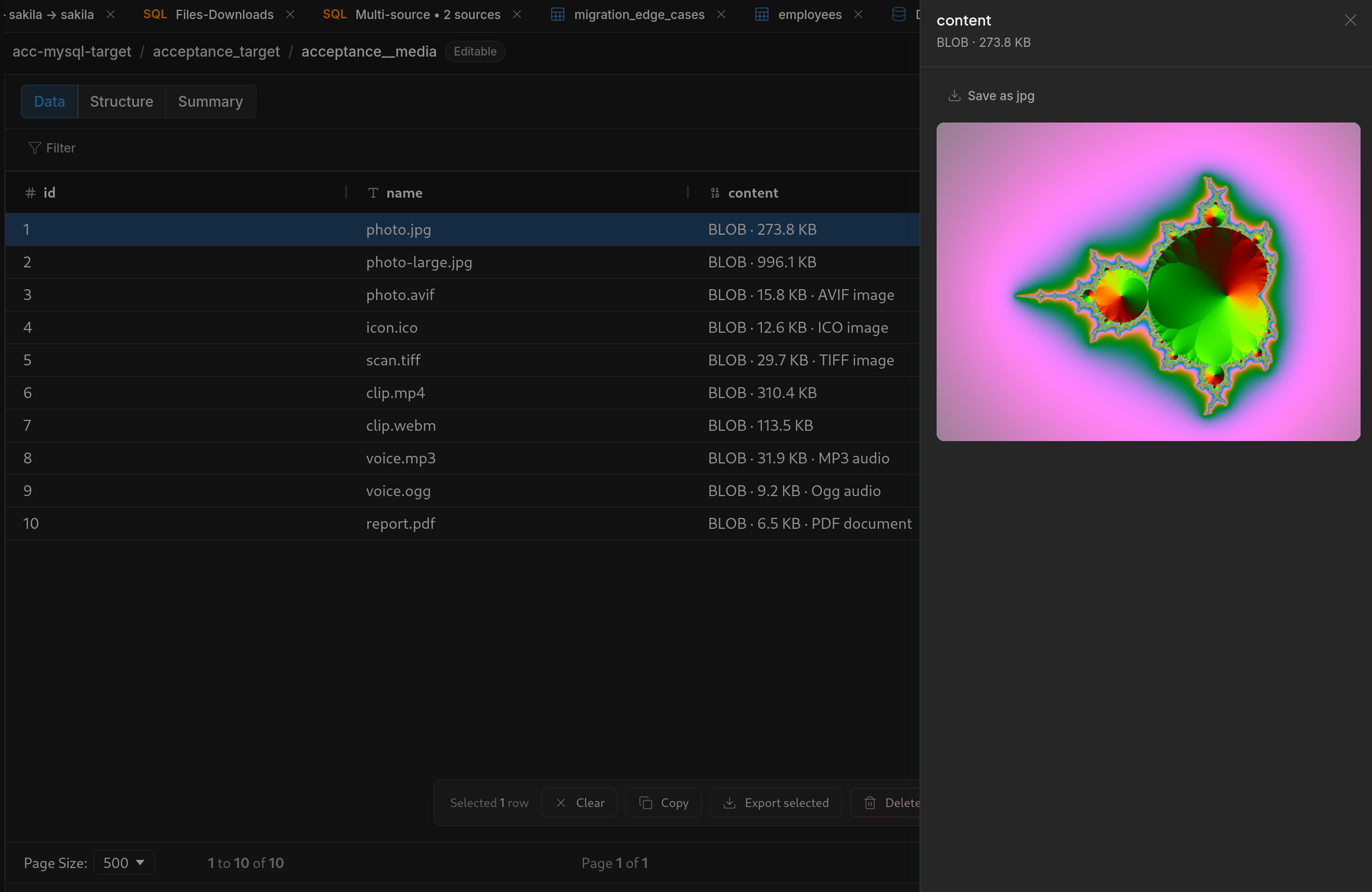
A cell that holds a picture stops saying <BLOB>. Values now leave the API as the bytes they are, and the grid shows what they hold — an image is drawn, a PDF and text are shown, anything else is a hex dump you can copy or save to a file.
See what a cell holds
Open it beside the grid
Pictures are drawn, documents and text are shown, and anything a browser cannot read is a hex dump. The value can be copied as hex or saved to a file through the application's own dialog.
Types named, not guessed
An AVIF, an ICO, a TIFF, an Ogg stream or a PDF is recognised as itself rather than as an unknown blob of a certain size, and a BIT column reads as bits.
Values arrive whole
A binary or oversized value used to be damaged on its way out of the API: bytes were mangled before a client saw them, and a value too large for the driver's ordinary read came back short. Values are now read with a scan the driver allows and handed over as they are — proven against live MySQL, PostgreSQL and Snowflake databases as well as Parquet, CSV and JSONL files. Copying or exporting selected rows writes the bytes, not a description of them.
Working with rows
One bar for what you staged
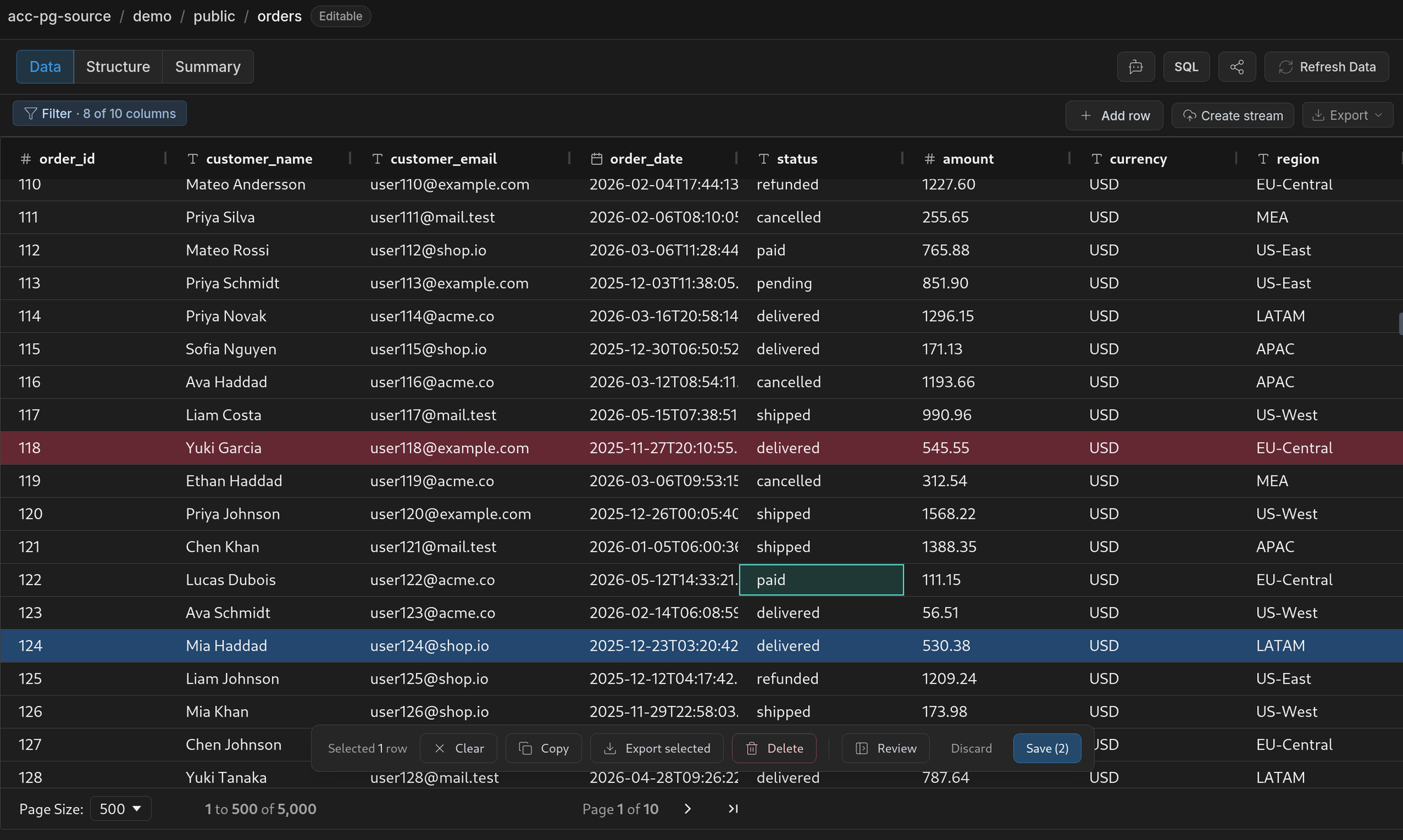
Selected rows and unsaved edits share a bar at the bottom of the grid — Clear, Copy, Export selected, Delete on one side, Review, Discard and Save on the other — instead of crowding the toolbar that acts on the whole table.
Nothing leaves until you save
An edited cell, a staged insert and a staged delete are marked in place and counted on the Save button. The review panel lists them one card per row, naming fields in the table's own column order.
A narrowed table says so
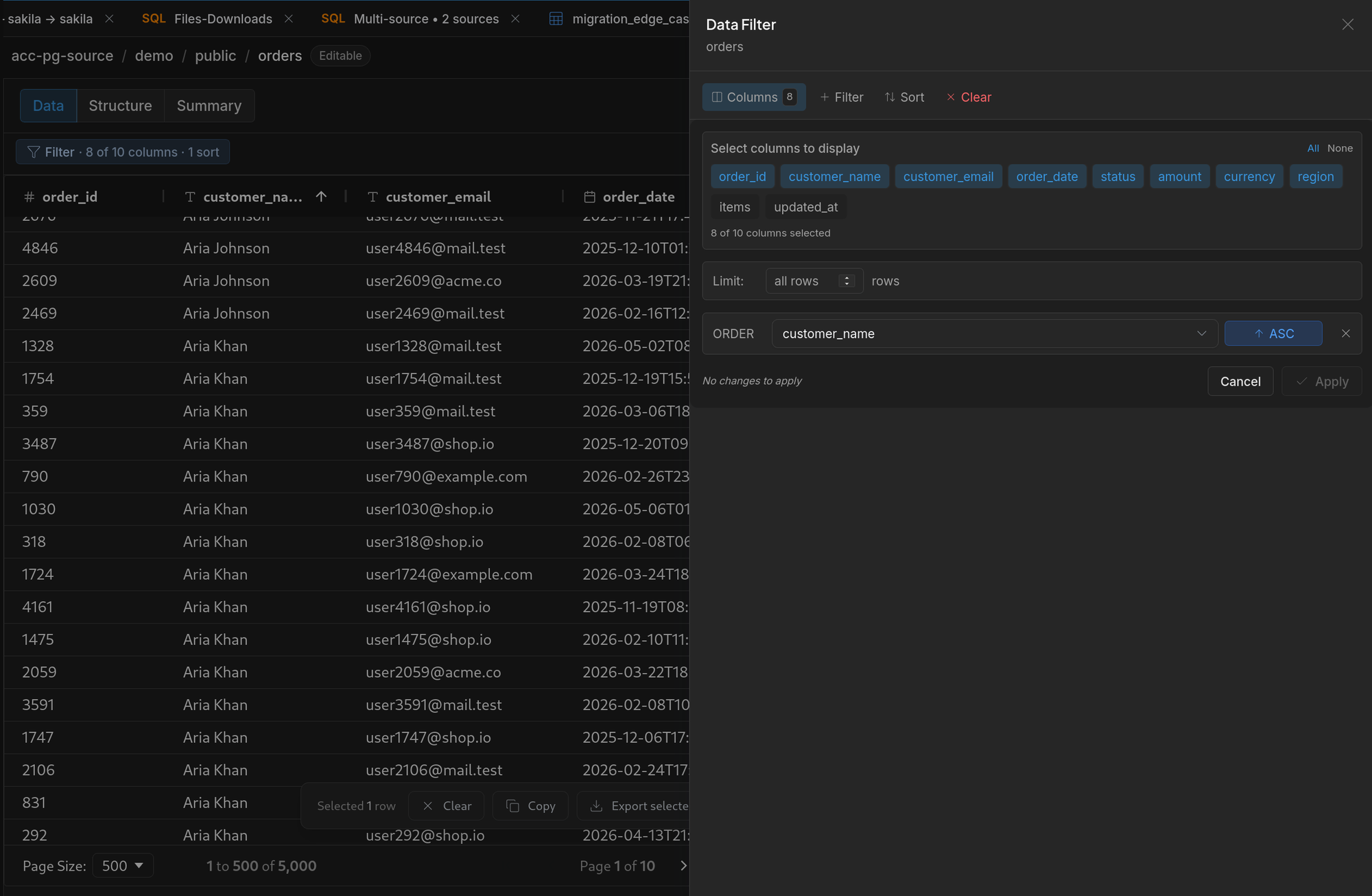
The Filter button now carries what is active — the conditions, the sort, the columns left out — and the headers of filtered columns are marked, so a table showing twelve rows of four thousand names the column that took the rest away. A column's own header menu can filter on it or hide it, both through the same panel.
Snowflake CDC
A current-state table no longer disappears when every change in its history is a delete: it stays, empty, the way its source table does. Connections identify the product to Snowflake, so an administrator can see which client is running a query, and the CDC guide names the privileges CDC actually needs.
Version 2.8.0
Released September 5, 2026
Snowflake can now be the target of a MySQL or PostgreSQL CDC stream. Changes arrive through Snowpipe Streaming; the table named after the source stays useful for reads while its history remains available for audit.
CDC into Snowflake
Current state and history
Each source table gets an append-only change table and an ordinary current-state table, kept up to date by a Snowflake task on a schedule you choose. The changes can be trimmed at any time without touching the table you query.
Key-pair authentication
Snowpipe Streaming signs a JWT with a Snowflake key pair. Streams can generate the pair and refuses a CDC run whose connection cannot authenticate.
Standalone MCP server 2.8.0
The read-only MCP server is released at the same version as Streams. Its Claude bundle, npm launcher, Docker image, and MCP Registry entry resolve to 2.8.0.
Version 2.7
Released August 2026 · 2.7.0 through 2.7.3
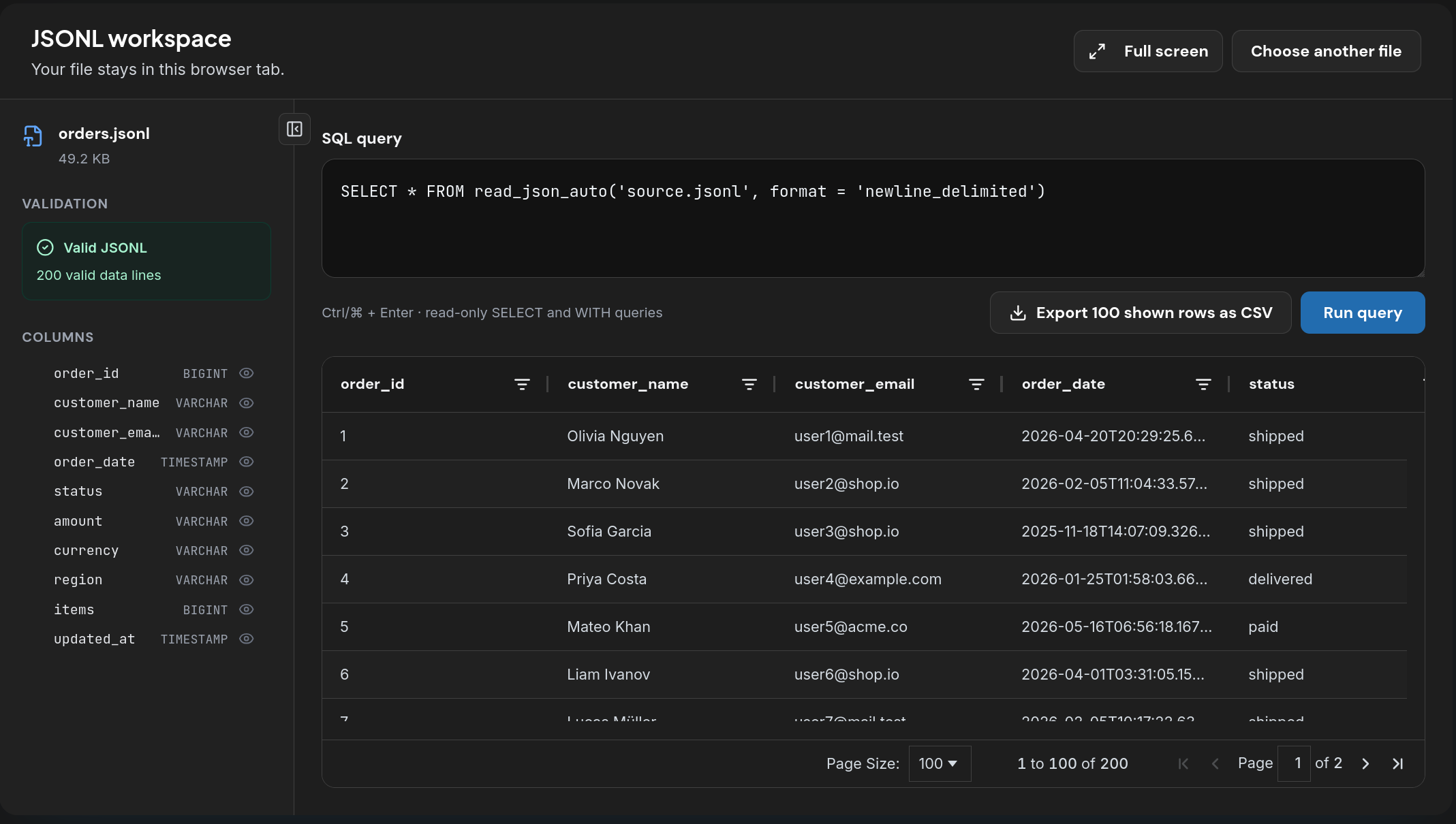
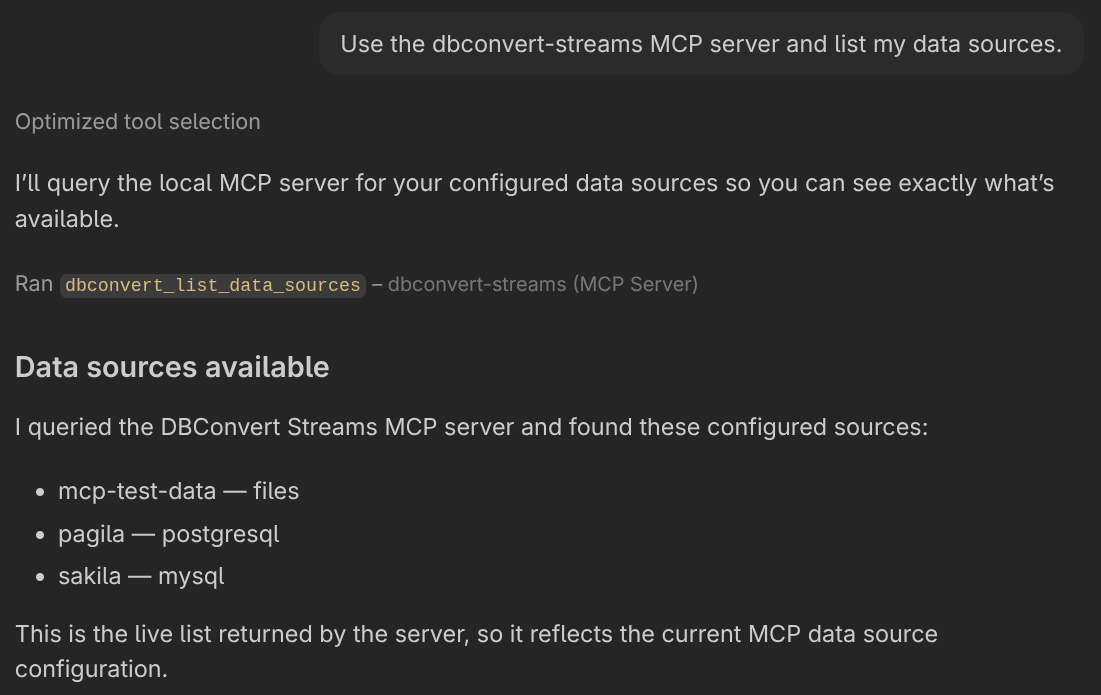
Your databases, buckets and data files can now answer questions inside the AI client you already use — with or without DBConvert Streams installed. One question can join a live PostgreSQL table against a MySQL one, or against a Parquet file in S3, and nothing it does can write.
A server for your AI client
Nothing to install
Hand it connection strings and it serves them: npx @dbconvert/stream-mcp "postgres://…". No workspace, no services to start.
One click in VS Code and Cursor
The install button now asks for your connection string as it installs, instead of leaving a sample one for you to find and replace in a JSON file.
A Claude extension, or a container
One .mcpb file covers Windows and Linux and carries a form for the sources. Anything that launches a container can use the image instead.
It cannot write
No tool updates a row, drops a table or alters a schema — absent, not disabled. Every tool declares readOnlyHint, so a client can check rather than trust.
Running it your way
All your sources in one setting
Databases, buckets and folders go in a single DBCONVERT_MCP_SOURCES value, separated by spaces — which is what a client can prompt for, and what docker run -e takes.
Findable where you look
The server is published in the MCP registry, on npm and on Docker Hub, so your client can install it the way it installs any other.
/mcp works out of the box
Two images a Docker deployment needs were private, so docker compose up could not pull them: /mcp was a dead route and federated queries failed. The nginx route table is generated on every start instead of shipped stale.
Federated queries in parallel
DBCONVERT_MCP_QUERY_CONCURRENCY sets how many run at once. Worth raising on a deployment serving several sessions, where one slow query otherwise holds up everything behind it.
Version 2.6.0
Released August 1, 2026
A migration that reports success should be one. This release fixes conversions that changed values without saying so, and runs that stopped without saying why.
Values arrive intact
Money keeps its value
A PostgreSQL money column arrived as 123456 instead of $1,234.56. It now lands as DECIMAL(19,2).
CDC keeps the clock
Replicated timestamps were shifted by the host machine's UTC offset: a row written at 11:00 arrived at 13:00.
Wide tables keep their rows
A batch too large for the transport was dropped in silence — the run reported Finished over an empty target. Batch size is no longer a setting: batches are sized by what they hold.
Types stay themselves
A zero primary key is no longer renumbered, a NULL binary column no longer becomes empty, DATETIME keeps its precision, and long text no longer lands in an unmeasured VARCHAR(255).
Runs finish, or say why
No more silent stalls
A large load could stop making progress and stay Running for ever — and that one run then refused every later start until the service was restarted.
A failure says what happened
A failed run carries the database's own error instead of nothing at all, and an unreachable host now fails in a second, naming the connection.
Stopping is not failing
A run you stop reports Stopped and keeps its progress. Row-level failures no longer decide the run's outcome.
CDC checks the target first
An initial snapshot names the target tables that are not empty before the run, instead of failing mid-way.
Files, S3 and queries
Exports match the source
CSV, JSONL and Parquet, local or on S3: a column named order no longer fails the export, unsigned integers no longer wrap, decimals stay decimals and UUIDs stay UUIDs. Loading any of it back returns the values and the types it left with.
Your query runs on your database
A query against a single source now runs on that source — its SQL dialect, its column types, the result the editor previewed.
One slow query, one slow query
Queries across several databases moved out of the API into a service of their own, so two people querying at once no longer collide and a crash can no longer take the API with it. Large results arrive in pieces.
Upgrading
Because the types above are now mapped correctly, this version creates targets that differ from 2.5.x ones. Re-running an existing configuration leaves an existing target's schema alone — recreate the target to get the corrected one.
Docker deployments gain one container, stream-query-worker, which runs cross-database and file queries outside the API. Pull the updated compose file to get it; see Docker deployment.
Version 2.5.0
Released July 21, 2026
AI Chat
AI Chat is the assistant inside the DBConvert Streams desktop app. Ask about the database, file, stream, or SQL query in front of you. It reads the live workspace with DBConvert's read-only tools, shows what it inspected, and answers from real state.
Talk to your database
Ask what is in a database, which tables matter, or why a stream stopped. The assistant inspects the actual workspace before it answers.
Generate SQL
Press ⌘K / Ctrl+K in SQL Console, describe the query, then review the generated SQL with Keep or Revert.
Fix failed SQL
Use Fix with AI to attach the failed query and database error automatically, then review the replacement before keeping it.
Open AI Chat for a connection, ask a question, and see the tools it uses before it answers.
Each chat keeps the scope it was opened from. Choose an installed agent and model per chat; the header shows token usage and cost. Agents use only DBConvert's read-only tools — Chat does not grant shell, filesystem, or code-editing access.
Run monitoring
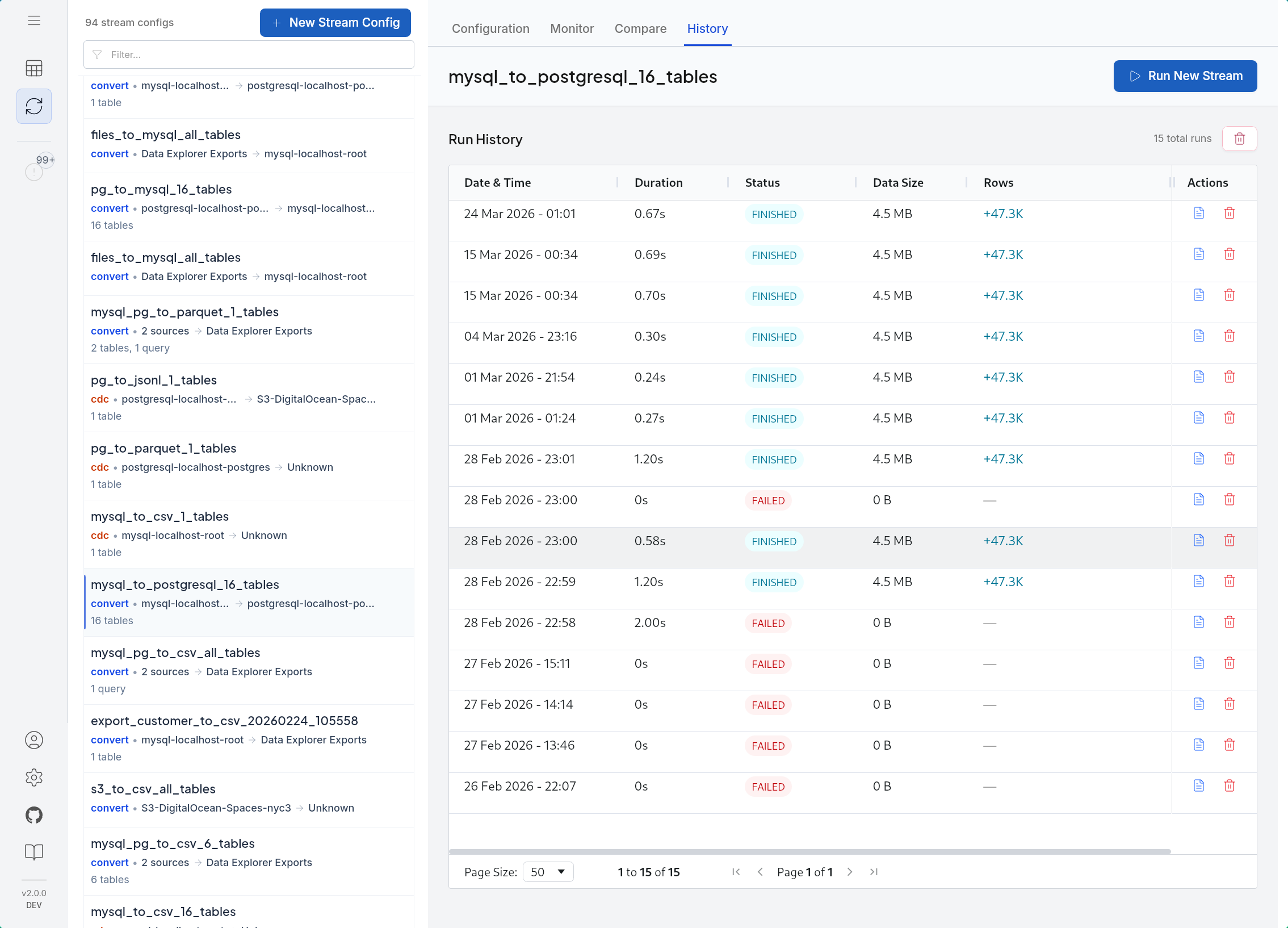
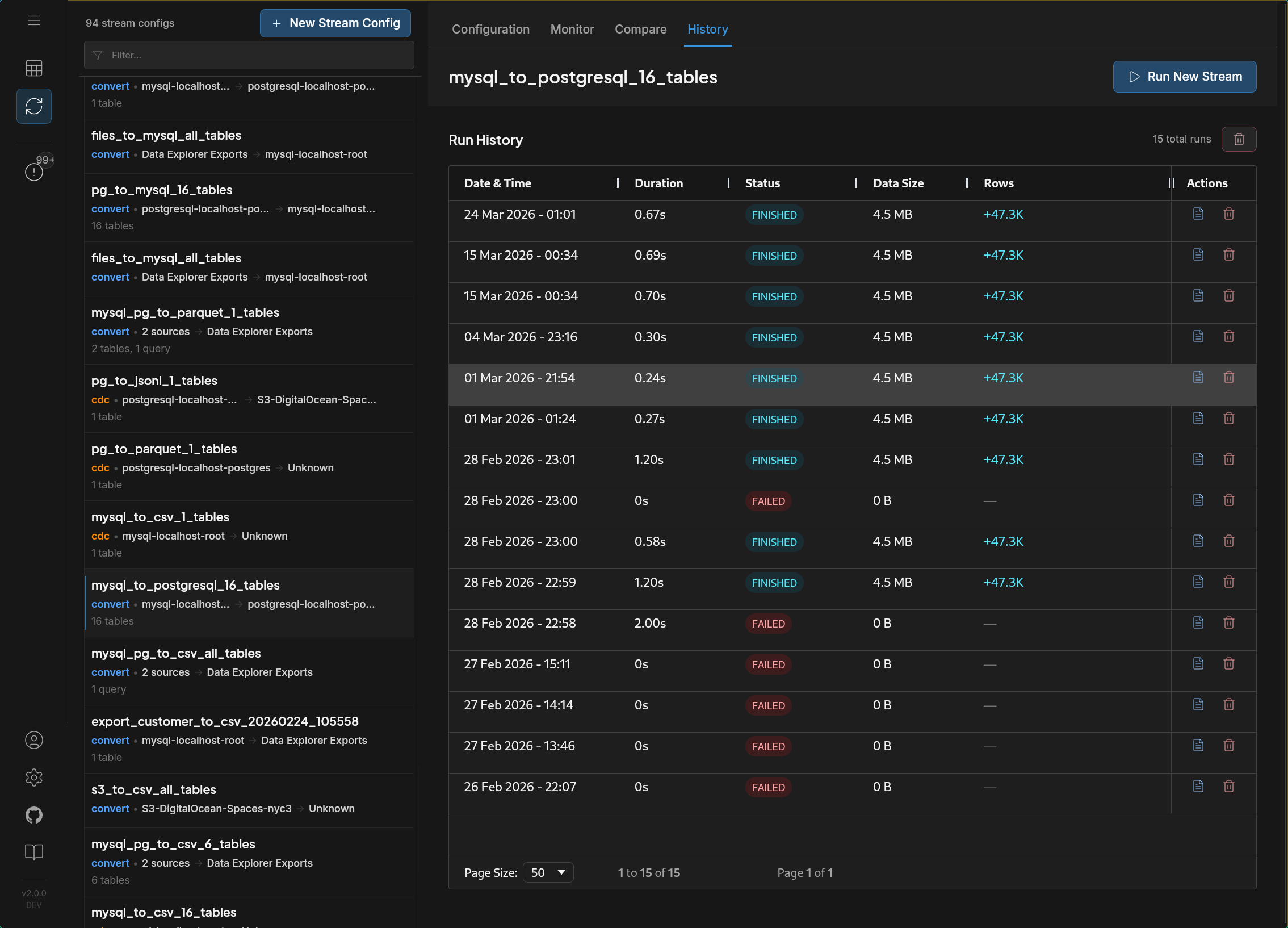
A config now owns its run history
Expand a stream config to see its runs in one place. Filter the history by Finished, Stopped, or Failed, then open the run that needs attention.
- The primary action follows state: Run Again, Resume Load, or Reset.
- Monitor shows progress, rows, chunks, rates, and per-table status for that run.
- Stopped loads keep their saved progress; a user stop is no longer reported as an error.
Version 2.4.2
Released June 12, 2026
CDC and workspace reliability
No more orphaned replication slots
Deleting a CDC stream config now also drops its PostgreSQL replication slot on the source. Previously the slot stayed behind and silently retained WAL — on a busy source that means unbounded disk growth long after the pipeline is gone.
The docs now also cover how slot WAL retention works and how to cap it with max_slot_wal_keep_size — see CDC reliability and resume.
Connection secrets stay in sync across services
Connections you add or update are now picked up immediately by every running service that shares the workspace — including the MCP server your AI assistant talks to. No restarts after adding a connection: create it in the app, query it from Claude or any MCP client right away.
Version 2.4.0
Released June 10, 2026
AI Assistants via MCP
DBConvert Streams 2.4 ships a built-in MCP server: connect Claude, Cursor, VS Code Copilot, Windsurf, Gemini CLI, or Codex, and your AI assistant reads live schemas, data, and stream state from the same workspace you use — no more pasting DDL and error logs into chat.
What you can do now
- Ask your assistant to describe tables, run read-only SQL, and join data across PostgreSQL, MySQL, and files in one federated query — 26 read-only tools in total.
- Diagnose streams in plain language: status, recent errors, logs, and throughput stats.
- Connect in one click from the new ✨ AI Assistants panel — 7 clients registered automatically, no account required on desktop.
- On Docker deployments, remote AI clients connect over HTTP(S) with your API key.
- Read-only by design: only
SELECTpasses the server-side filter — the AI can look and advise, never write.
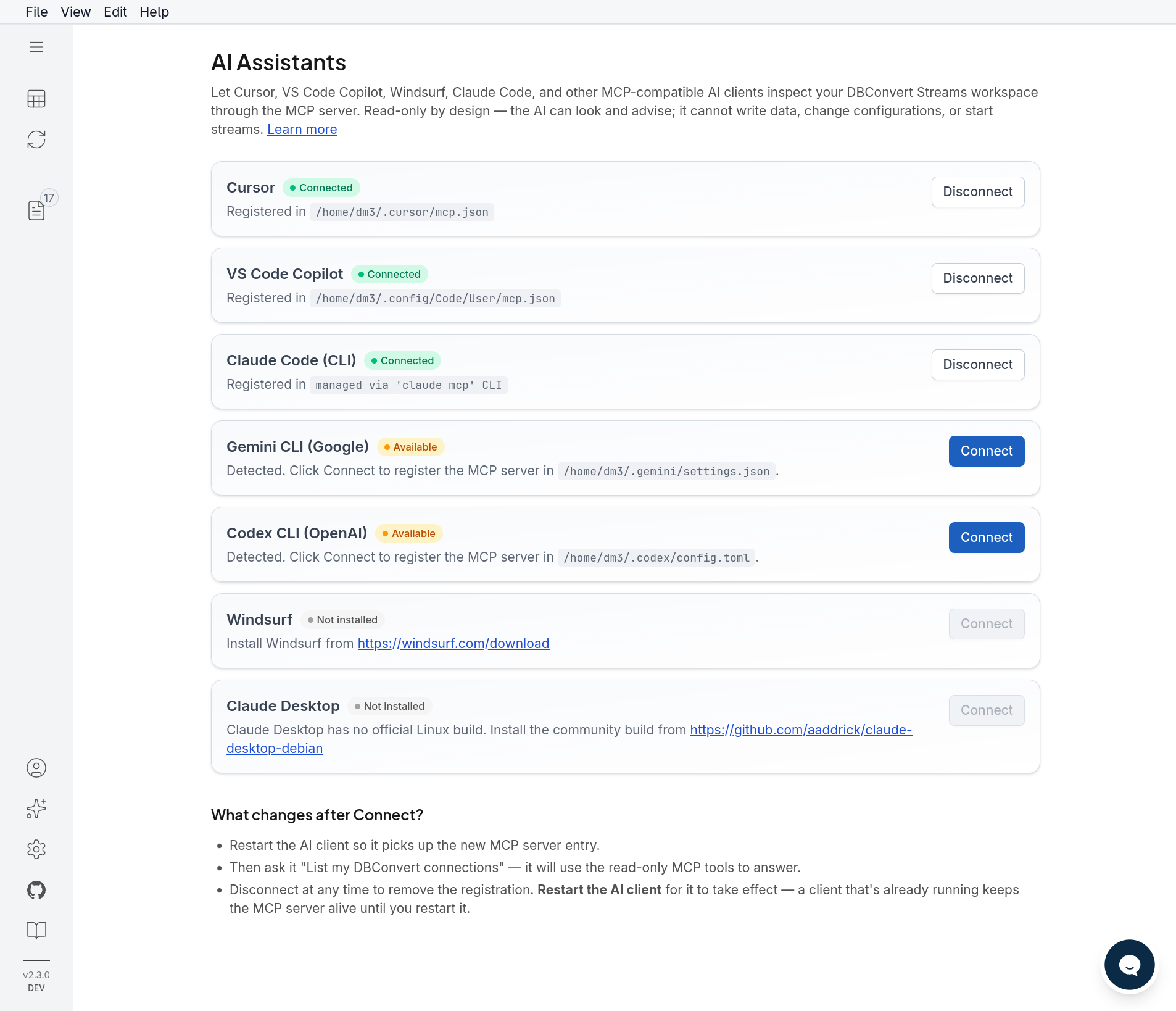
The AI Assistants panel detects installed clients and registers the MCP server with one click.
Version 2.3.0
Released May 15, 2026
Paged SQL Console results
Large SELECT / WITH queries now return paged results, so an uncapped query can no longer overwhelm the grid or the backend.
- Page sizes: 50, 100, 250, 500, 1000 rows.
- Default 1,000-row cap for uncapped queries.
- More stable federated MySQL queries.
Version 2.2.0
Released May 11, 2026
Visual Query Plans in SQL Console
DBConvert Streams 2.2 adds visual Query Plans to the SQL Console, making it easier to understand how PostgreSQL, MySQL, and federated queries are executed.
What you can do now
- View query plans directly in the SQL Console.
- Compare estimated vs actual rows, timing, loops, joins, filters, sorting, and indexes where available.
- Switch between a clean visual Plan view and the original raw database output.
- Find performance signals faster with search and Signals only filtering.
- Use a new aggregate validation template for faster cross-database checks.
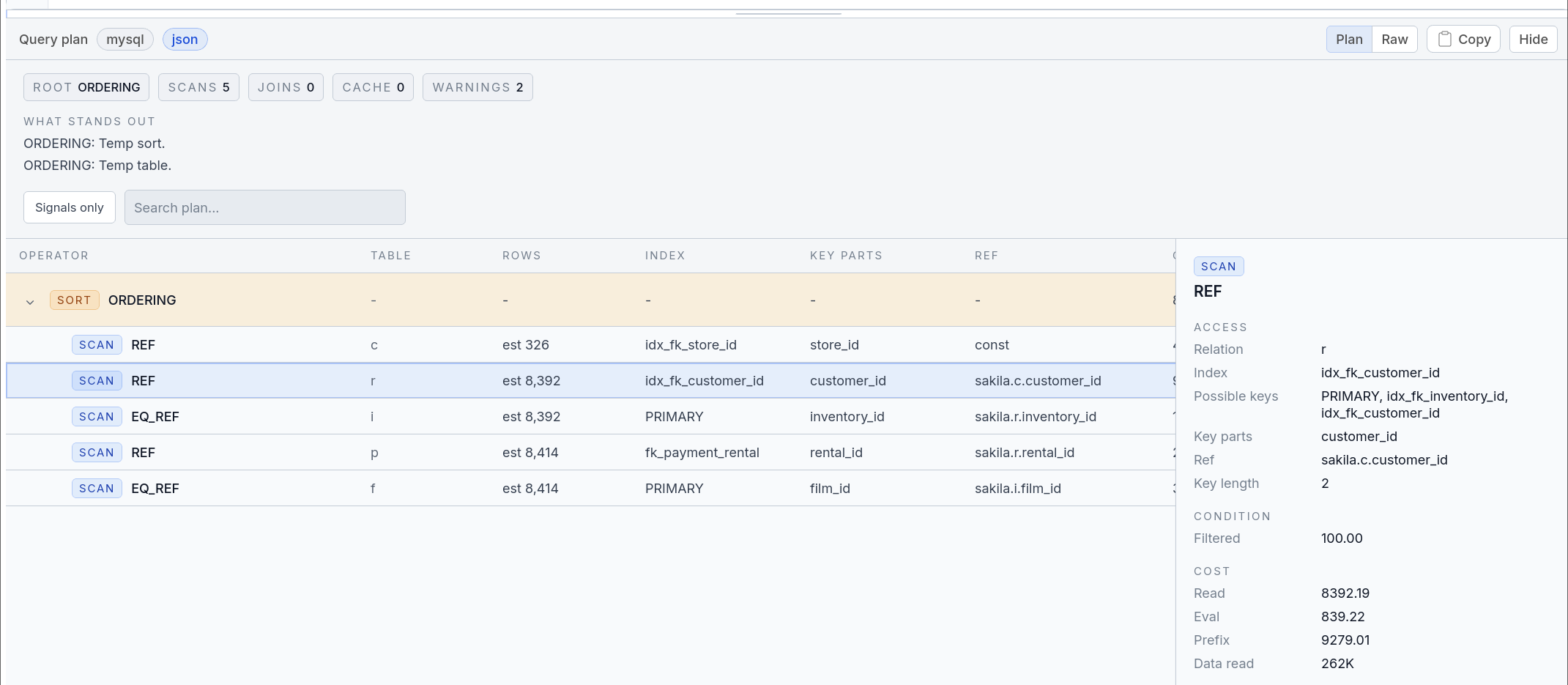
The Plan view highlights operators, indexes, row estimates, costs, and warning signals.
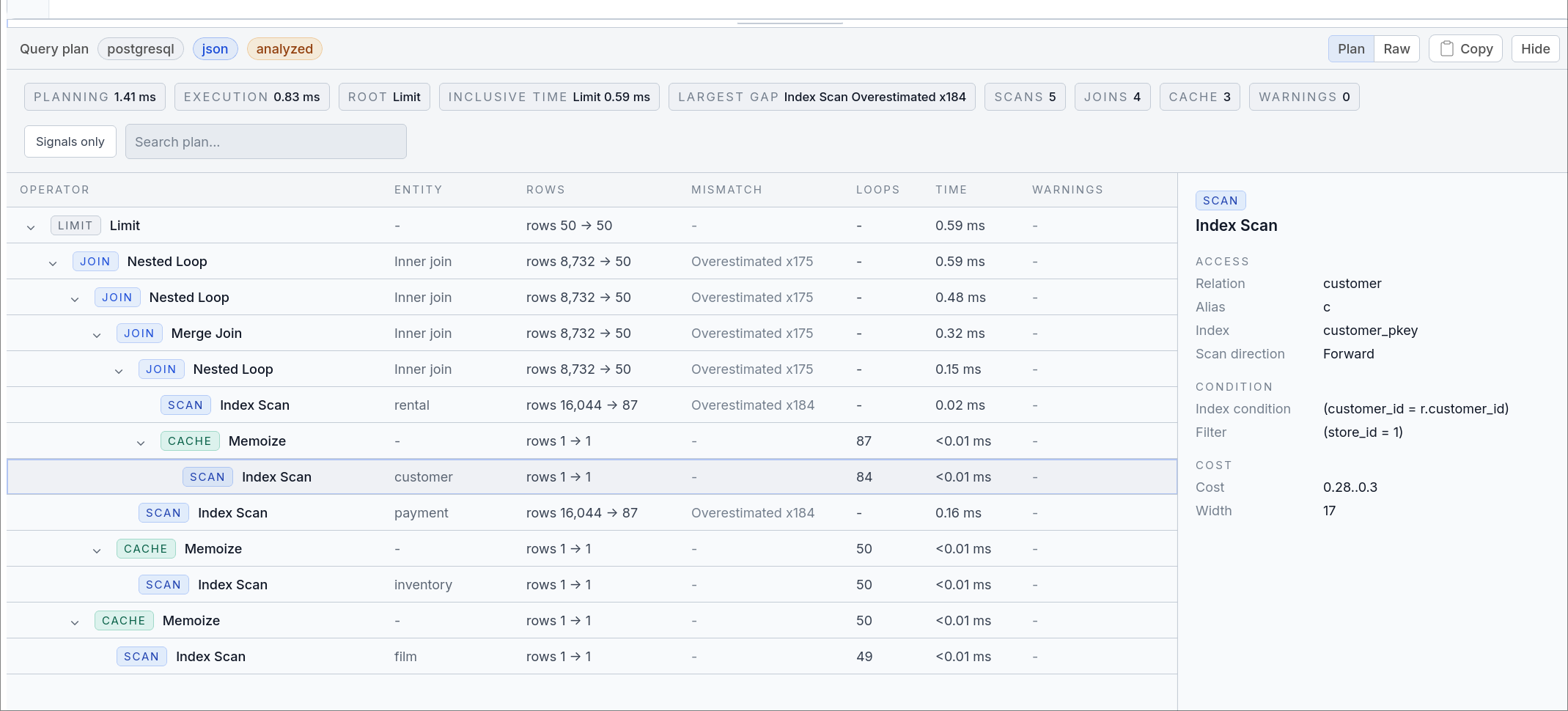
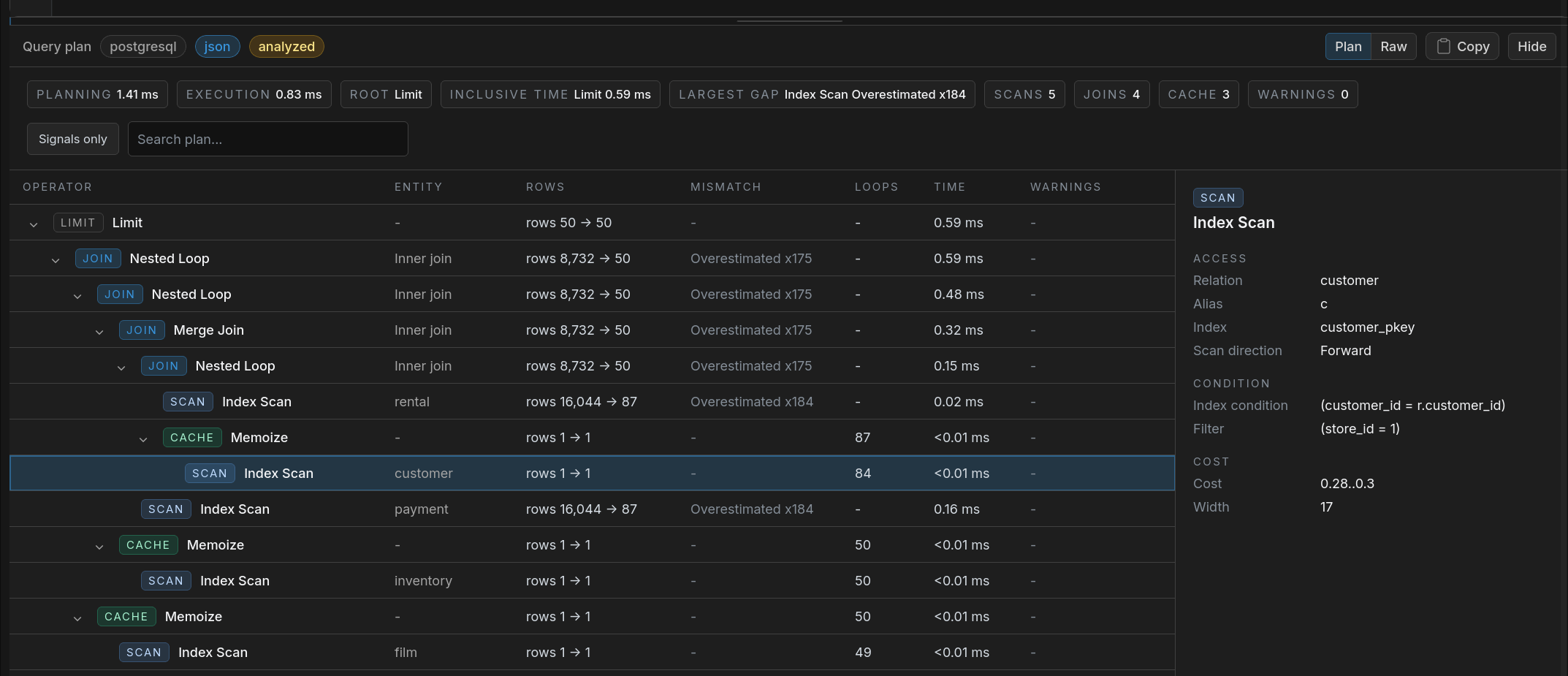
Select a plan node to inspect filters, joins, timing, loops, and other useful details.
Version 2.1.0
Released April 28, 2026
Safer Run Continuity for CDC and Load
Version 2.1 improves two separate ways to continue interrupted work:
- CDC streams with an initial snapshot now switch into live replication automatically after the snapshot completes, instead of requiring a manual handoff.
- Large supported Load runs can use Resume after Stop so the next start continues from the last saved point instead of restarting the whole load.
CDC Initial Snapshot Improvements
What changes for CDC streams
- Readiness checks: the stream verifies key conditions before the initial snapshot begins
- Automatic handoff to live replication: after the initial snapshot finishes, the stream continues into CDC without a manual operator step
- Easier restart before CDC begins: if the initial snapshot stops, starting the stream again is simpler and more reliable before live replication begins
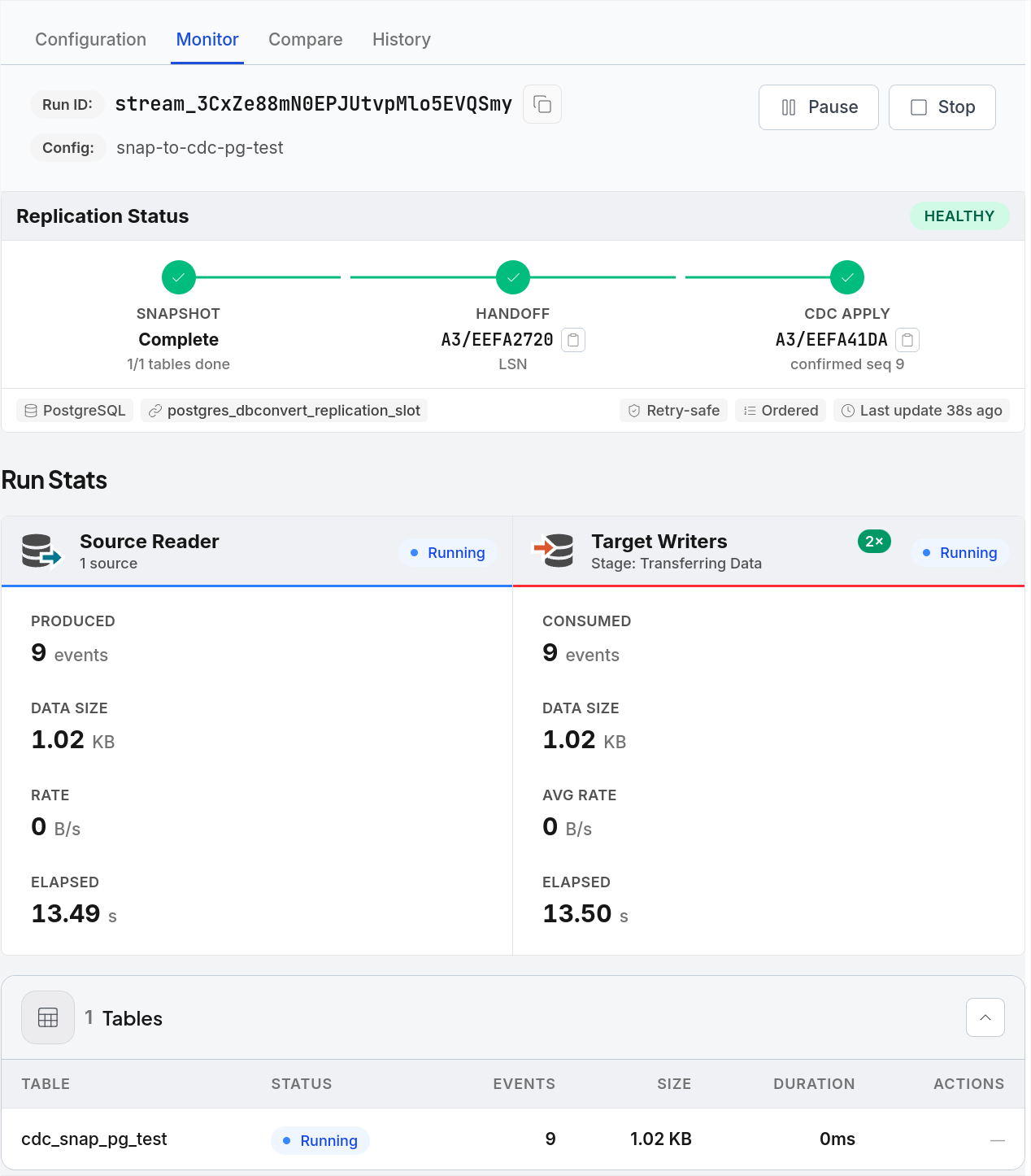
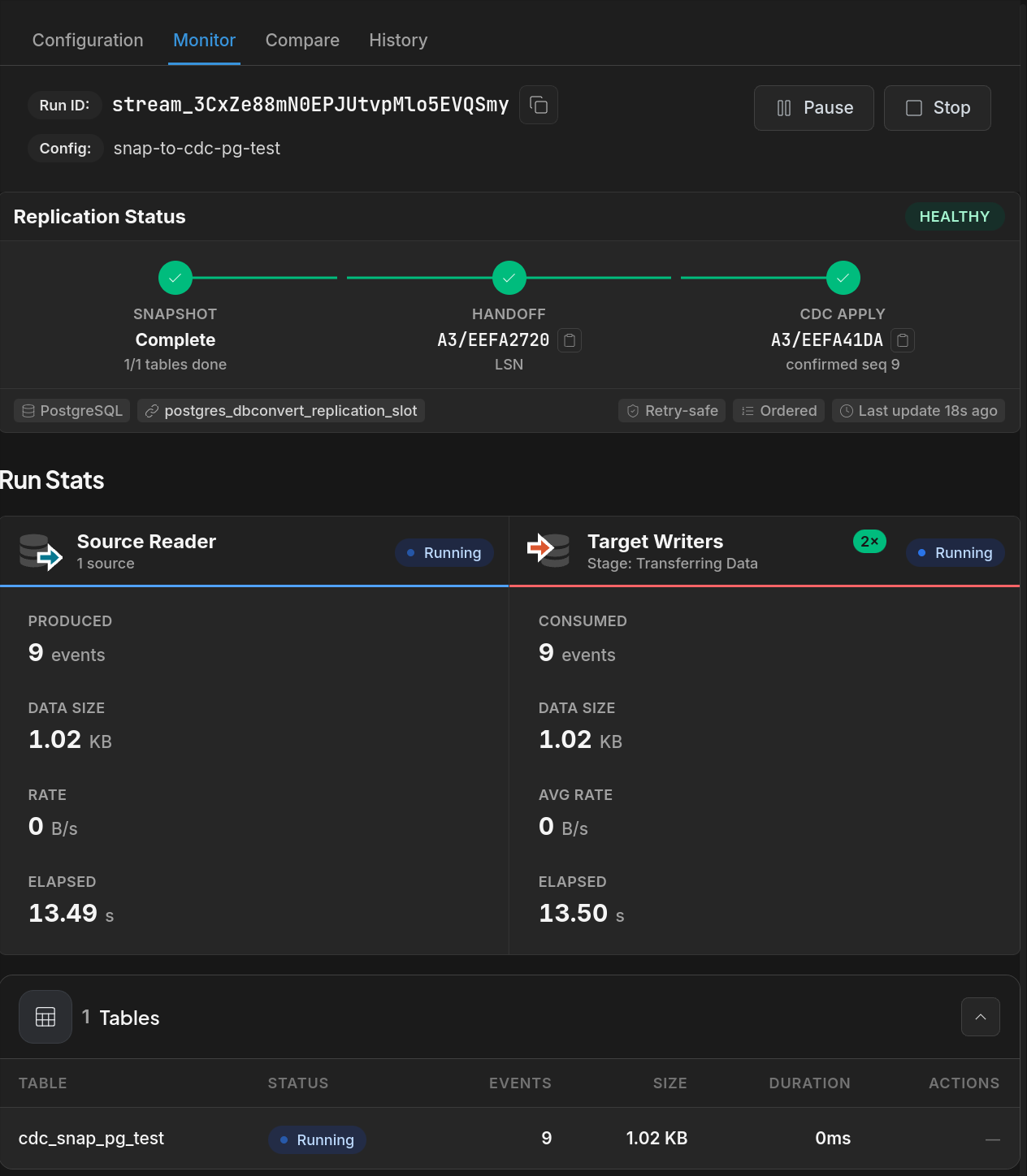
The Replication Status stepper shows snapshot completion, handoff, and CDC apply while the stream is writing into PostgreSQL.
Resume After Stop for Large Loads
Large supported loads into MySQL or PostgreSQL targets can continue from the last saved point after a stop or interruption, so you do not have to restart the whole load from zero.
Resume from the saved point
When the run supports resume, the next start continues from the last saved point instead of repeating work that already finished.
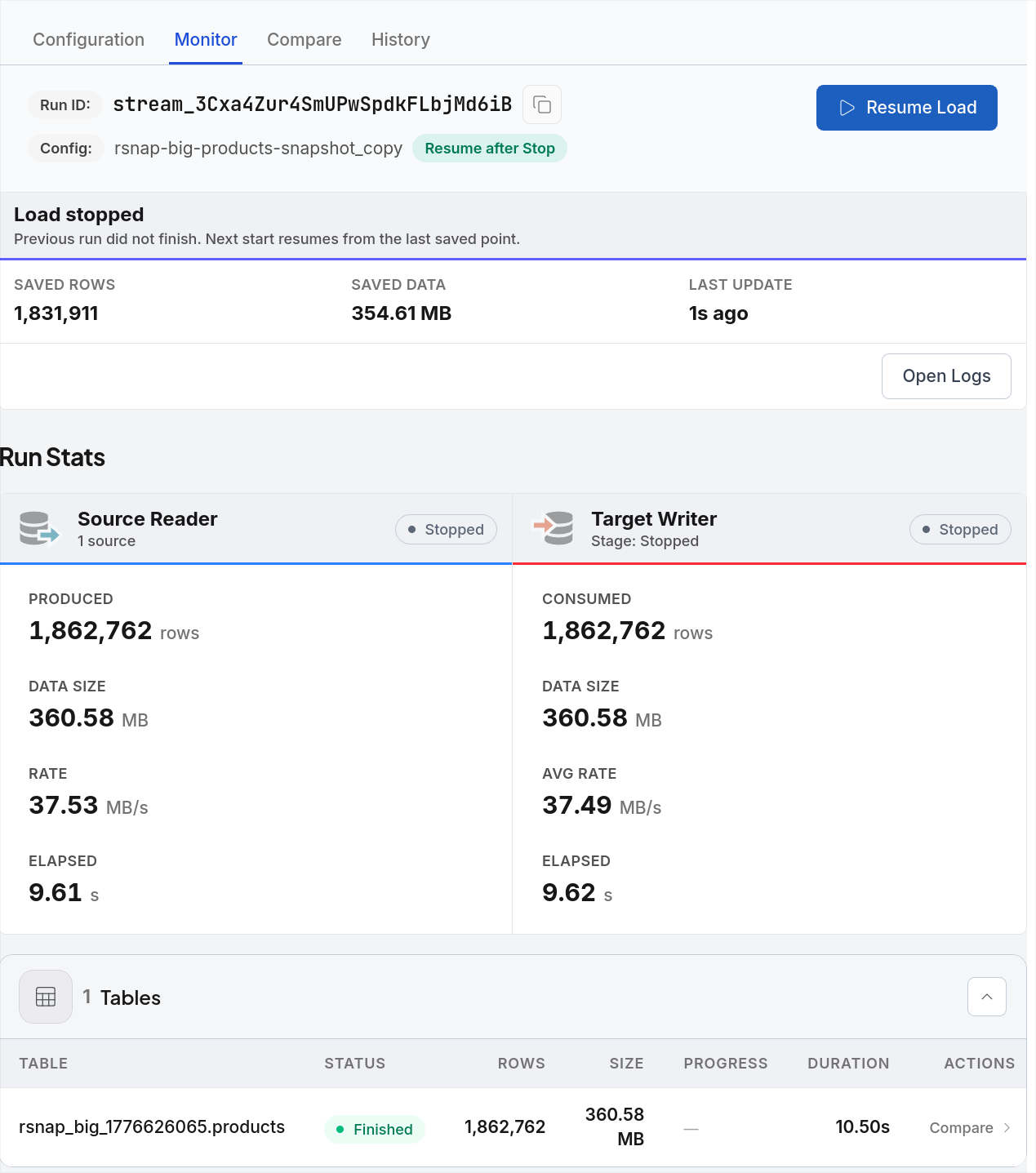
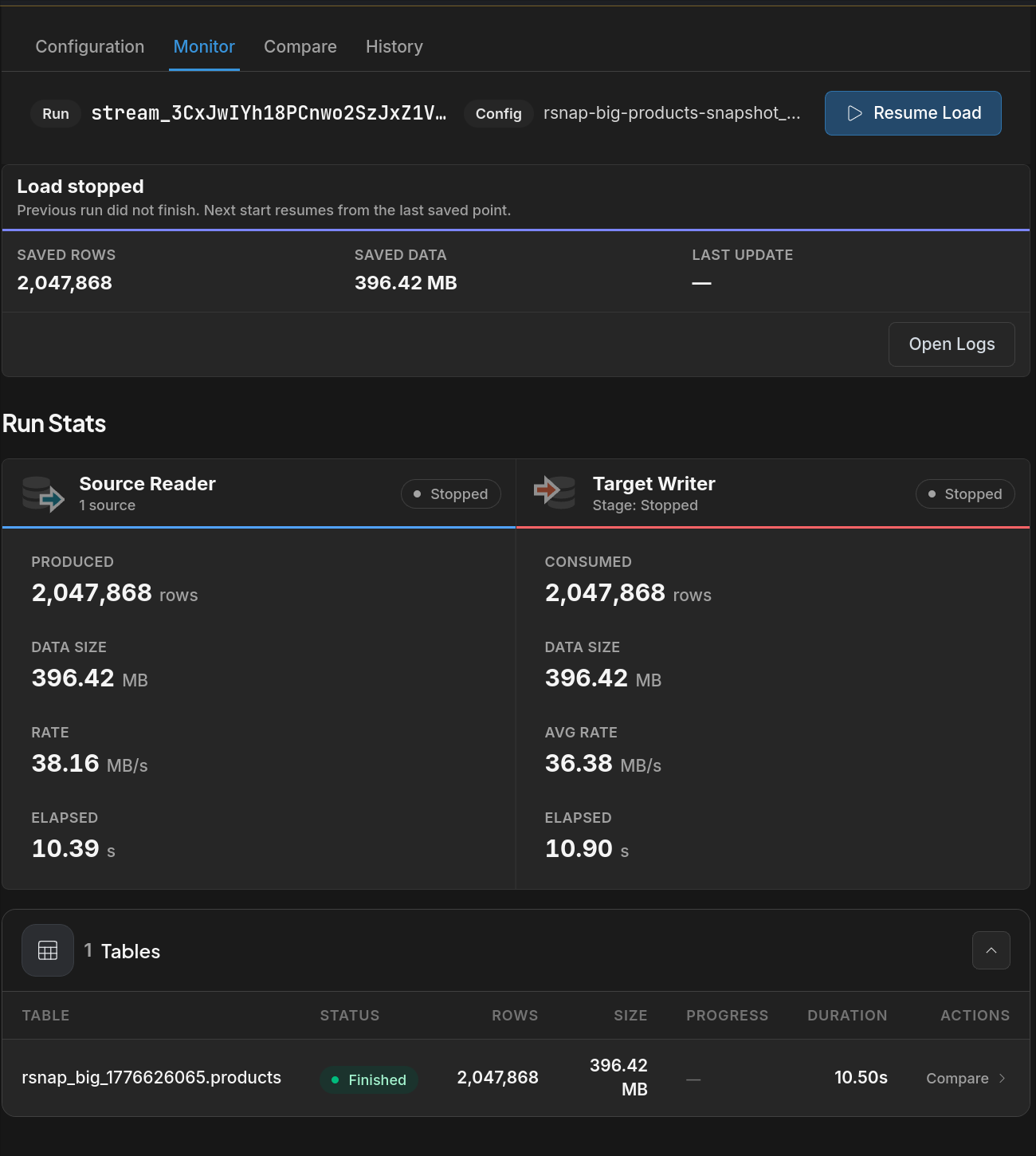
When a load supports resume, the monitor keeps the saved state visible and lets the operator continue with Resume Load.
Reset when you need a full rerun
If you want a full rerun, Reset clears the saved state first so the next run starts cleanly from the source.
Editor and Connection Improvements
Improved SQL editor
Query results now open below the SQL code instead of in a side pane, and the results grid adds page-size controls and pagination for longer result sets.
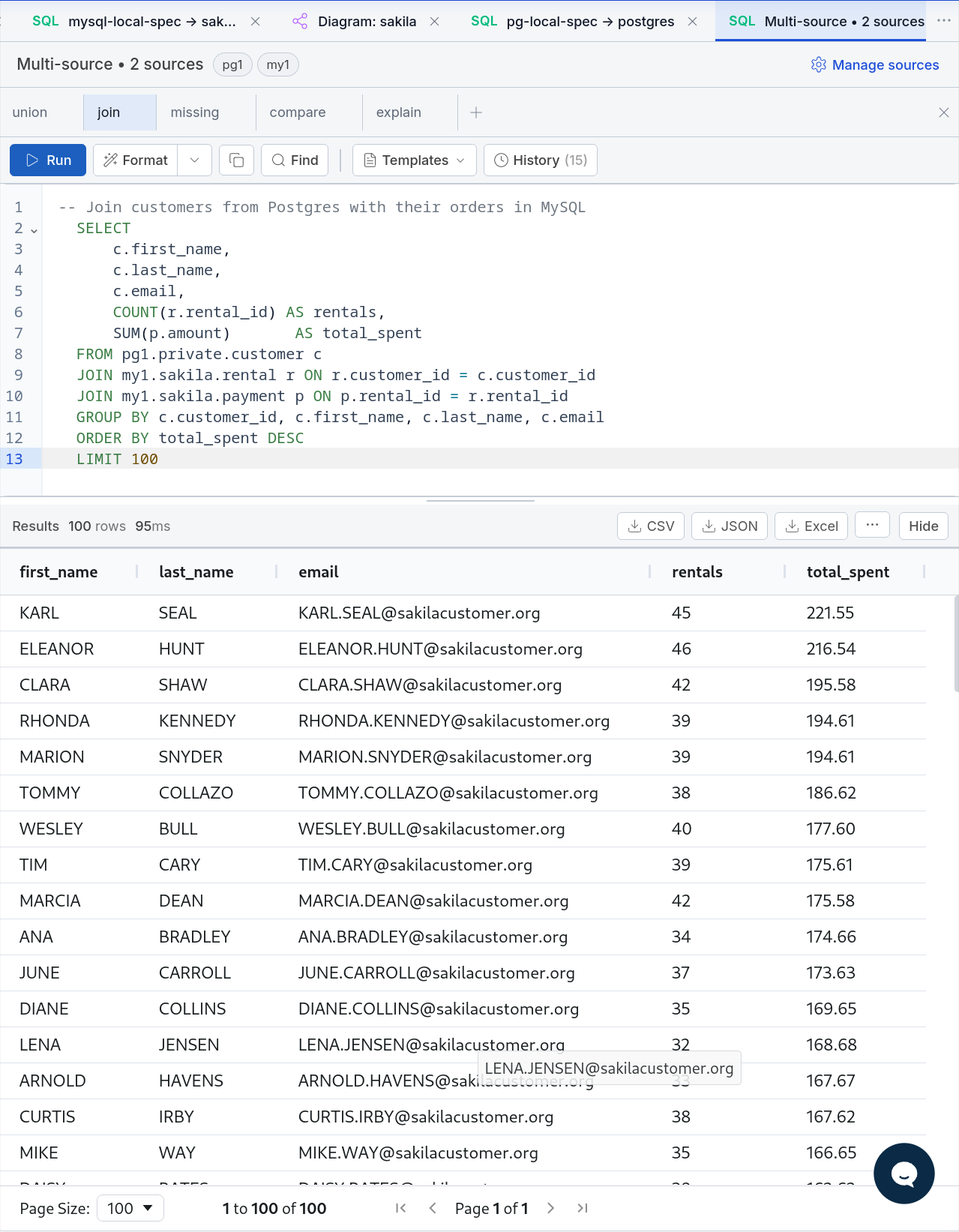
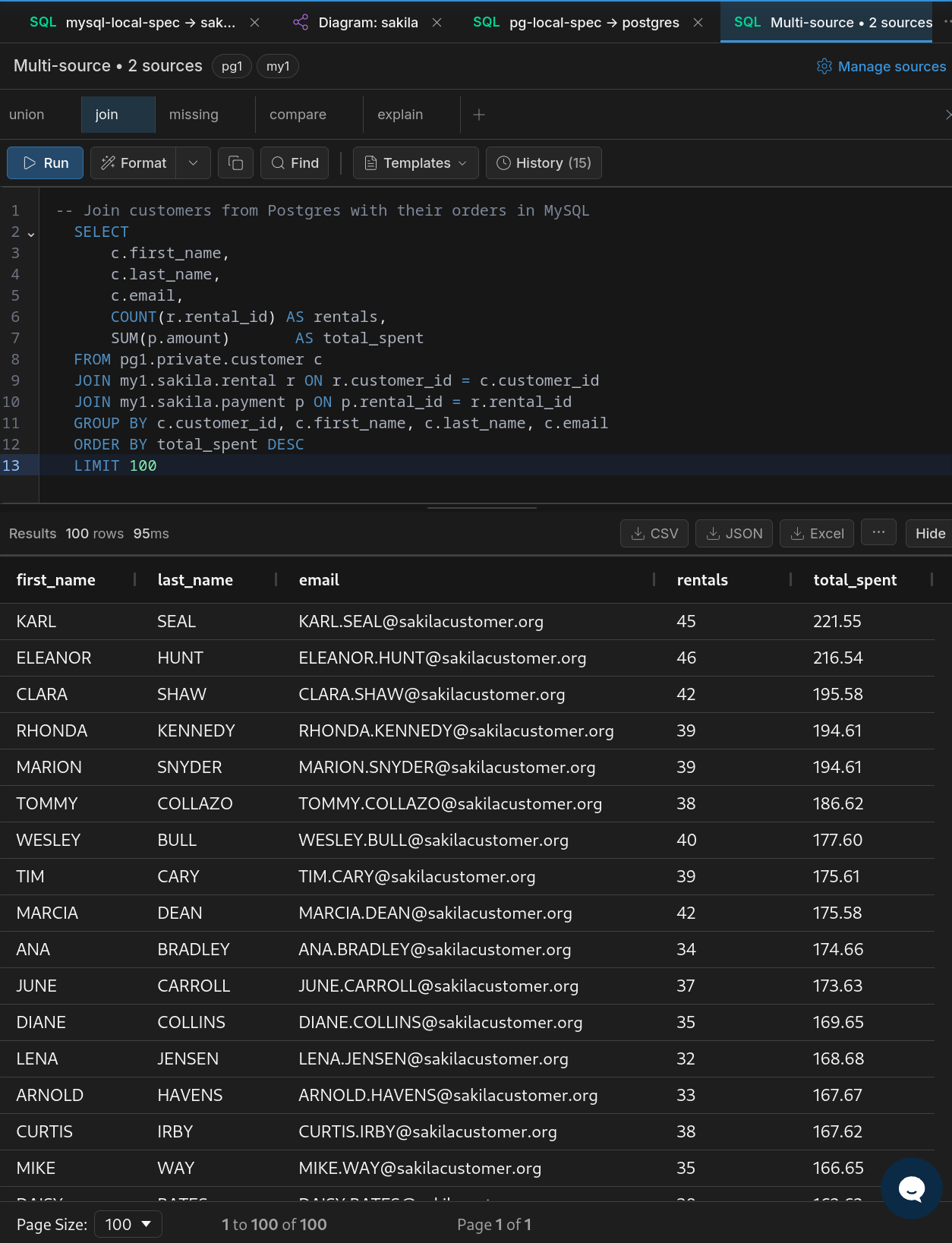
The updated SQL editor keeps the query and its results in one vertical flow, with pagination controls at the bottom of the results grid.
Better Supabase connection guidance
Supabase setup is now easier to get right, with clearer connection guidance for direct access, session pooler use, and IPv6-related connection issues.
Version 2.0.0
March 2026
Two Ways to Run
Desktop Apps & Docker Web App
Version 2.0 ships in two distribution modes. Cross-platform desktop applications for Windows, macOS, and Linux — install and run locally with zero configuration. Or deploy the Docker-based web app on your own server for team access and production workflows.
Desktop App
- Native apps for Windows, macOS, and Linux
- One-click install — no Docker or server needed
- Full IDE features included free
- Local data stays on your machine
Docker Web App
- Deploy on any server or cloud provider
- Browser-based access for the whole team
- Seat-based licensing for shared environments
- Production-ready with Docker Compose
Rebuilt Data Explorer
A Completely New Explorer Experience
The minimal read-only viewer from 1.x has been replaced with a full-featured data exploration and editing environment. Browse, query, filter, and modify your data — all without leaving the UI.
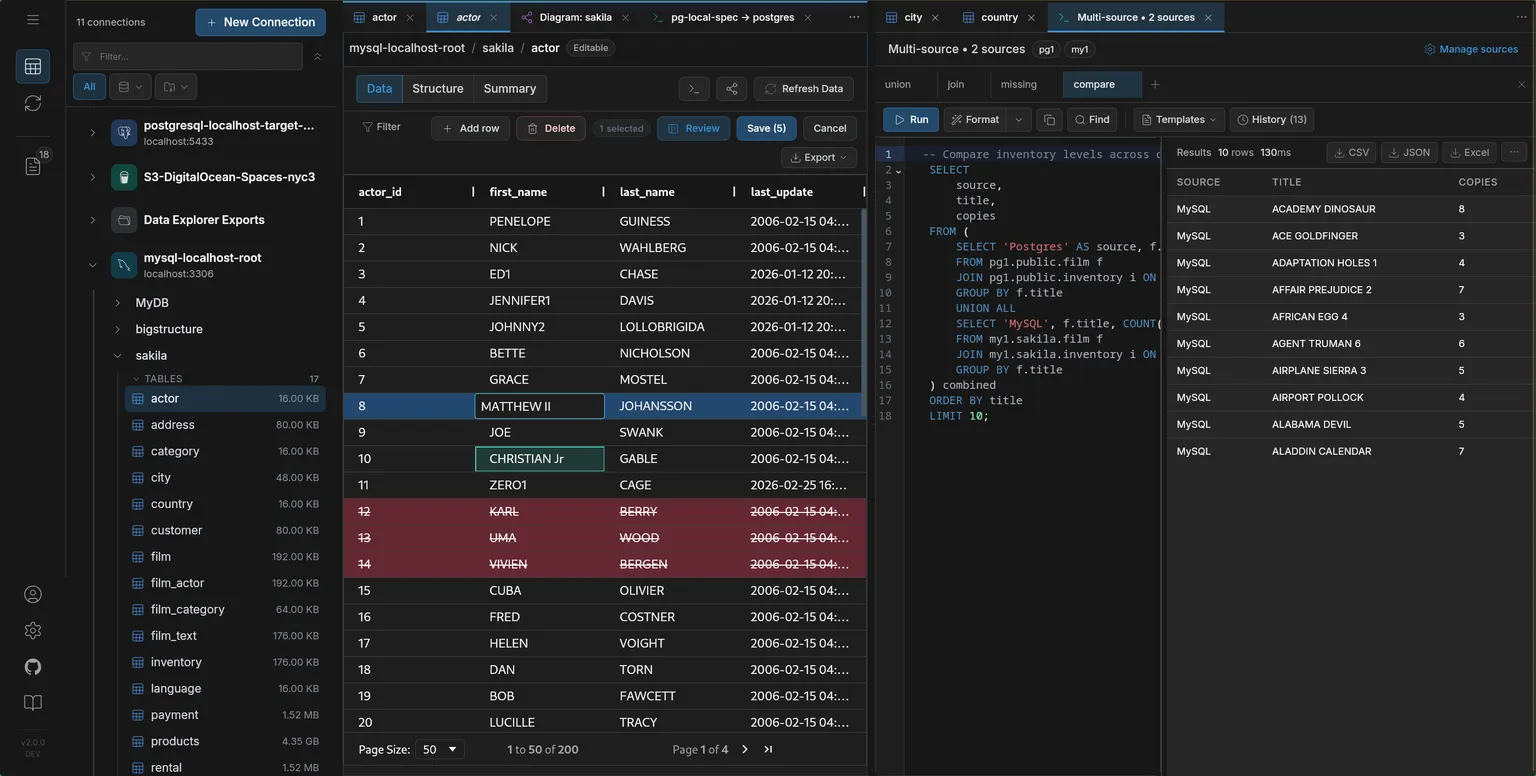
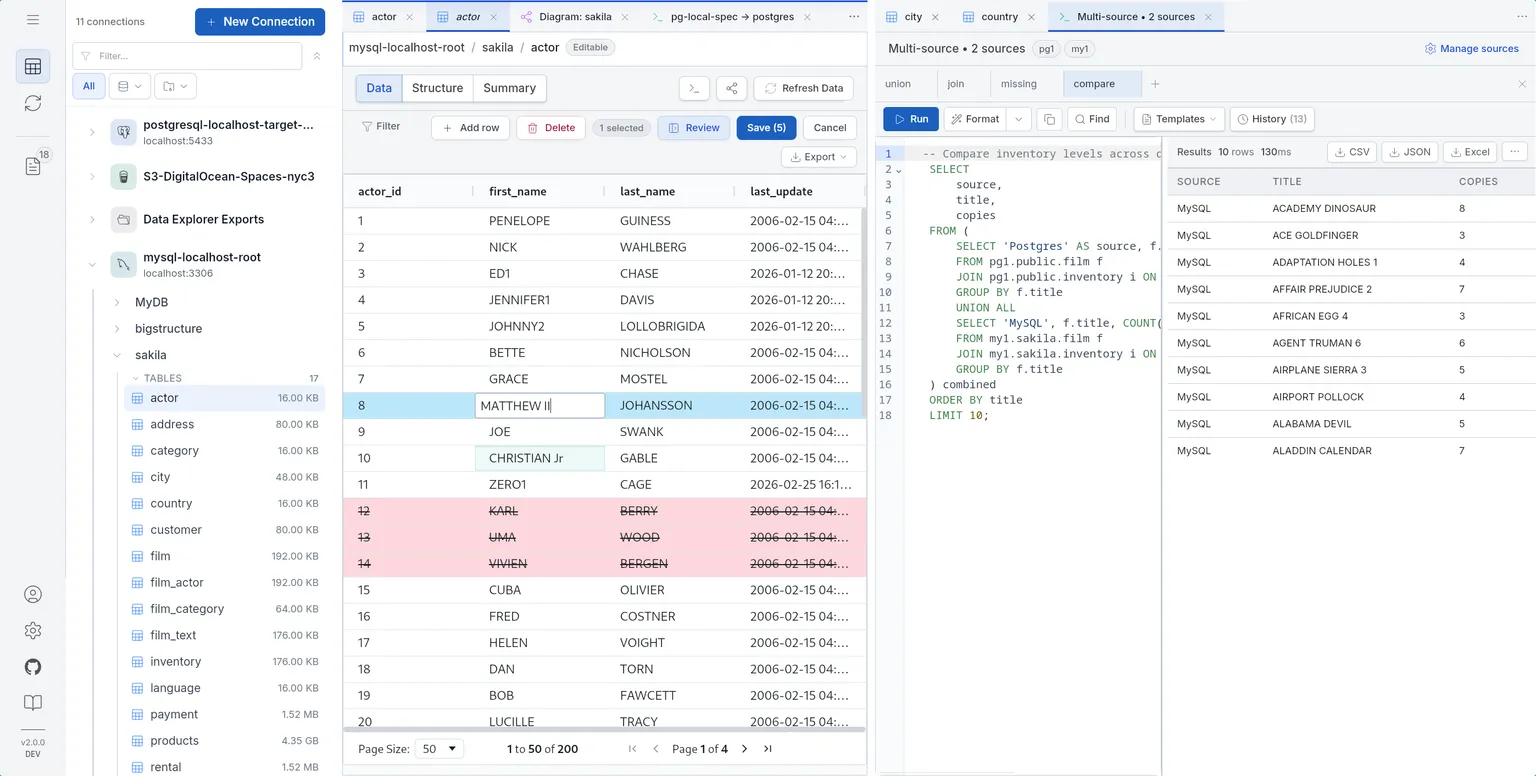
The new Data Explorer: inline editing, SQL console, and multi-connection browsing in one view
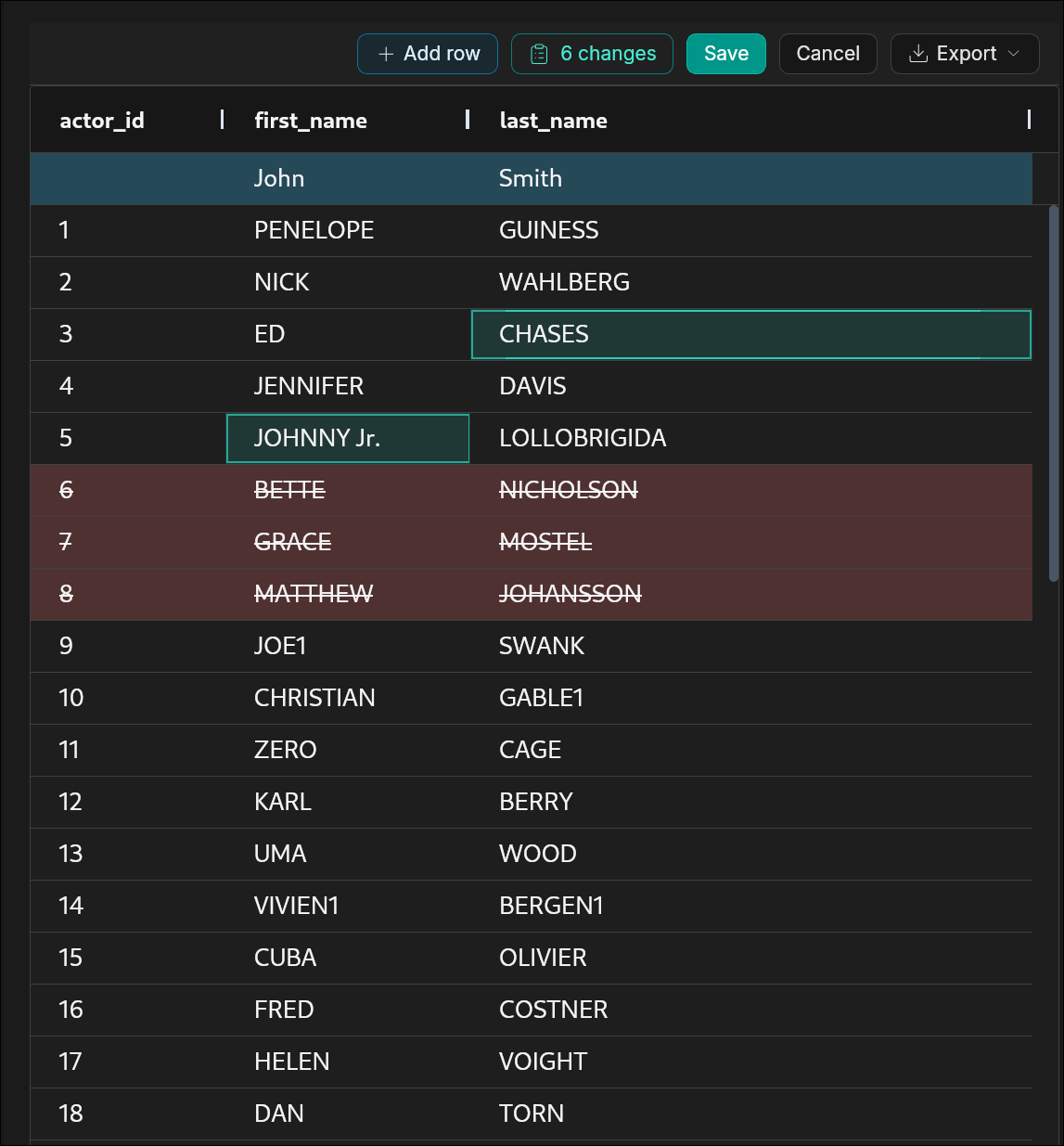
Edit rows directly in the grid with visual change tracking — green for inserts, teal for edits, red for deletes
Inline Data Editing
Edit rows directly in the data grid. Insert new rows, update values, and delete records with full undo support and keyboard shortcuts. Changes are tracked visually with color-coded pending states before committing.
- Add, Edit, Delete: Full CRUD operations directly in the grid
- Visual Change Tracking: Color-coded rows for pending inserts, updates, and deletes
- Keyboard Shortcuts: Efficient editing with context menus and key bindings
- Undo Support: Revert changes before committing
Grouped Connection Filters
Filter connections by type (databases vs. storage) with match counts. Quickly narrow down large connection lists.
Universal Search
Search across connections, streams, databases, and file paths with highlighted matches and real-time result polling.
Reworked Navigation
Persistent section expansion, breadcrumb navigation, and a dual-pane layout for side-by-side database browsing.
Advanced Sorting & Filtering
Column sorting synchronized with query filters, custom filter panels, and AG Grid-powered data presentation.
Cross-Database SQL & Federated Queries
Multi-Source SQL Engine
Run SQL queries across MySQL, PostgreSQL, S3, CSV, and Parquet sources from a single interface. Mixed streams combine native table replication with ad-hoc analytical queries in one operation.
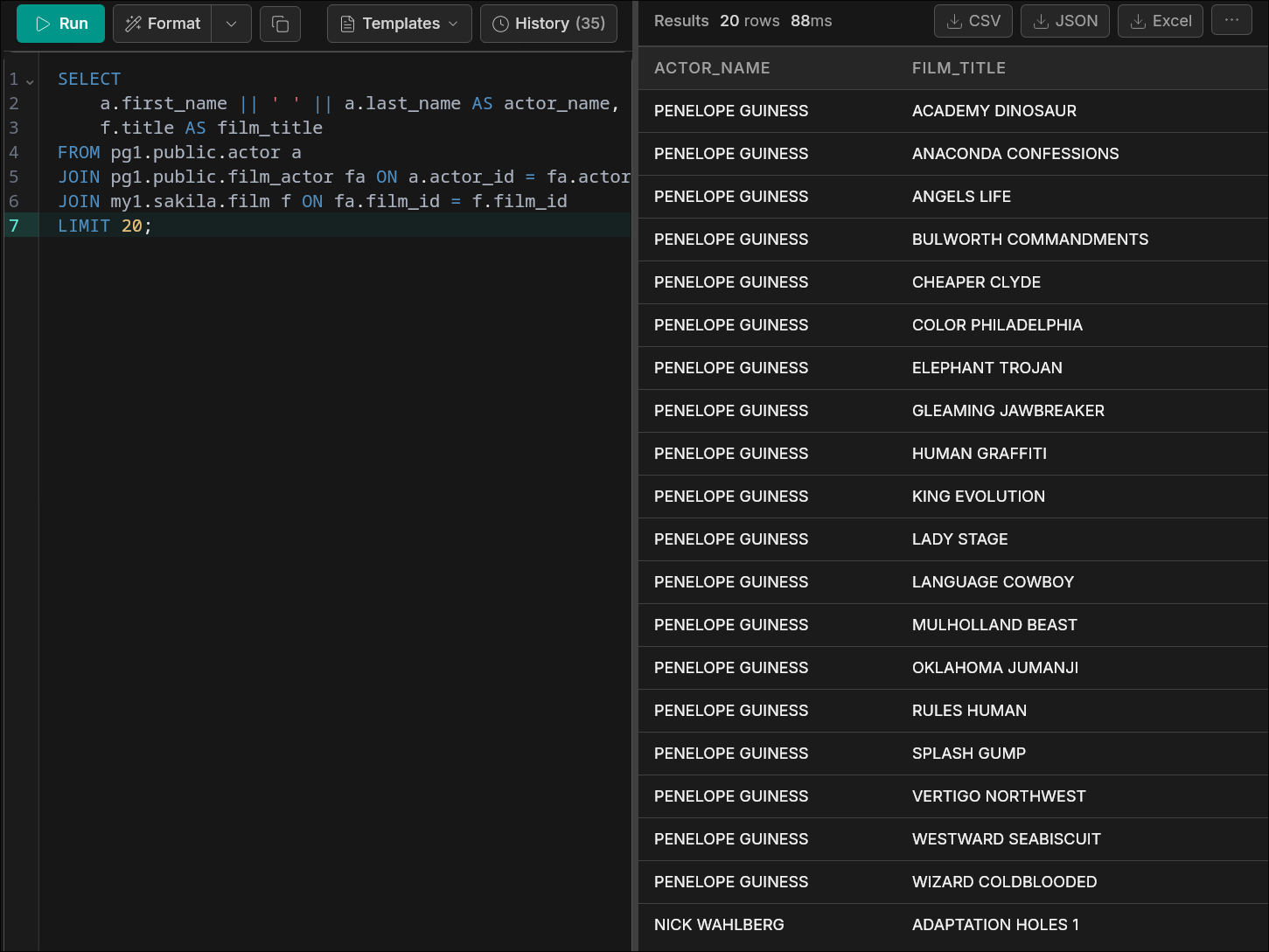
SQL console executing a cross-database JOIN between PostgreSQL and MySQL with live results
Unified Query Interface
- Cross-Source Queries: Join data across MySQL, PostgreSQL, S3, CSV, and Parquet in a single SQL statement
- Mixed Streams: Combine native table replication with analytical queries in one stream
- Federated Execution: Automatic routing of queries to the most efficient execution engine
SQL Console with Intelligence
Entirely new in 2.0 — a built-in SQL console for writing and executing queries directly in the UI. Includes real-time autocomplete, diagnostics, and signature help powered by an integrated Language Server that adapts to your connected databases.
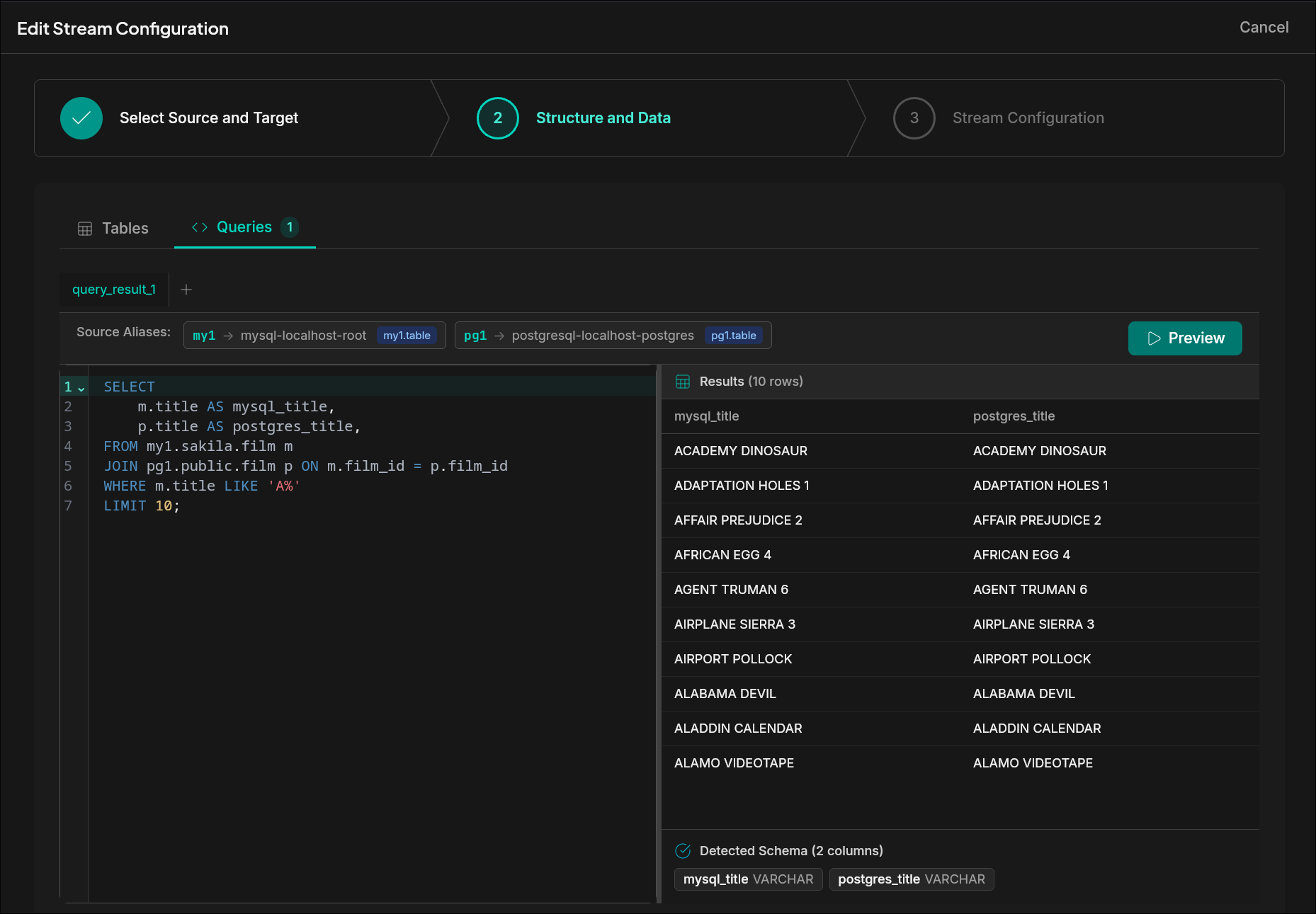
Use SQL queries as stream sources — write a cross-database query, preview results, and stream the output
Console Features
- Built-in SQL Console: Write and execute queries without leaving the UI
- Autocomplete: Schema-aware suggestions for tables, columns, and functions
- Diagnostics: Real-time error detection and query validation
- Signature Help: Function parameter hints as you type
SQL Template Picker
Pre-built starter queries for common cross-database join patterns. Select a template, customize, and run — no manual SQL needed for typical workflows.
File & S3 Storage Support
Files and S3 as Sources & Targets
Version 2.0 introduces full support for file-based and S3-compatible storage as both sources and targets — a capability entirely absent in 1.x. Read from or write to CSV, Parquet, and JSONL files on local disk or S3, in both Convert and CDC modes.
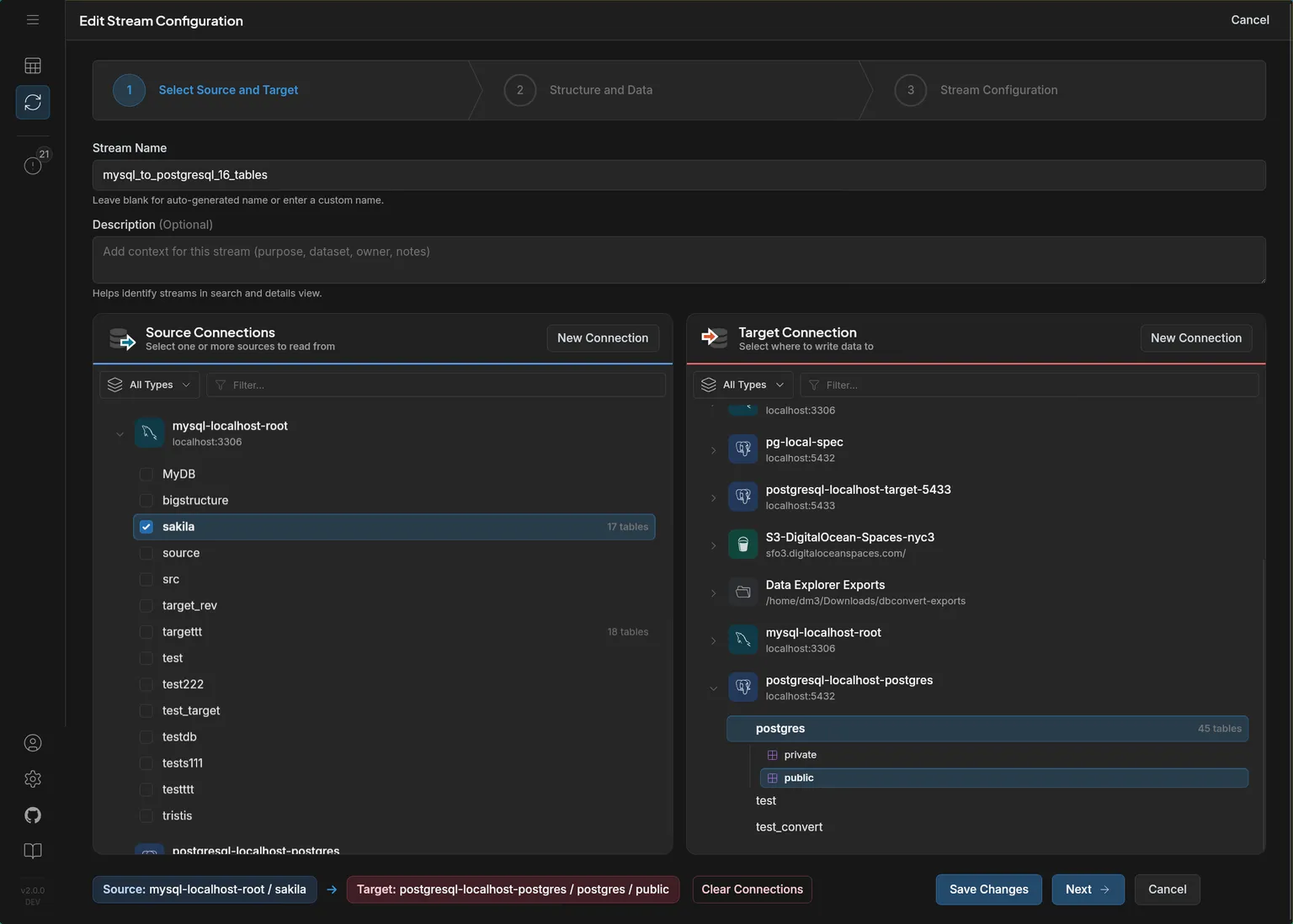
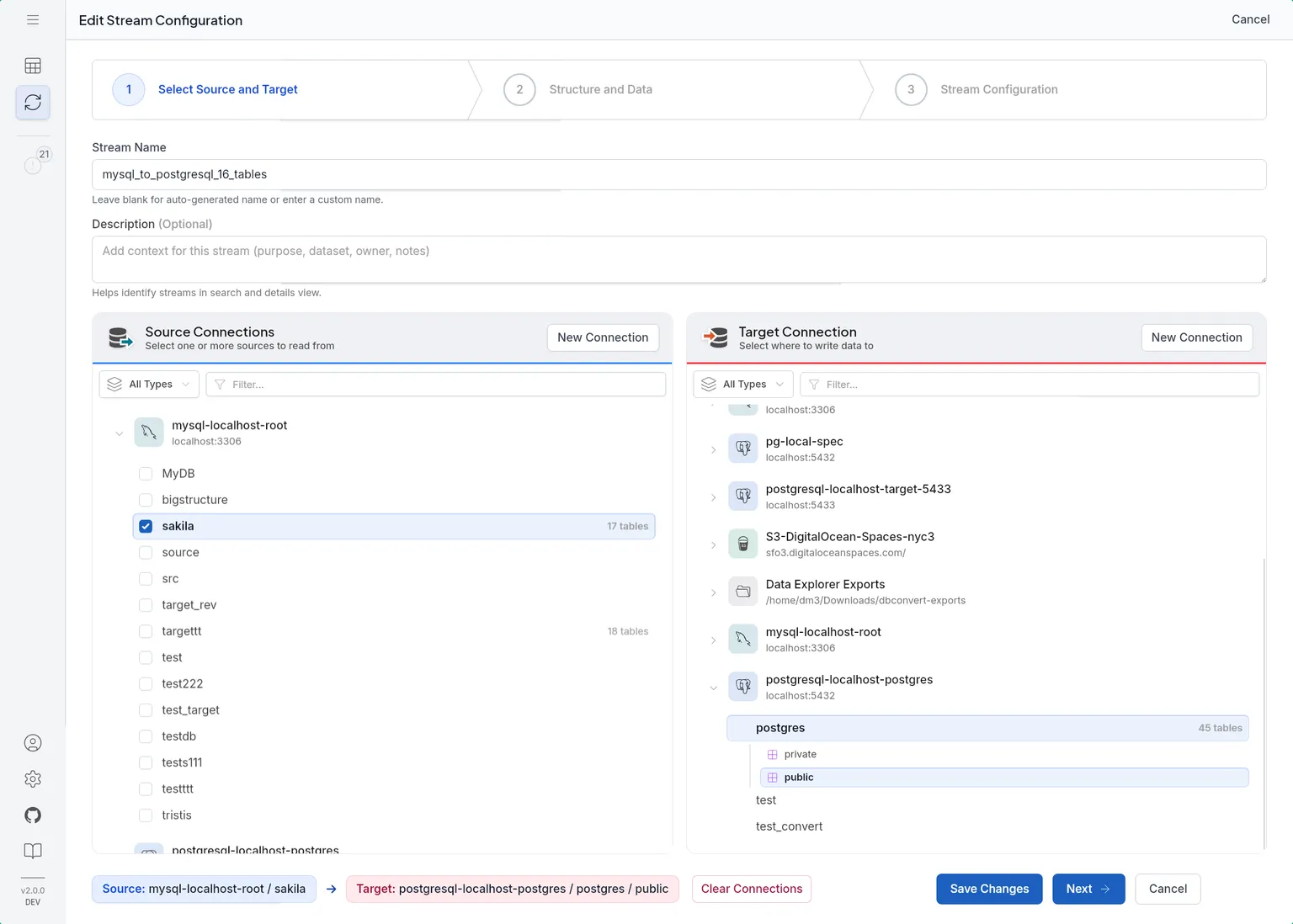
Stream wizard with databases, S3, and local file connections available as both sources and targets
Storage Features
- Multiple Formats: Parquet, CSV, and JSONL supported as both source and target
- S3-Compatible: Works with AWS S3, MinIO, and other S3-compatible storage
- Convert & CDC: Full support for both bulk migration and real-time change capture to storage
- Mixed Streams: Combine native table operations with file/S3 targets in a single stream
Connection Wizard Redesign
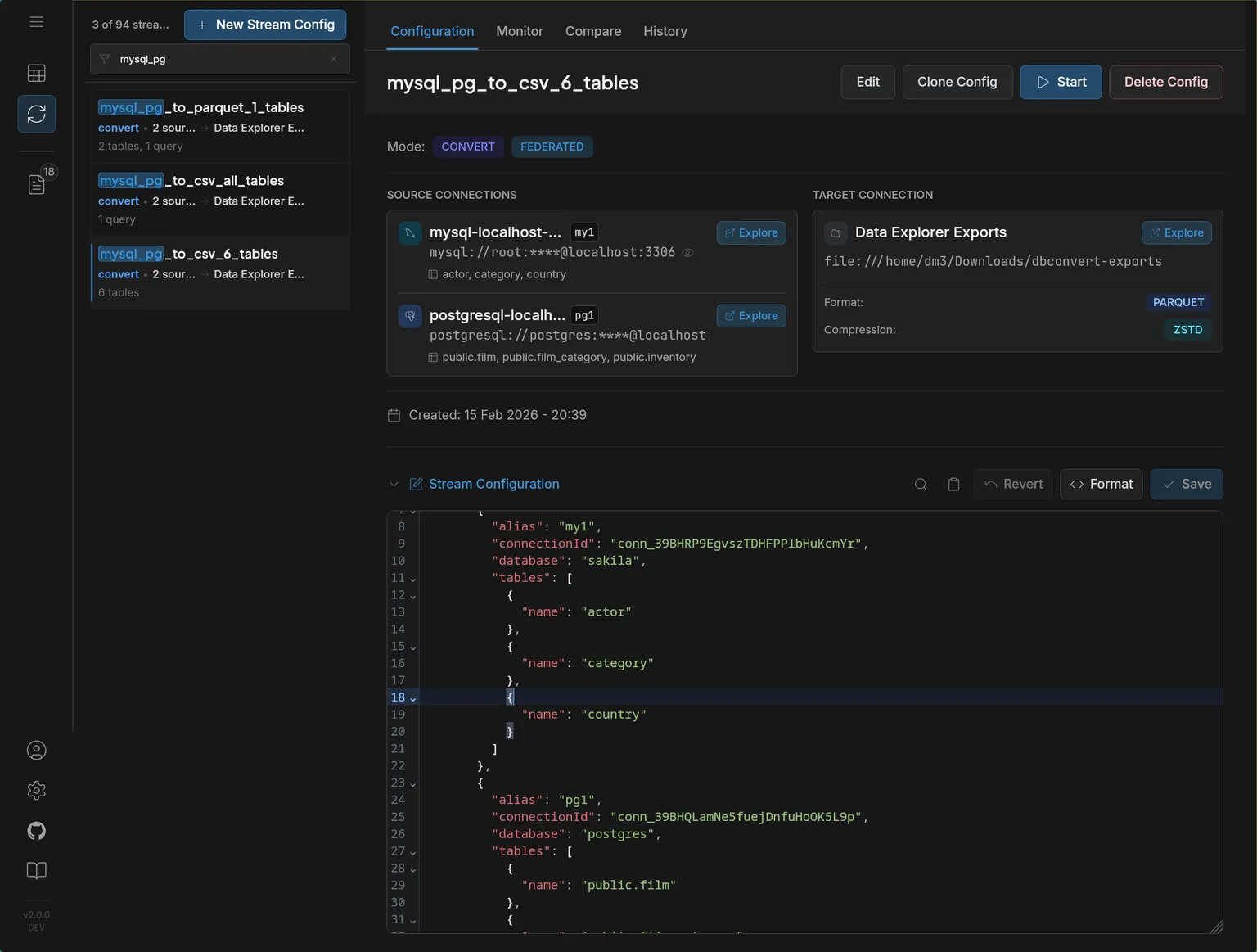
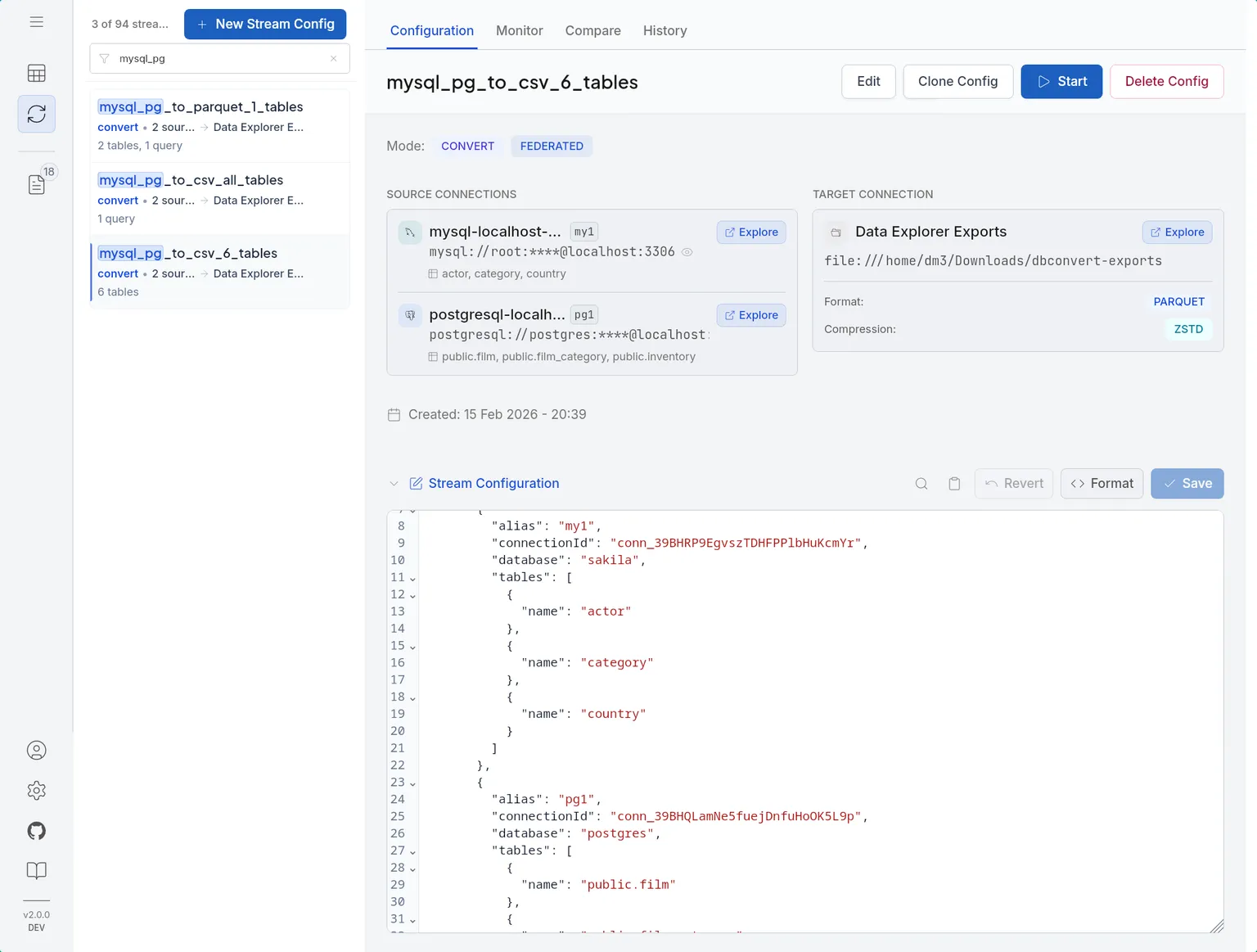
Stream configuration with multiple sources, file targets, and format selection
Revamped Add Connection Wizard
Cleaner step-by-step flow with improved layout, enhanced parameter controls, and better visual feedback throughout the connection setup process.
CSV Dialect Detection
Automatic inference of delimiter, quoting, and encoding when connecting to CSV sources. No manual configuration required.
Stream Configuration & Control
Schema Policy & Write Mode
New controls for how target schemas are created (create, drop+create, skip) and how data is written (insert, upsert, replace).
Initial Load + CDC
CDC streams can copy existing rows into empty target tables before continuing from the matching MySQL binlog or PostgreSQL WAL position. MySQL now routes eligible bootstrap tables through resumable chunked copy automatically, PostgreSQL bootstrap remains plain, and the old manual resumable toggle is gone.
Simplified Pricing
March 2026
Free IDE + Seat-Based Plans
We've completely reworked our pricing. The IDE (Data Explorer, SQL Console, Diagram Viewer) is now free forever. No more volume-based tiers or data transfer limits — just a simple per-seat plan for streaming capabilities.
What changed
- No more data volume counting across plans
- IDE features are free — no plan required
- Simple per-seat pricing for Streams access
- Evaluation included: 500 MB Convert + 48h CDC
What's included free
- Data Explorer with inline editing
- SQL Console with autocomplete
- Database Diagram Viewer
- Connection management
Ready to try DBConvert Streams?
Install the desktop app and start with the database, stream, or question in front of you.