Fix a Failed Query
Use Fix with AI when a query in the SQL Console fails and you want a corrected version without copying the query or error message into chat.
Fix the error
- Run the query in a SQL Console.
- In the Query Error panel, click Fix with AI.
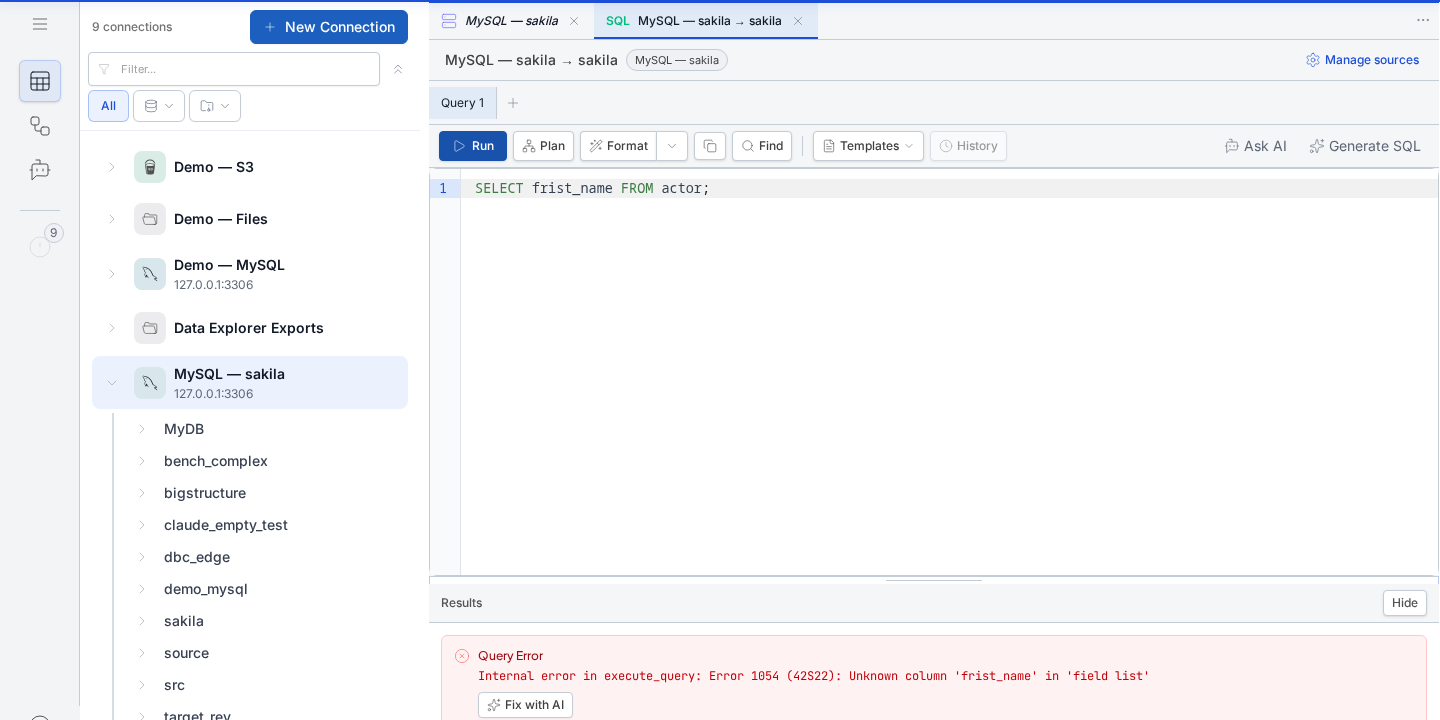
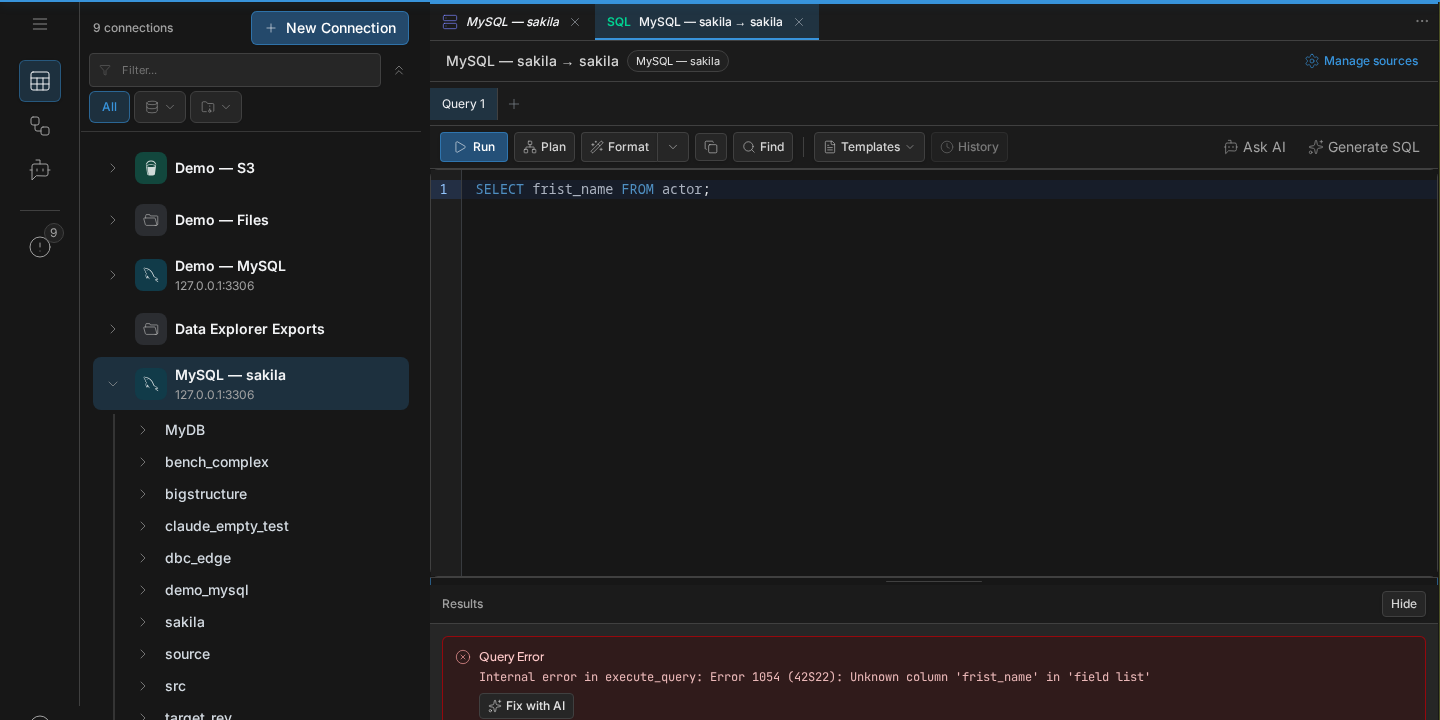
- AI receives the failed query and the exact database error, checks the relevant schema, and writes a corrected query into the editor.
- Review the highlighted SQL. Click Run to test it, then choose Keep or Revert.
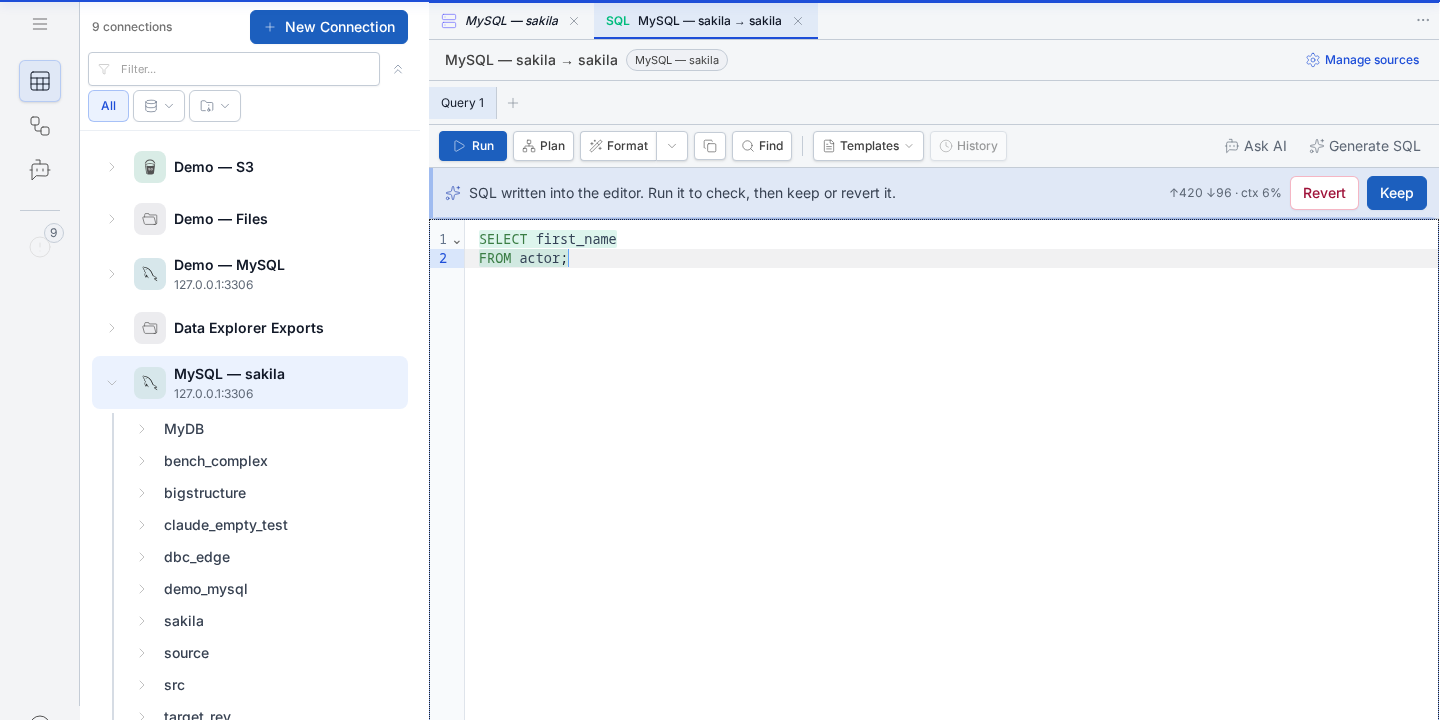
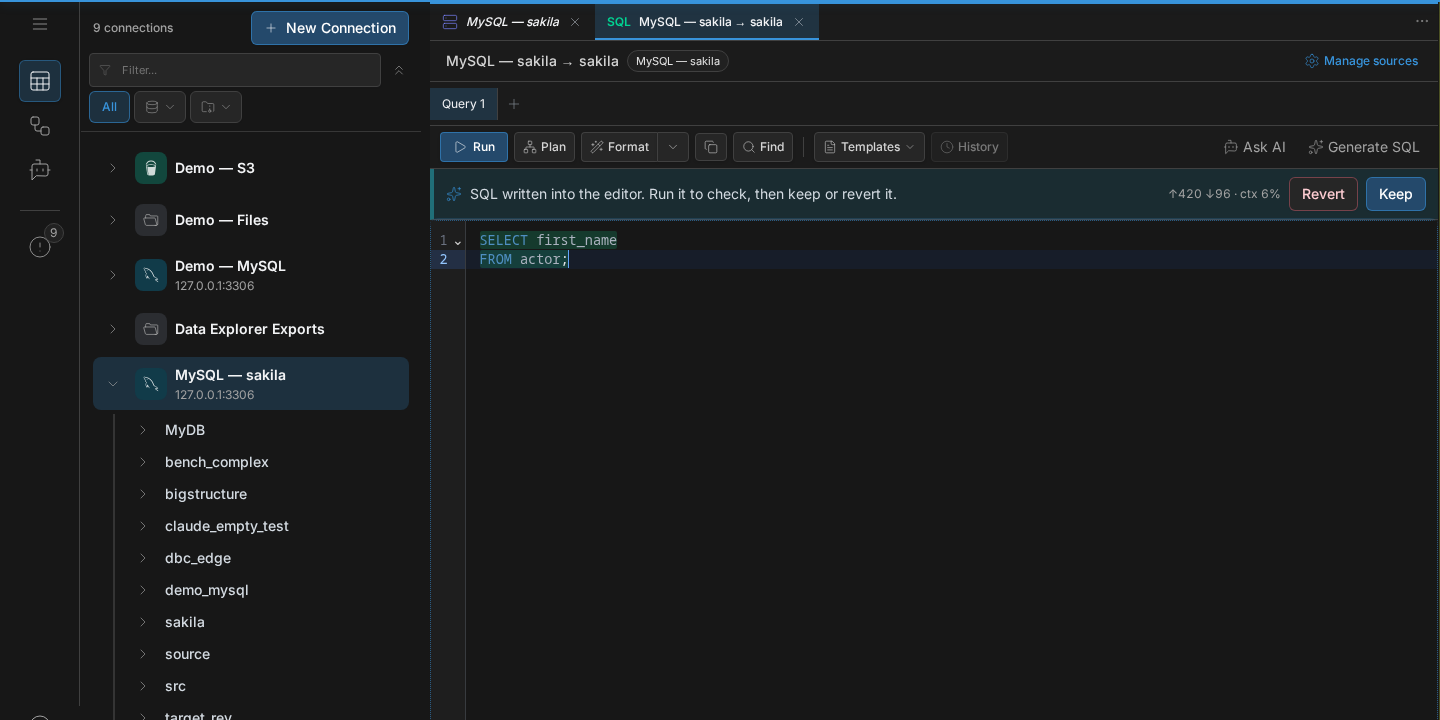
Keep accepts the replacement. Revert restores the query that failed. Running the corrected query does not accept it automatically, so you can inspect the result first.
If the fix is not right
Click Revert, adjust the request yourself, or open AI Chat to discuss why the query failed. The original query remains available until you choose Keep.
Next
- Generate SQL — create a new query from plain language.
- SQL Console — run and inspect queries.