Amazon RDS for MySQL Guide
Use this page when DBConvert Streams connects to an Amazon RDS for MySQL instance.
This guide covers:
- RDS instance endpoint and network access
- security-group configuration
- RDS parameter group changes for binlog-based CDC
For Aurora MySQL clusters, use the dedicated AWS Aurora MySQL Guide.
For the core workflow split, use:
Base setup
- Open the Amazon RDS console.
- Click Create database and select MySQL as the engine type.
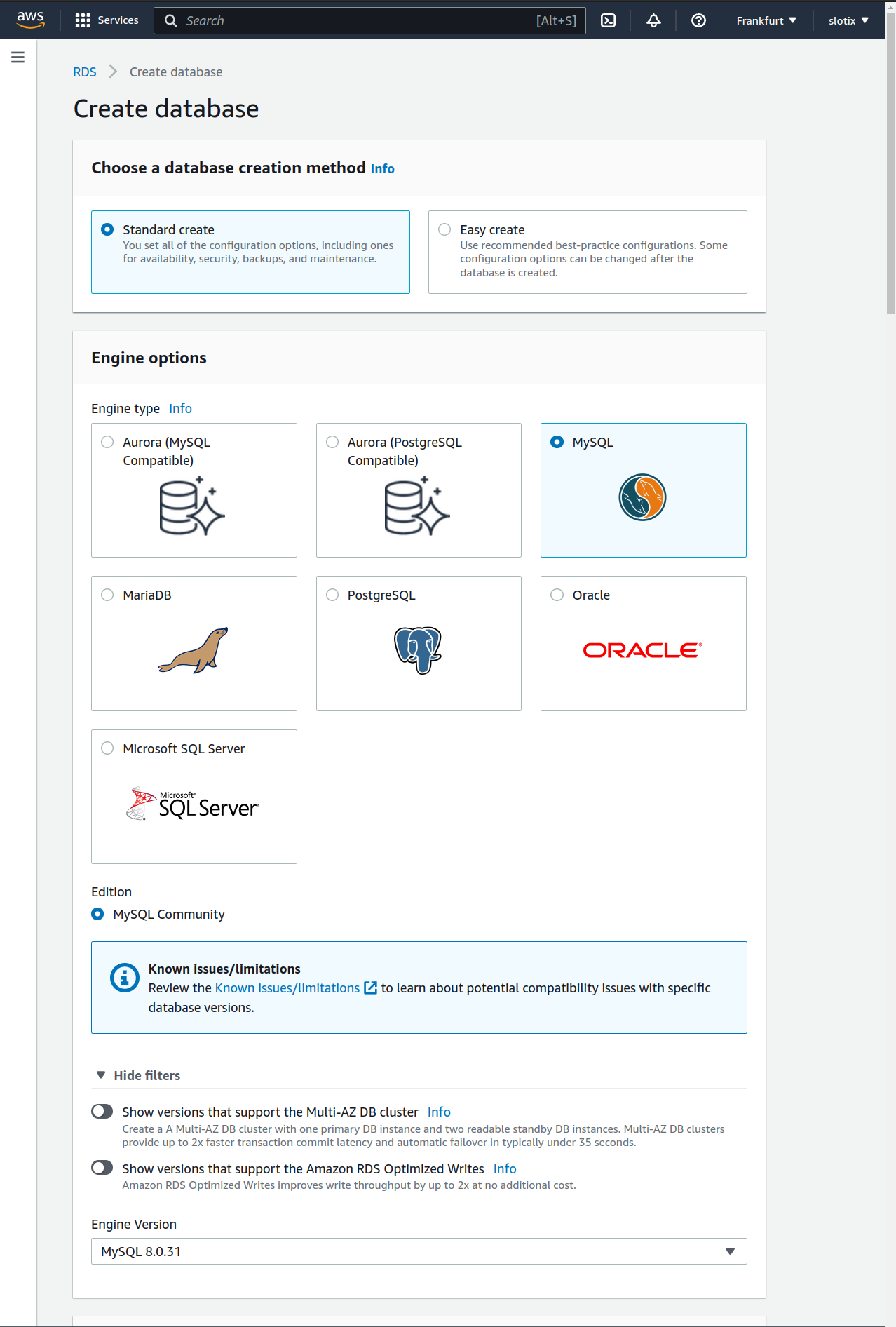
- Note the endpoint, port, database name, and user credentials.
- Confirm the DBConvert Streams deployment can reach the instance over the network.
Network and security access
- Open the instance security group in the RDS console under Connectivity & security.
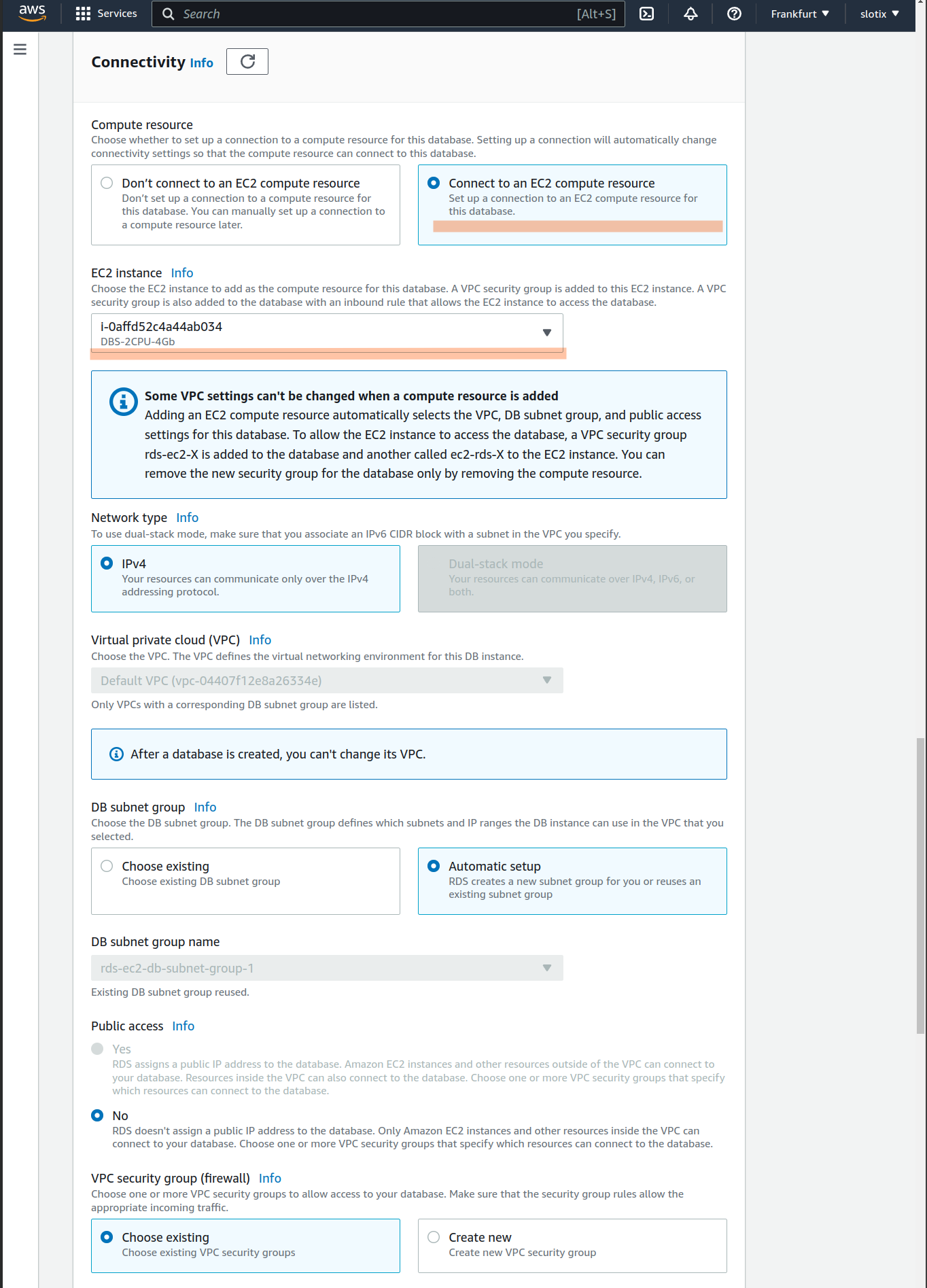
- Add an inbound rule allowing TCP traffic on port
3306from the DBConvert Streams host IP or VPC CIDR. - Save the rule and confirm the instance is reachable.
If you use public networking, restrict the allowed source IPs as tightly as possible.
Connection settings in DBConvert Streams
Use the RDS endpoint with:
- host
- port
3306 - username
- password
- database
- SSL/TLS settings if your policy requires certificate validation
To validate TLS with the public RDS CA bundle:
wget https://truststore.pki.rds.amazonaws.com/global/global-bundle.pem -O rds-ca.pem
Use MySQL Server Configuration for the general connection model.
CDC source preparation
If RDS for MySQL is your CDC source, enable the binlog-related settings first.
Minimum AWS-side checklist:
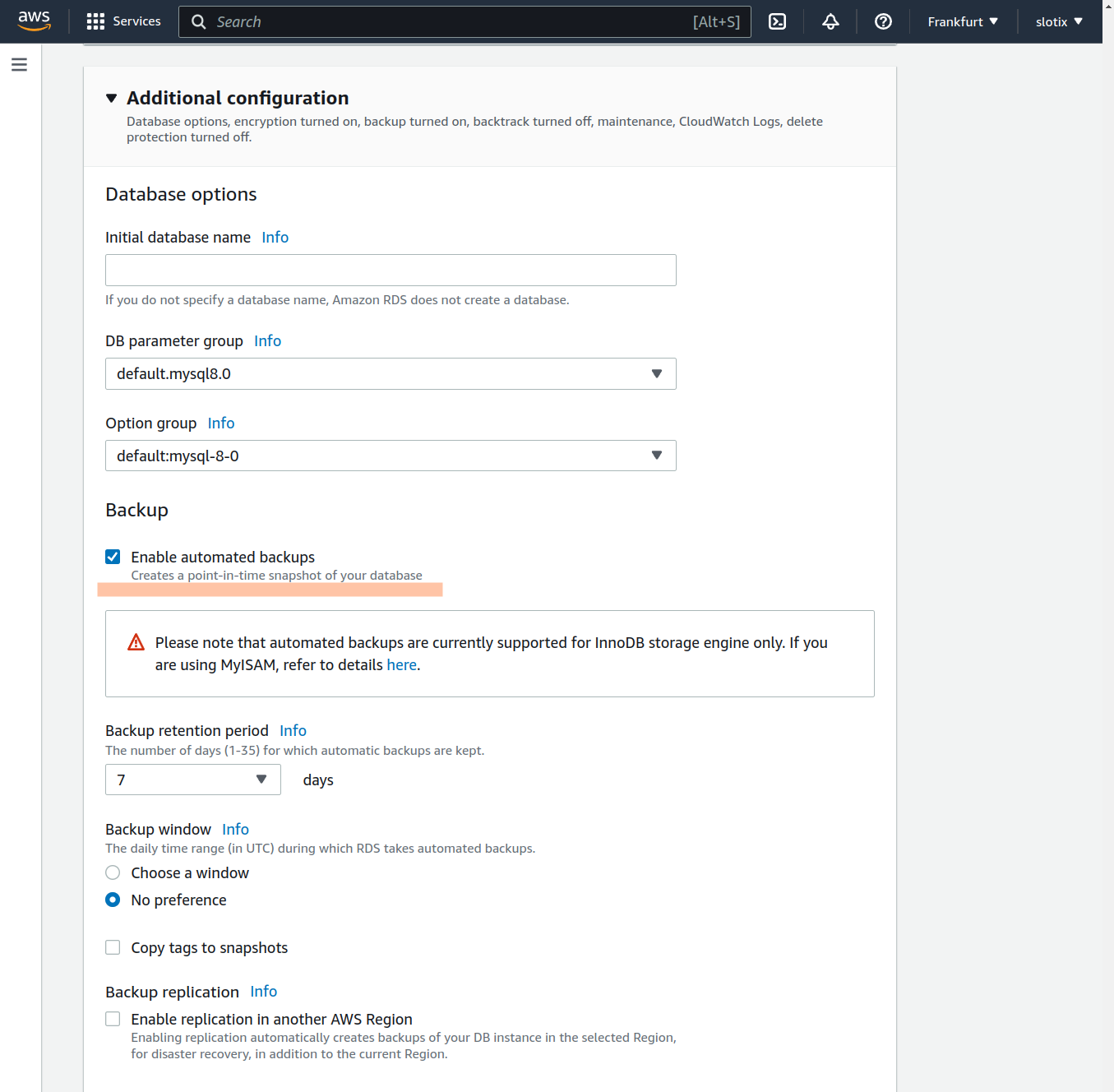
- Open Configuration for your RDS instance and confirm automated backups are enabled with a retention period greater than zero.
- Create or edit the DB parameter group attached to the instance.
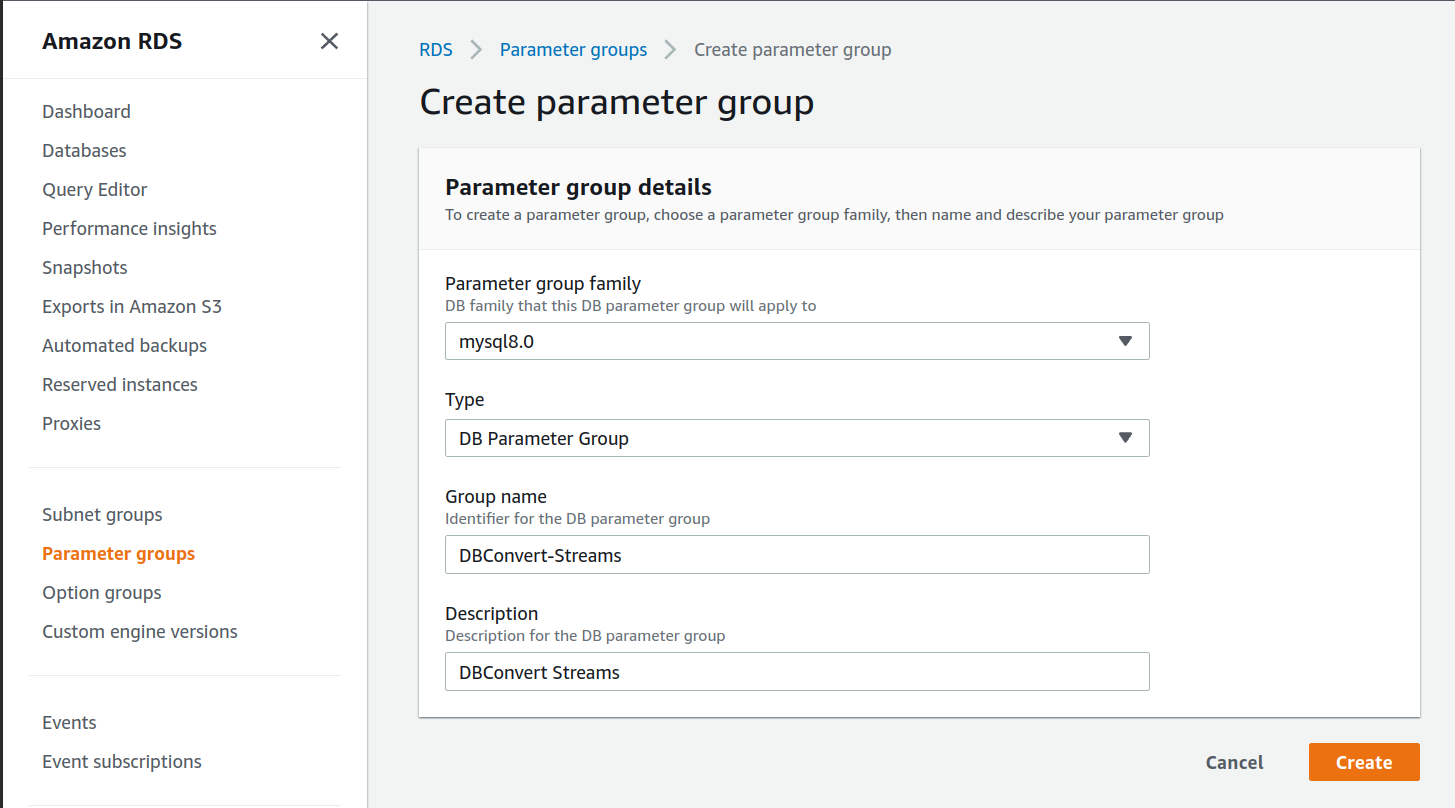
- Set the required binlog parameters:
| Parameter Name | Value |
|---|---|
binlog_format | ROW |
binlog_row_image | FULL |
binlog_checksum | NONE |
- Attach the parameter group to the instance if needed.
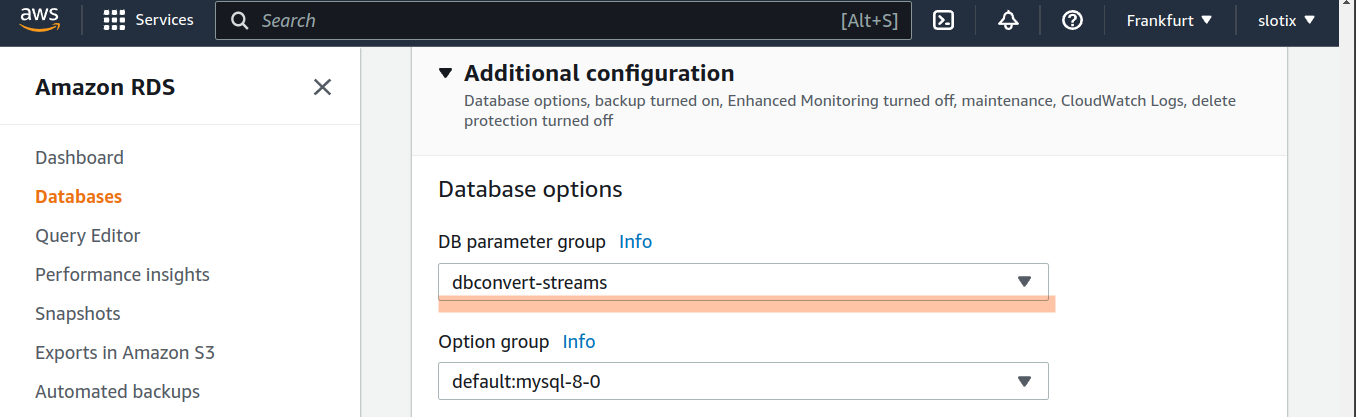
- Reboot the instance when AWS marks the changes as pending reboot.
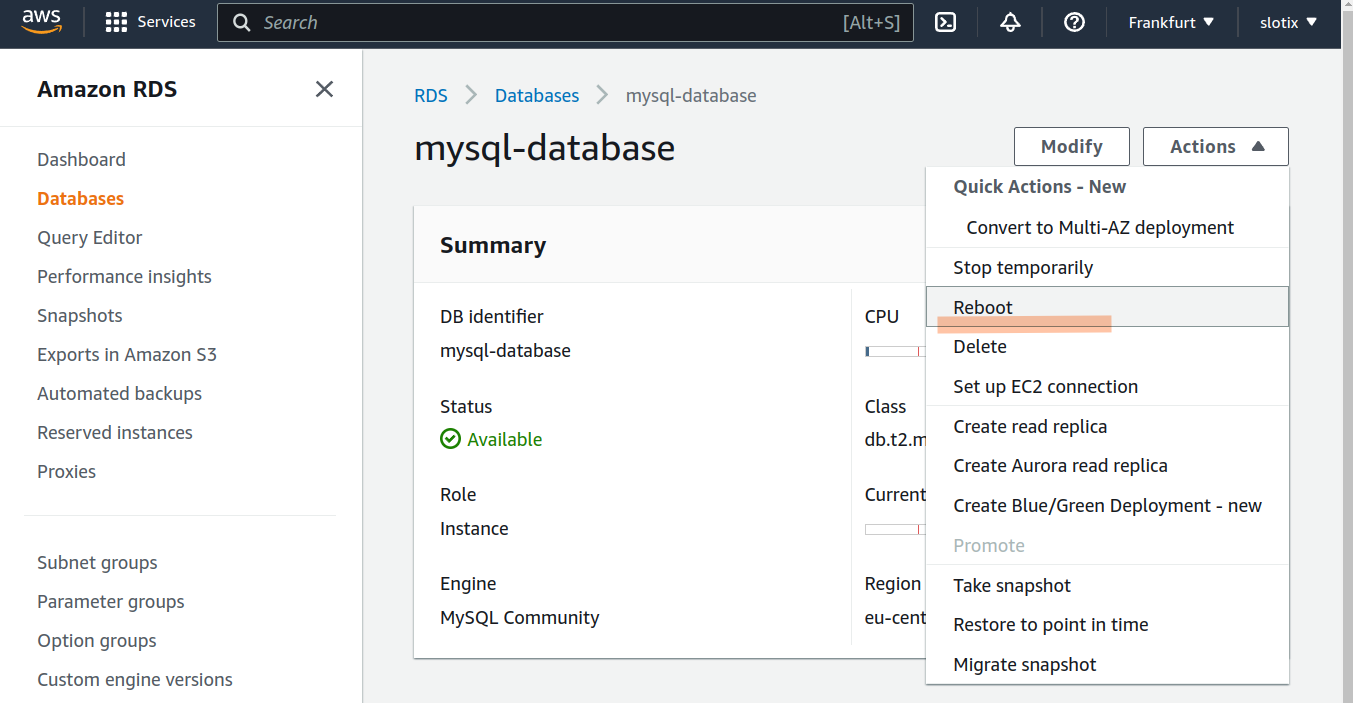
After reboot, verify:
SHOW VARIABLES LIKE 'binlog%';
SHOW BINARY LOGS;
SELECT @@binlog_format, @@binlog_row_image;
For the remaining DBConvert Streams-side CDC setup, use MySQL CDC Source Configuration.
Validation checklist
- Test the connection from the Data Explorer sidebar (right-click → Test connection) or from the connection editor.
- Confirm the source objects are visible in Data Explorer.
- If CDC is required, verify the DB parameter group is attached to the instance and run
SELECT @@binlog_format, @@binlog_row_imageto confirm the values match the table above. - Confirm automated backups show a retention period greater than zero in the RDS console under Maintenance & backups.