Cross-Database SQL for Live Databases, Files, and S3

  • No exports
  • No staging tables
  • No warehouse

Cross-database SQL lets you run a single SQL statement that joins tables, files, and object storage from different systems. Instead of exporting Postgres data to CSV, staging Parquet into a warehouse, or building a replication pipeline, you query the live sources in place.

DBConvert Streams does this with an embedded DuckDB engine: each configured connection is attached as a virtual schema, the query is planned centrally, and results come back without persistent staging or data movement.

The Problem

Why Cross-Database Queries Are Hard in Traditional Tools

Most traditional tools execute queries against a single active connection. Cross-connection joins typically require database-level federation or external pipelines.

Most IDEs Execute Against One Active Connection

DBeaver, DataGrip, and similar tools run queries against a single active connection per SQL editor tab. Cross-database joins depend on database-level federation such as FDW or linked servers.

Compare: DBeaver · DataGrip

Warehouses Centralize Data Before Joins

BigQuery, Snowflake, and Redshift typically require data to be ingested or staged before cross-source joins. External querying is possible but requires additional configuration and managed integrations.

ELT Platforms Focus on Moving Data First

Airbyte, Fivetran, and dbt focus on extracting and loading data into a destination before it can be joined or analyzed. Ad-hoc cross-source queries are not their primary workflow.

Compare: Airbyte · Fivetran

Export-Import Cycles for Every Join

Joining data from two databases typically means exporting one dataset to CSV, importing it into a staging table, running the query, then discarding the staging data. Any scope change means repeating the cycle.

DBConvert Streams removes all of this overhead with a built-in federated SQL engine.

Architecture

Built-In Federated SQL Engine

An embedded DuckDB engine that attaches to your live sources and executes queries in place.

Attach

Each source is attached as a virtual schema

Plan

Query planned centrally by DuckDB optimizer

Execute

Results returned instantly from attached sources

No Staging

No persistent staging or replication required

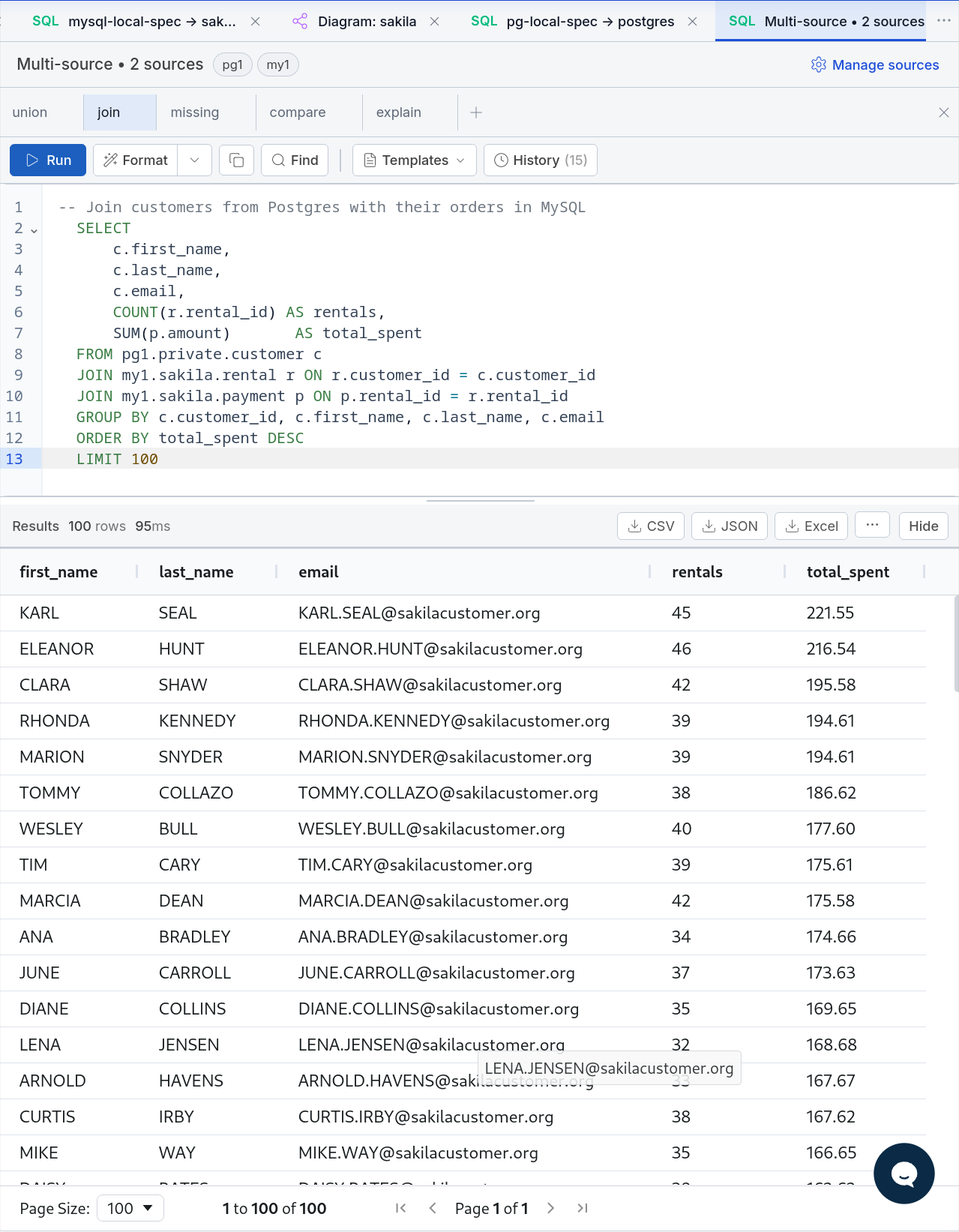
SQL Console

Query and results in one vertical flow

Results open below the SQL code with page-size controls and pagination for large result sets.

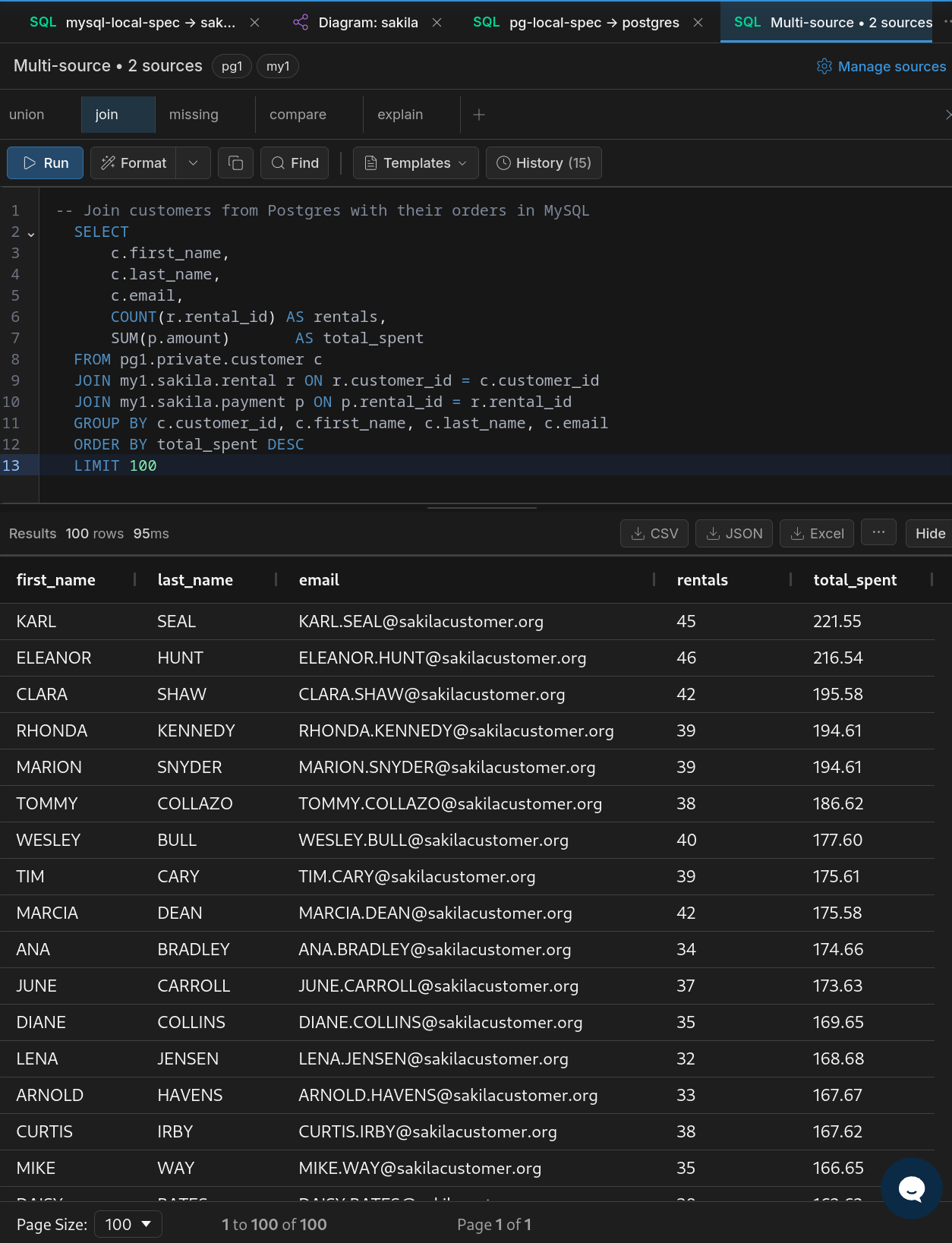
SQL console showing query code above and paginated results below

The SQL console keeps query and results in one vertical flow, with pagination at the bottom of the results grid.

Examples

Tested SQL Examples

Copy-paste queries across databases and files.

Note: pg1 and my1 are connection aliases defined in DBConvert Streams. They represent configured PostgreSQL and MySQL connections.

Cross-Database JOIN (PostgreSQL + MySQL)

SELECT
    a.first_name || ' ' || a.last_name AS actor_name,
    f.title AS film_title
FROM pg1.public.actor a
JOIN pg1.public.film_actor fa ON a.actor_id = fa.actor_id
JOIN my1.sakila.film f ON fa.film_id = f.film_id
LIMIT 20;

Joins tables across PostgreSQL and MySQL in a single query — no export, no import, no staging.
Cross-Database UNION (PostgreSQL + MySQL)

(SELECT 'PostgreSQL' as source, film_id, title, release_year
FROM pg1.public.film
WHERE title LIKE 'A%'
LIMIT 5)

UNION ALL

(SELECT 'MySQL' as source, film_id, title, release_year
FROM my1.sakila.film
WHERE title LIKE 'A%'
LIMIT 5);

Combines results from PostgreSQL and MySQL into one dataset.

Use Cases

When to Use Cross-Database SQL

Migration Validation

Compare data between source and target before cutover. Verify row counts, checksums, and content match across migration runs.

Pre-Migration Filtering

Use SQL to inspect and filter source data before starting a migration. Identify schema mismatches or data quality issues upfront.

Join Operational DB with S3 Export

Combine live database records with archived Parquet or CSV exports in S3 for historical analysis without re-importing.

Audit Across Environments

Investigate production vs staging mismatches. Run comparison queries directly without building replication streams first.

Cross-System Reporting

Combine operational data from MySQL and PostgreSQL into unified reports without a data warehouse.

File + Database Analysis

Analyze Parquet or CSV exports together with live databases using full DuckDB SQL - aggregations, window functions, and transformations.

Load Mode

Your Query Becomes Your Pipeline

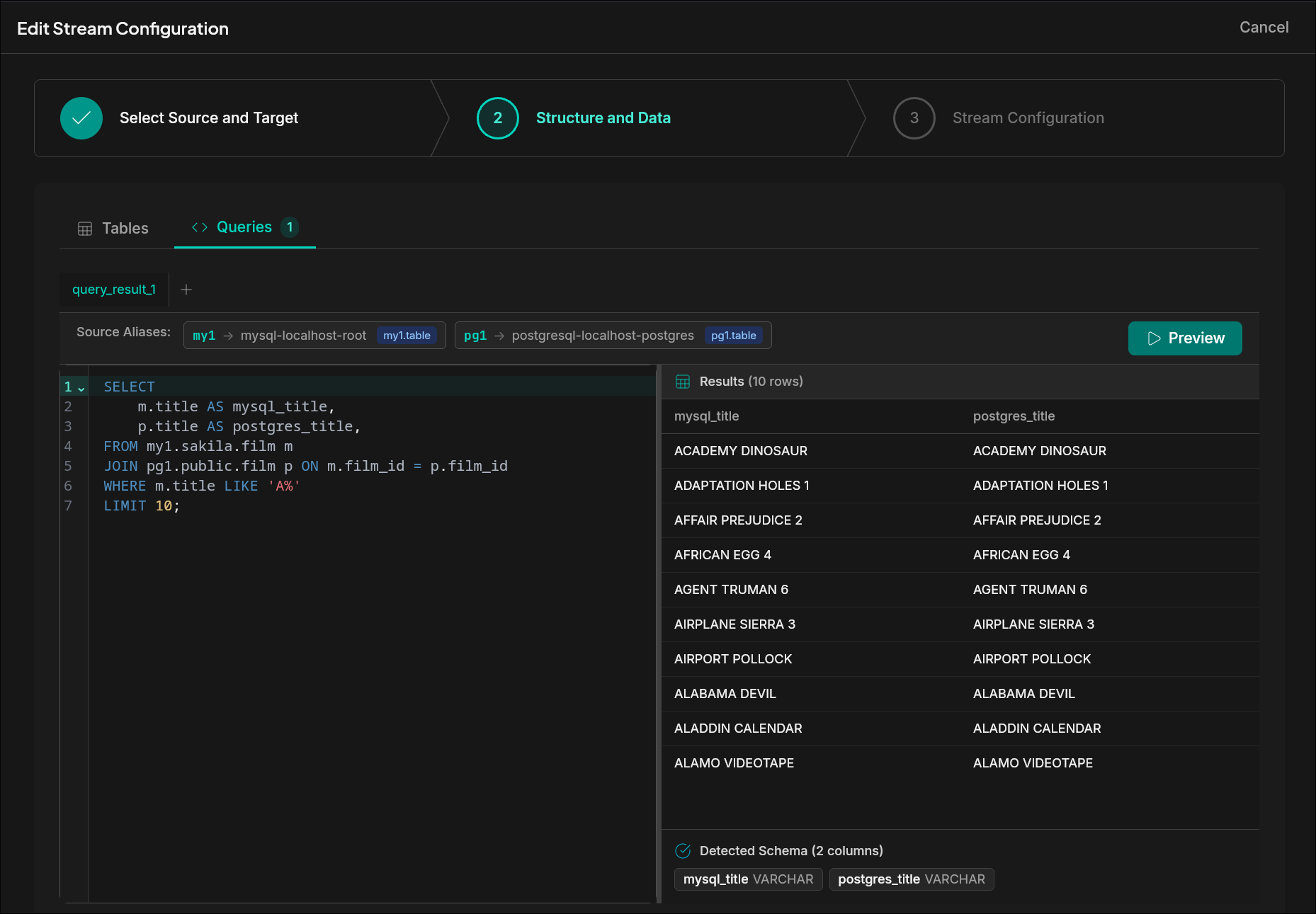
The SQL you write to explore is the same SQL that powers a stream. Point it at a target — another database, a file, S3 — and the data moves. No hand-off between tools. No rebuild.

  • Use SQL query results as a source for data migration in load mode
  • Query file pipeline outputs (CSV, Parquet, JSON) alongside databases
SQL query results used as a stream source in load mode configuration
FAQ

Technical questions

Does cross-database SQL move my data?

No. Sources are attached as virtual schemas, and the query reads from them in place. There is no persistent staging, no copy step, and no warehouse ingest.

Which sources can I join in one query?

PostgreSQL, MySQL, and file sources (Parquet, CSV, JSON), including files in S3. Each configured connection becomes a virtual schema you can reference in SQL.

What SQL dialect is used?

DuckDB SQL. The embedded DuckDB engine plans and executes the query, so window functions, CTEs, aggregations, and file scans all work the same as in DuckDB itself.

Where does the filtering actually happen — in the source database or in DuckDB?

Both, depending on what the query asks for. When you write WHERE country = 'DE' against a PostgreSQL table, the filter is pushed down to PostgreSQL, which uses its own indexes and returns only the matching rows over the network. The same goes for column selection — only the columns you reference are pulled. Cross-source joins are different: PostgreSQL and MySQL do not see each other, so DuckDB pulls the relevant rows from each side (already filtered by the pushdowns above) and performs the join itself.

Do I need a data warehouse?

No. The whole point is that you do not stage data into BigQuery, Snowflake, or Redshift before joining. If you already have a warehouse, you can still query it as one of the sources.

Is this safe to run against production databases?

Queries are read-only against the attached sources and respect the credentials of the configured connection. Treat heavy joins the same way you would treat any analytical query against a live OLTP database.

Run the first query in the explorer

Open the explorer to run queries against your live connections. Move into migration or API automation when the SQL is doing the right job.