Where does the diagram come from?
The diagram is read directly from the connected database's metadata (information_schema and equivalents). There is no manual modeling step and no exported SQL file to keep in sync.
Runs inside Data Explorer, no external plugin. Have a SQLite file? The free SQLite viewer draws its diagram in your browser.
An ER diagram shows tables, columns, and the foreign-key relationships between them, so the structure of a schema can be read at a glance instead of inferred from DDL or data. ER diagrams are most useful when you need to understand a database you did not design — before a migration, during onboarding, or while reviewing dependencies for a feature change.
The ER diagram tool in DBConvert Streams reads a live MySQL or PostgreSQL connection and renders the schema directly. Tables, primary keys, foreign keys, and view dependencies are read automatically, each foreign key is marked N at the referencing column and 1 at the key it references, and tables joined by keys are laid out in layers so the diagram stays readable as the schema grows.
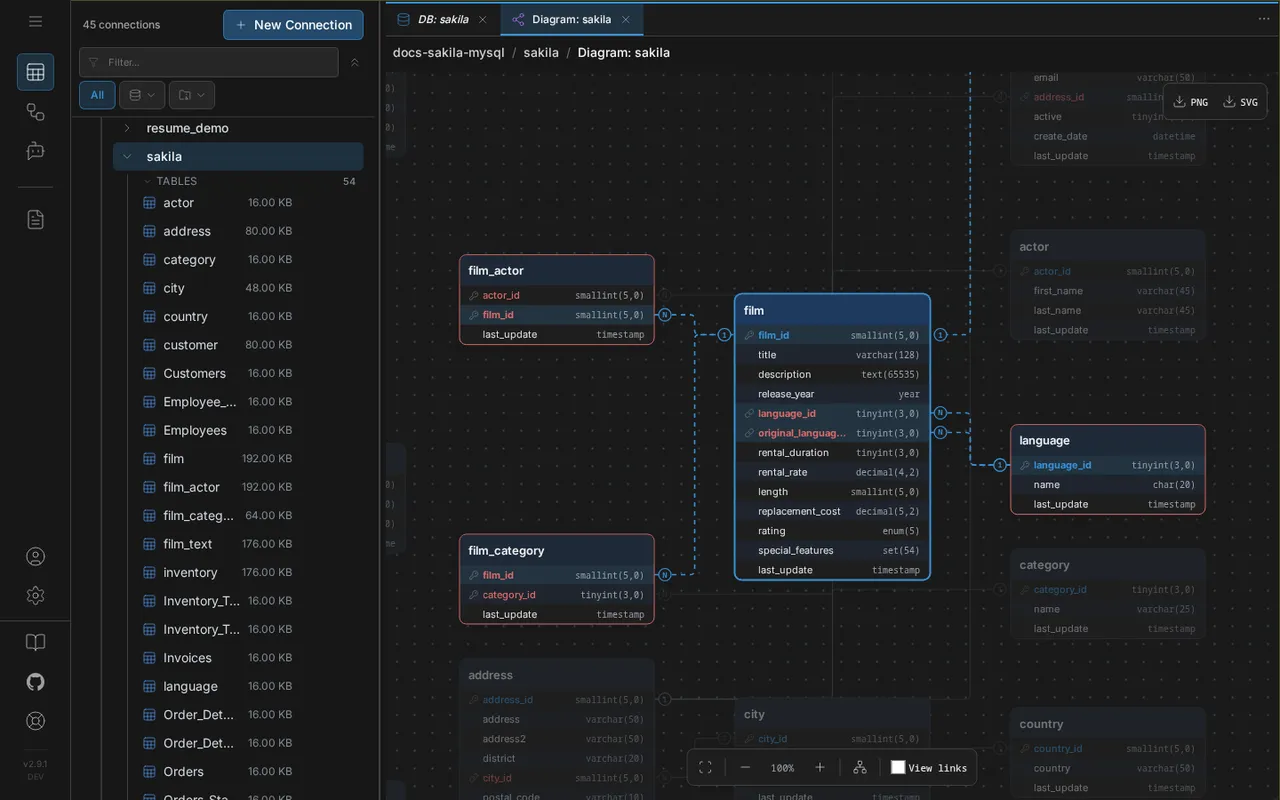
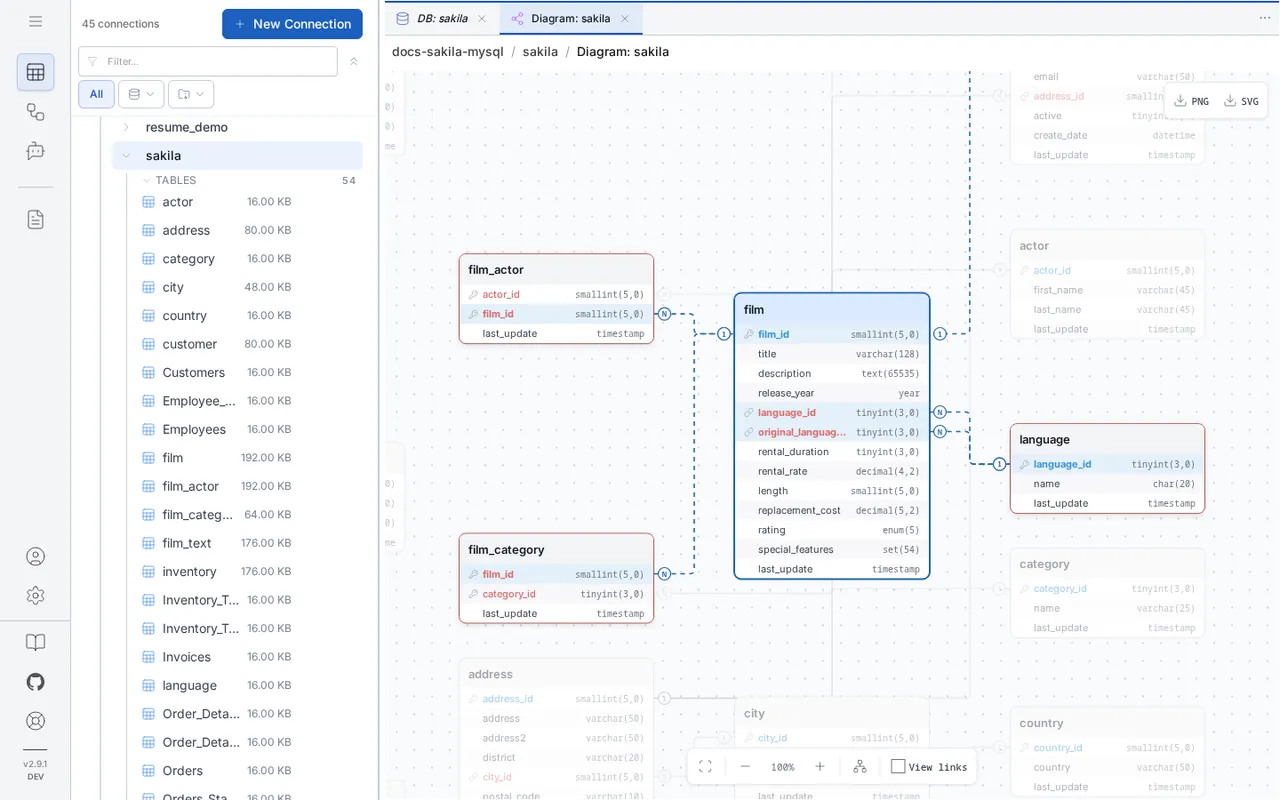
A selected table with its related tables, joining columns and relationship lines highlighted, read from a live schema.
No manual modeling. Open a connection and the schema is already drawn.
Designed for real exploration, not static exports. Navigate complex schemas visually and follow relationships instantly.
No settings to tune. Tables joined by foreign keys are arranged in layers, left to right, and the tables joined to nothing are packed beside them instead of stretching the diagram into one column.
Tables that reference each other sit in successive layers, so a chain of foreign keys reads in one direction.
Tables joined to nothing are placed in rows in name order, where they can be found by reading along.
With several schemas, each schema's tables stay in a frame of their own.
Drag tables where you want them; one click lays the diagram out again.
Every foreign key carries N at the referencing column and 1 at the key it references, so the direction of a relationship is clear without knowing an ER notation.
The most common relationship. One record in the parent table relates to multiple records in the child table.
Example: One customer has many orders.
Two tables related through a junction table, which is drawn between them with N on both of its keys.
Example: Films and actors via film_actor table.
Dashed lines show which tables a view reads. They appear when you select the view, or for every view at once.
Example: A summary view referencing multiple base tables.
Many-to-many, as it is stored. The diagram draws the junction table that holds the relationship, with N on both of its keys, instead of a line that skips it and hides the columns in between.
The diagram is read directly from the connected database's metadata (information_schema and equivalents). There is no manual modeling step and no exported SQL file to keep in sync.
The diagram represents the live schema, so the data model itself is read-only. The view is interactive — drag tables, pan, zoom, and select a table to isolate its relationships — but you cannot create or drop tables from the diagram.
The diagram reflects the schema at the moment it was opened. Reopen the diagram against the same connection to pick up new tables, columns, or relationships.
Yes. The whole diagram — not only the part on screen — exports as PNG or SVG for documentation, design reviews, or sharing with people who do not have access to the source database.
Connect a MySQL or PostgreSQL database and read its structure in seconds.
Read the ER Diagrams documentation