How to Open MDB and ACCDB Files Online Without Microsoft Access
You can inspect an Access .mdb or .accdb file in a browser on Mac, Linux or Windows. What a viewer shows, and when you still need Access.
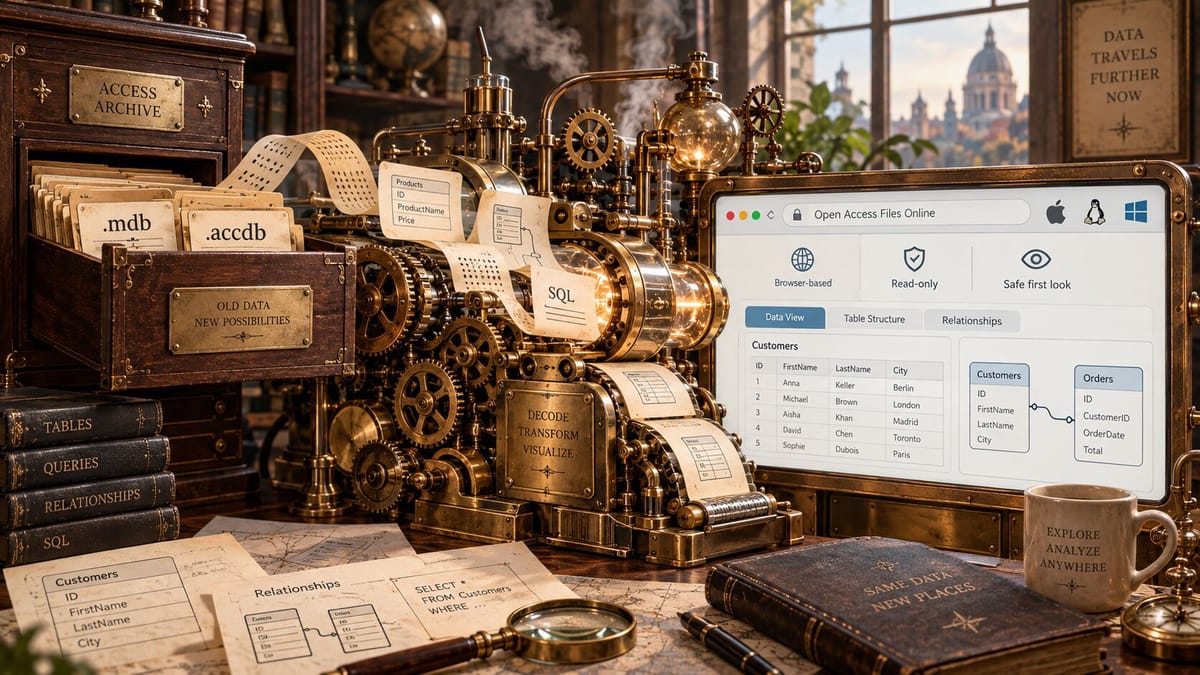
If you only need to see what is inside a Microsoft Access .mdb or .accdb file, you can open it online, without installing Windows or Microsoft Access. This works on Mac and Linux as well as on Windows.
A browser-local viewer opens the file from your computer and shows:
- its tables, with the type of every column
- the rows in each table
- saved SQL queries
- the relationships between tables, as a diagram
It shows the data, but it does not run the application built into the file: forms, reports, macros and VBA code still need Microsoft Access, and so does editing the database.
Open an MDB or ACCDB file in DBConvert Streams →
If you do need to run the Access application itself on Windows, that is what Access Runtime is for: a free way to run an Access application without the full product. It runs only on Windows, so it does not help on a Mac.
The viewer or Microsoft Access?
| DBConvert Streams MDB and ACCDB Viewer | Microsoft Access | |
|---|---|---|
| Where it runs | Any browser on Mac, Linux or Windows. Nothing to install | Windows only, with an Access licence |
| See tables, rows and column types | ✓ | ✓ |
| See how tables are related | ✓ Diagram tab | ✓ Relationships window |
| Get data out | ✓ CSV, JSON or Parquet | ✓ Excel, text and other formats |
| Query the data | ✓ Read-only SQL, across several Access files at once | ✓ |
Password-protected .accdb | ✓ The password never leaves your browser | ✓ |
| Forms, reports, macros, VBA | ✗ | ✓ |
| Edit data or table design | ✗ Read-only | ✓ |
Open the file in three steps
- Go to the DBConvert Streams MDB and ACCDB Viewer.
- Choose or drop the
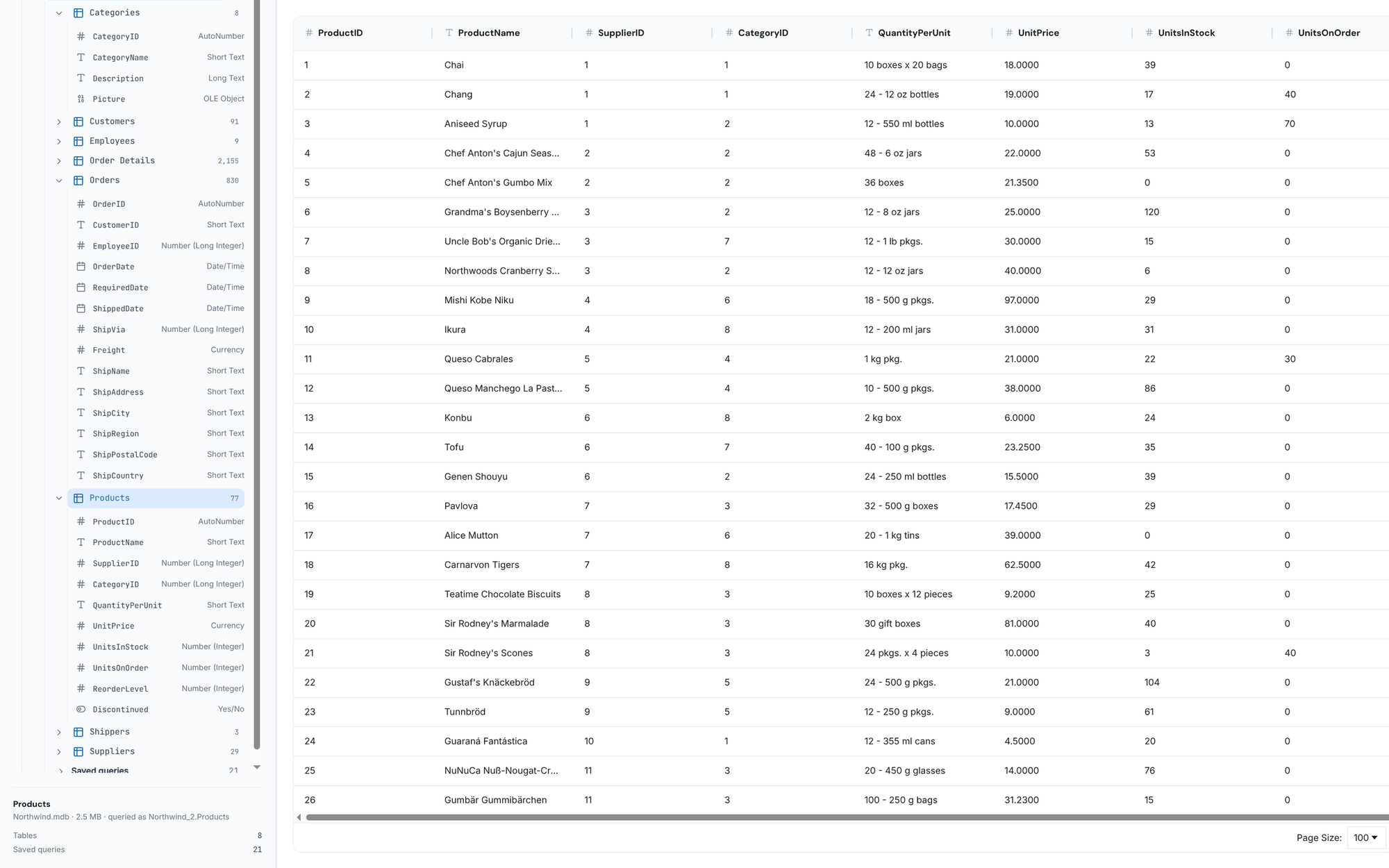
.mdbor.accdbfile. It is read in the browser tab: not uploaded, and never changed. - Pick a table in the tree on the left. Its rows open on the Data tab, and the tree shows every column with its Access type.
See how the tables are related
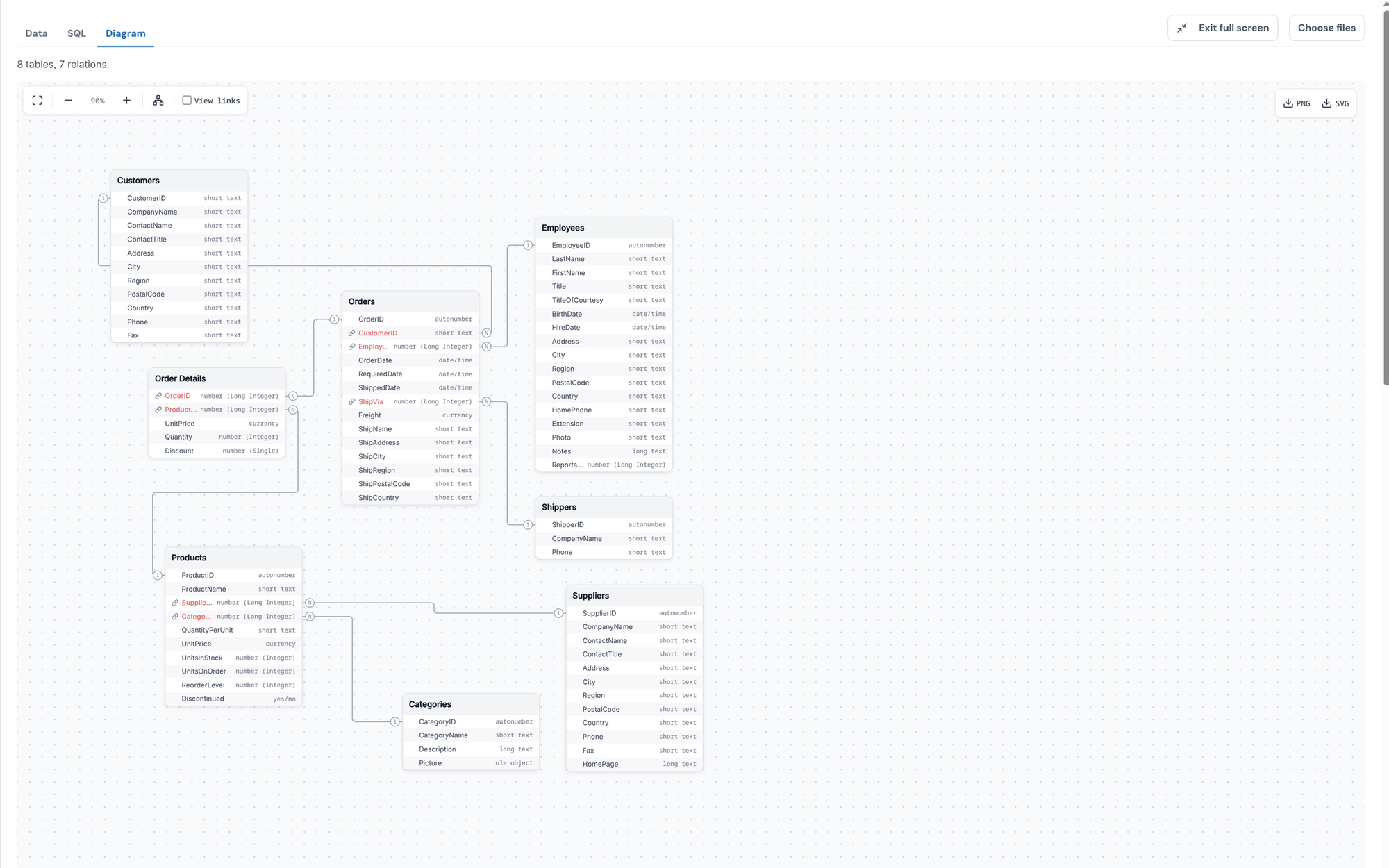
The Diagram tab draws the relationships the file declares, table by table.
Query the data with SQL
The SQL tab runs read-only SELECT and WITH queries. It speaks DuckDB's SQL, not Access SQL, so Access-only syntax such as IIf() or #2024-01-01# date literals does not run there. Saved Access queries are listed under the file as SQL text to read. More in the viewer documentation.
Password-protected files
The password stays with you: you type it in the page, and it is used right there in your browser to unlock the file. It is never sent to our servers or anywhere else, and it is not saved: close the tab and it is gone.
Query several Access files at once
Choose or drop more than one file and they open side by side, .mdb and .accdb mixed. Each database becomes a schema named after its file, so tables from different files join in one query:
SELECT p.ProductName, sum(o.Quantity) AS units
FROM sales.Orders o
JOIN catalog.Products p USING (ProductID)
GROUP BY 1
ORDER BY units DESC
Here sales is sales.accdb and catalog is catalog.mdb. The same works for comparing two copies of one database, for example this year's file against last year's.
Open it straight from Google Drive
If the Access file was shared with you in Google Drive, you don't need to download it first. Install MDB and ACCDB Viewer from the Google Workspace Marketplace, then right-click the .mdb or .accdb file in Drive and choose Open with → MDB and ACCDB Viewer — DBConvert. It opens in the same viewer.
Your browser downloads the file directly from Google Drive and reads it in the tab. It does not pass through our servers, and nothing is written back to your Drive.
Ask about the data in plain English, no SQL needed
You don't need to know SQL to get answers out of an Access file. Install the viewer as an editor extension for VS Code, or through Open VSX for Cursor and VSCodium, open the .mdb or .accdb file, and click Ask AI. Then ask the way you would ask a colleague: "Who are our top 5 customers?", "How did sales change month by month?", "Which products have never sold?"
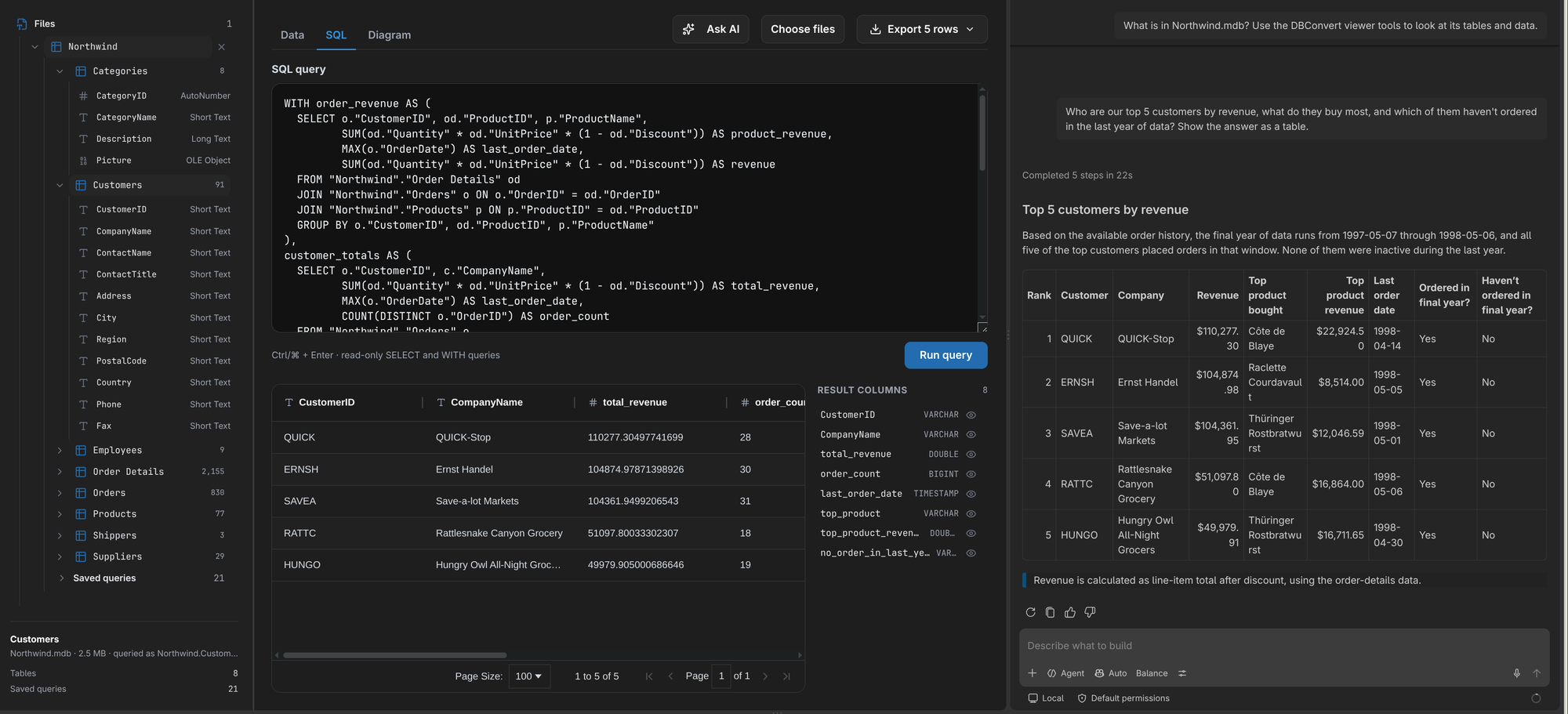
The agent in your editor works out which tables to join, writes the query, runs it through the viewer and answers with a table, a chart or a short summary. The query it wrote stays in the SQL tab, so you can check how it got the answer.
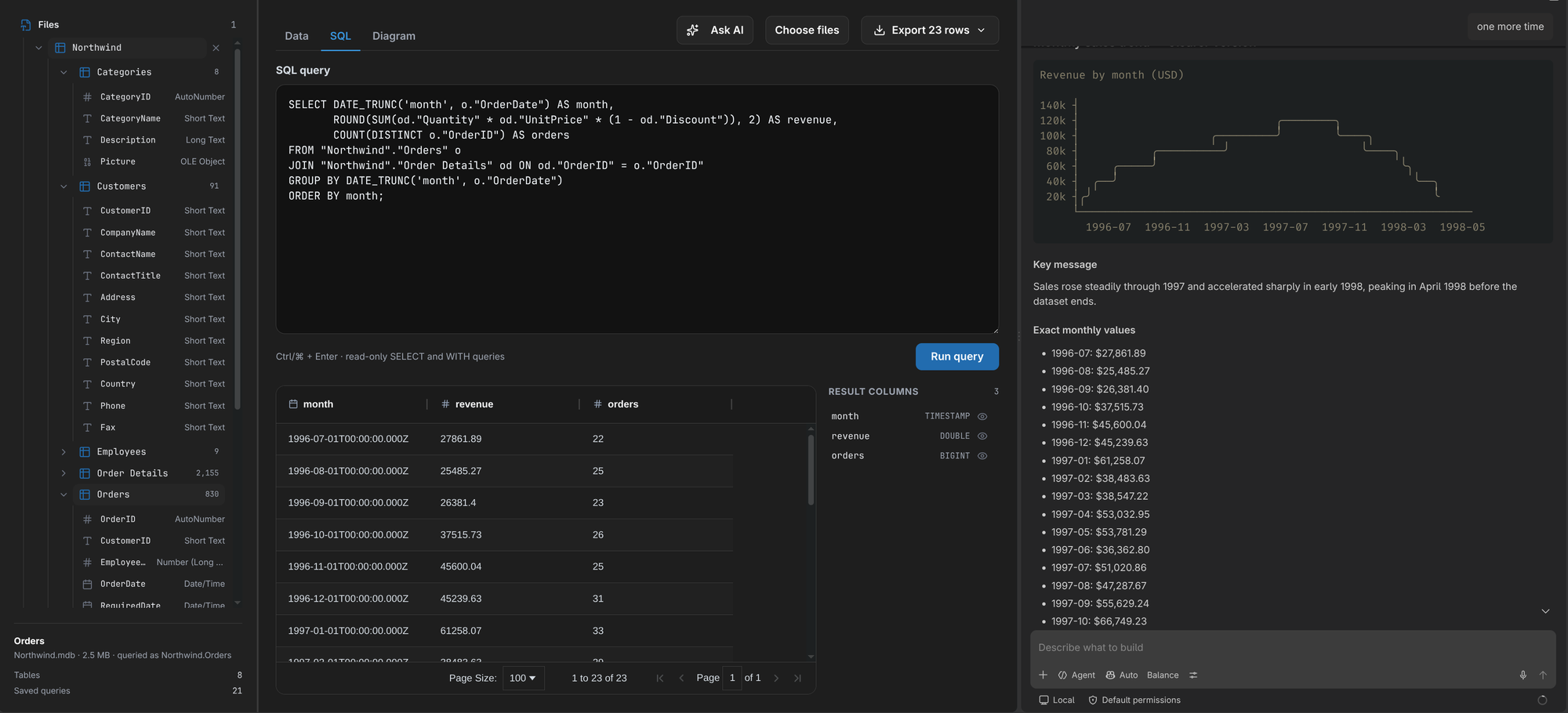
The file stays on your machine. What the agent reads from it goes to your own AI provider, under your own account.
Before you open a file someone sent you
An Access file can carry macros and VBA code. A viewer that reads only the data never runs them, which makes it a safe first look at a file from an unknown sender.
Common questions
Someone sent me an Access file and I'm on a Mac. What now?
Open it in the viewer in your browser. You don't need Windows, a virtual machine or an Access licence just to see what's inside; you need them only if you have to use the forms or change the database.
My file is .mdb, not .accdb. Does that matter?
Not for viewing. .mdb is the older format, used by every version of Access up to Access 2003; .accdb is the one Access has used since 2007. The viewer opens both.