DBConvert Streams 2.0 🎉
DBConvert Streams 2.0 combines a free database IDE, federated SQL across databases and files, and real-time CDC — no Kafka, no tool switching, no pipeline glue.
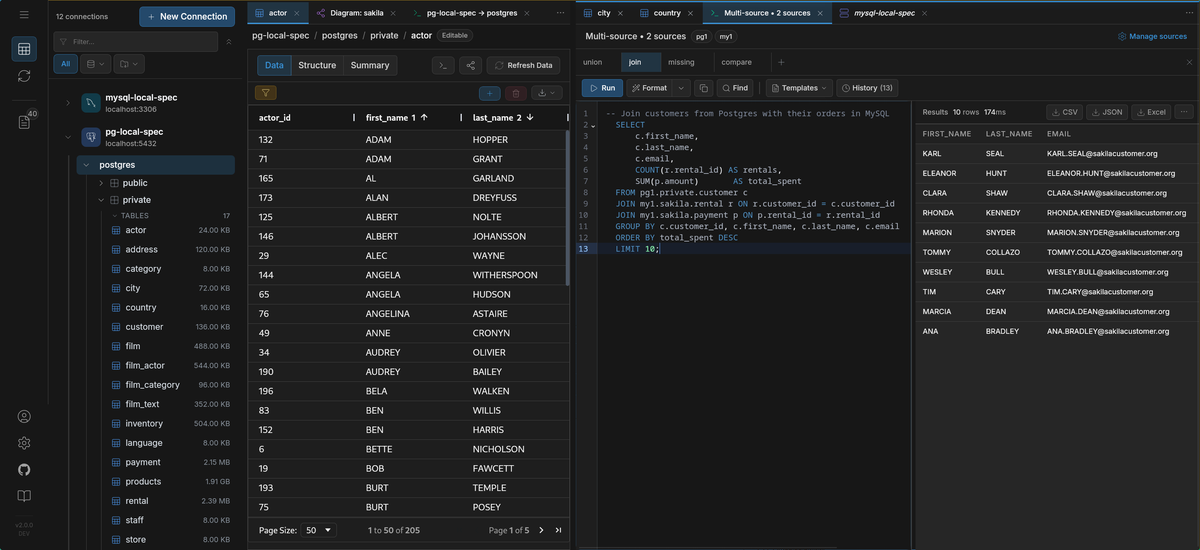
Explore, query, move, and replicate data — in one tool.
Why this matters
Your database IDE doesn't know about your migration tool. Your migration tool has never heard of your CDC pipeline. And none of them talk to your files or S3.
So you export CSVs to bridge the gaps. You run scripts where the GUI ends. You end up with four tools open to do one job — and the inconsistencies creep in between them.
And every handoff is a chance for something to break.
DBConvert Streams 2.0 closes that gap.
Explore → validate → move → replicate — in one workflow.
Two ways to run
Desktop app (Windows, macOS, Linux)
- Local setup, no account required
- Start in under five minutes
Self-hosted web app (Docker)
- Team access via browser
- Deploy with Docker Compose
Same product. Different entry points.
A real data workspace
The Data Explorer is no longer read-only.
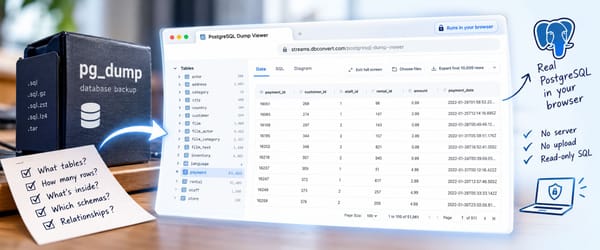
- Browse databases, local files, and S3
- Edit data directly (insert, update, delete)
- Stage and review changes before commit
- Navigate schemas with persistent state and search
- Visualize relationships (ER diagrams)
- Compare schemas and data
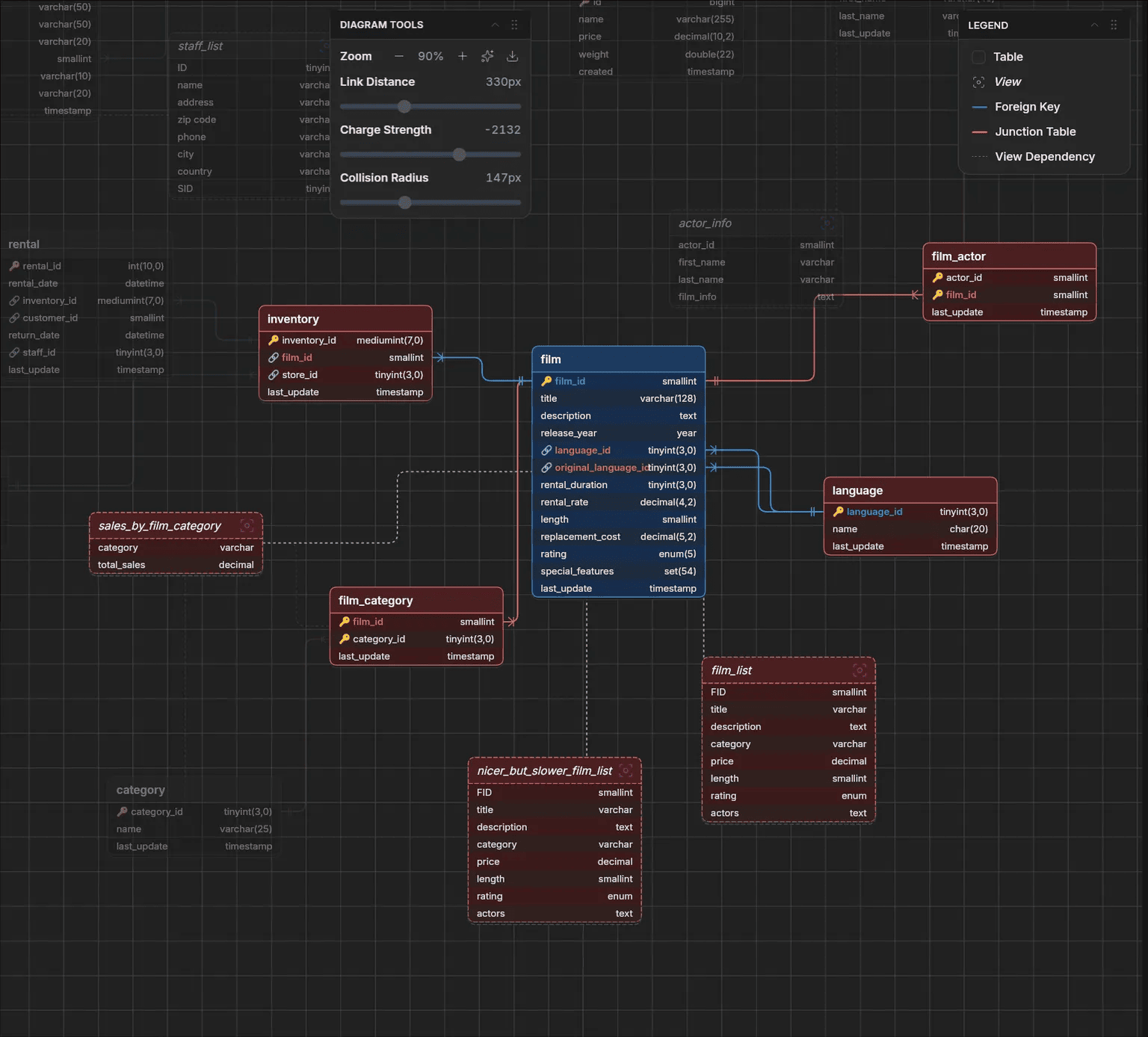
Your schema, your data, your changes — all in the same view.
Query across everything
Most tools limit queries to a single database. DBConvert Streams lets you work across PostgreSQL, MySQL, local files (CSV, JSON, Parquet), and S3-compatible storage — all from one SQL interface.
Run it directly — the sources connect live:
SELECT
    a.first_name || ' ' || a.last_name AS actor_name,
    f.title AS film_title
FROM pg1.public.actor a
JOIN pg1.public.film_actor fa ON a.actor_id = fa.actor_id
JOIN my1.sakila.film f ON fa.film_id = f.film_id
LIMIT 20;
One query joining live PostgreSQL and MySQL tables — pg1 and my1 are connection aliases defined in DBConvert Streams. No export, no import, no staging.
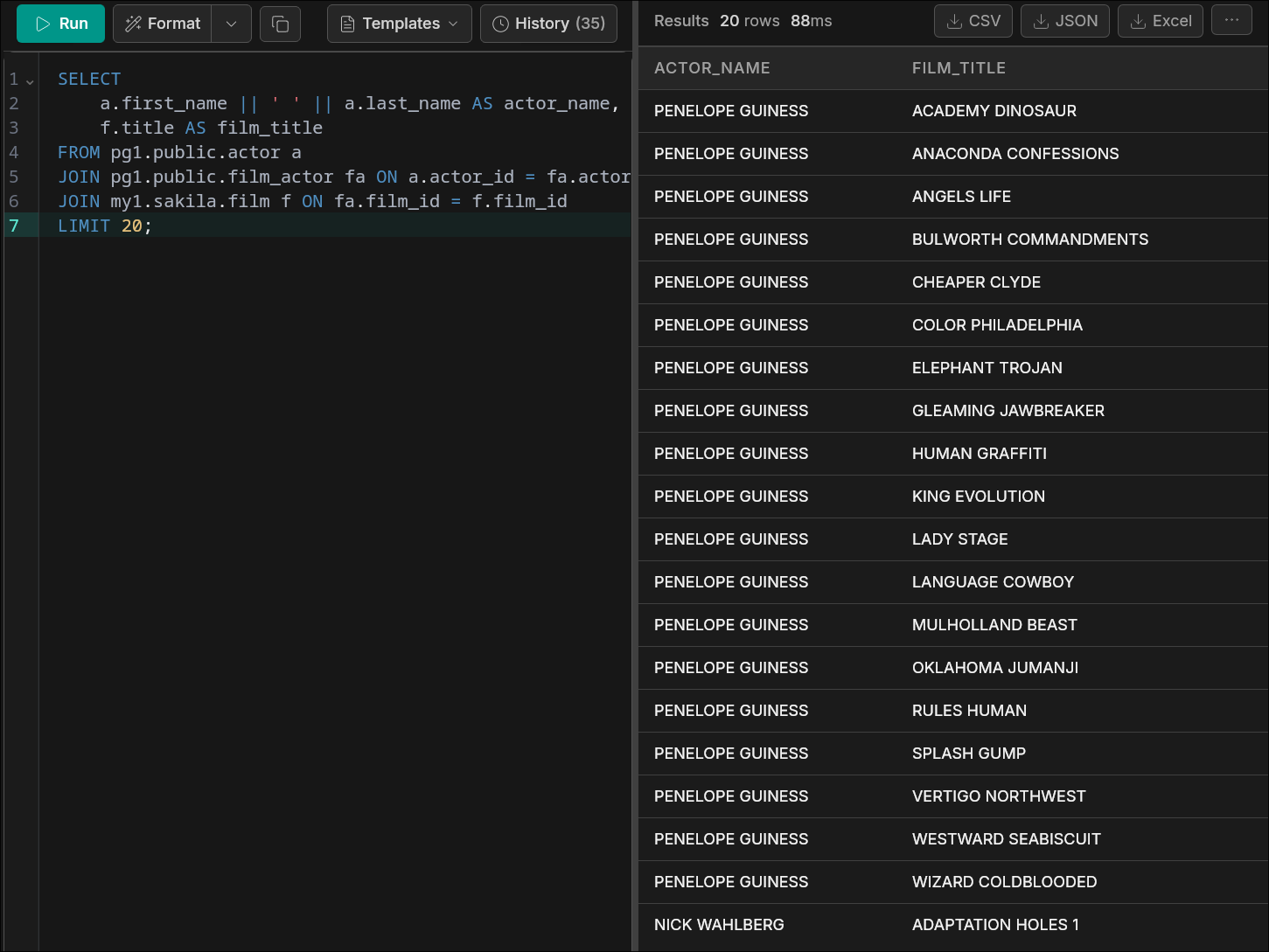
And here's what makes it go further: that same query can be the source of a stream. Point it at a target — another database, a file, S3 — and DBConvert Streams moves the result there directly. No intermediate export. No hand-off between tools.
You don't write pipelines — you extend queries.
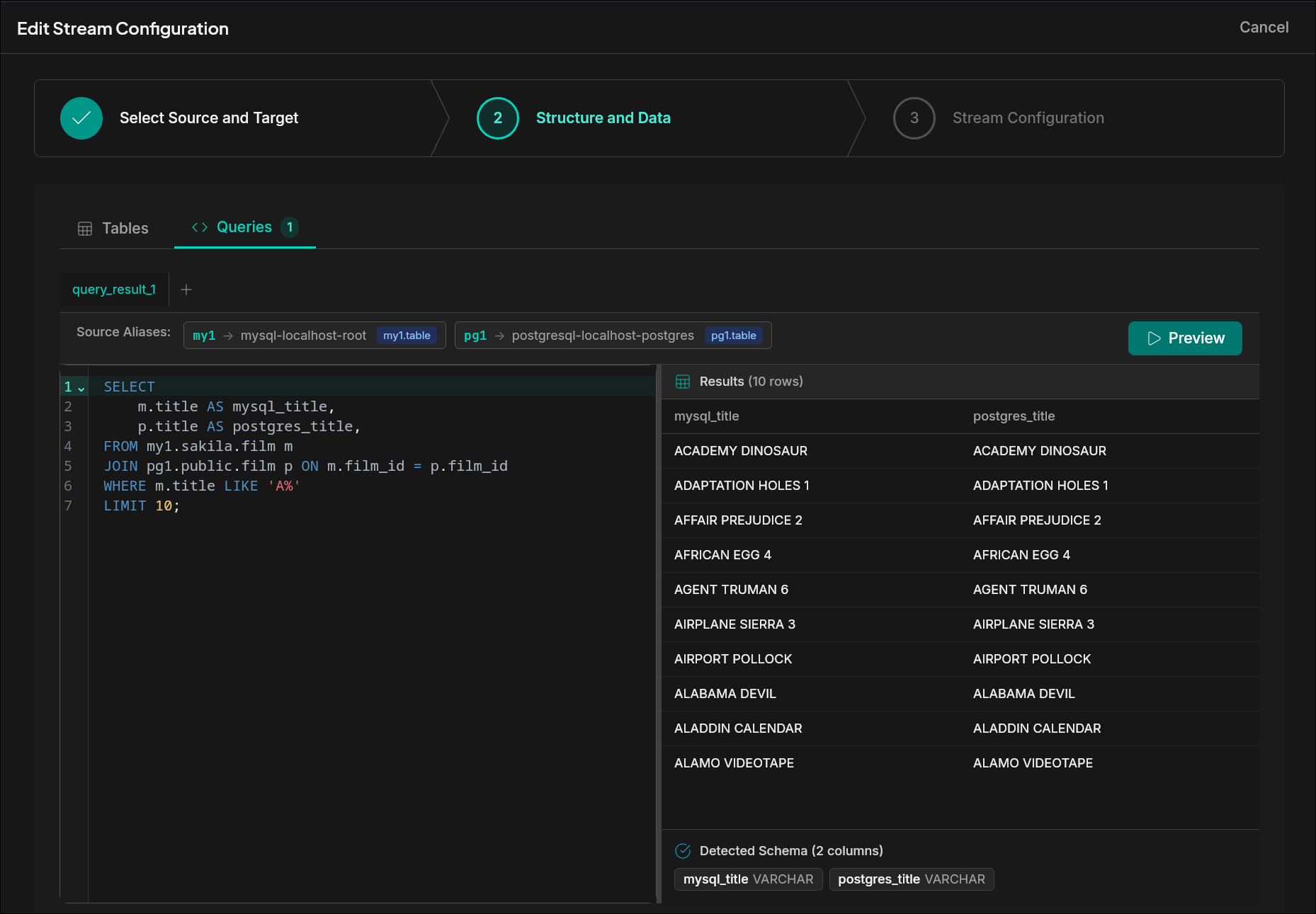
One query. One configuration. Multiple sources — and any target you need.
Move data fast — then keep it in sync
Two modes:
- Convert mode — move millions of rows in seconds, with automatic schema conversion and built-in validation
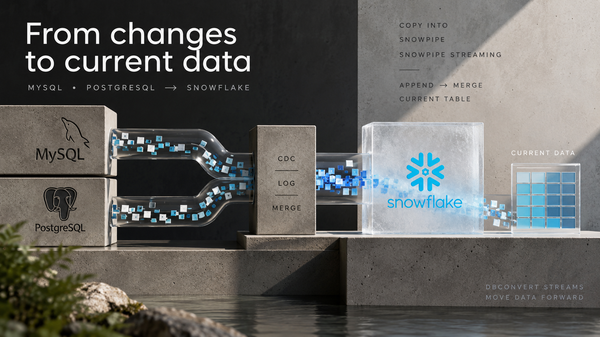
- CDC mode — continuous change data capture, streaming updates as they happen
Most users start here: move real data, verify it, and only then turn on CDC.
CDC builds on top of that — not the other way around.
Same configuration. Same workspace. No rebuild.
What it looks like in practice
Example: moving a MySQL products table — 23M rows, 4.38 GB.
Run 1: MySQL → Parquet The stream finishes in 35.7 seconds at 136 MB/s. No tuning. No pipeline setup. Just run.
You now have a Parquet snapshot you can query directly, diff against the source, or archive to S3 — without writing a single script.
This is what Convert mode is for: fast, verifiable production data movement without scripts or pipelines.
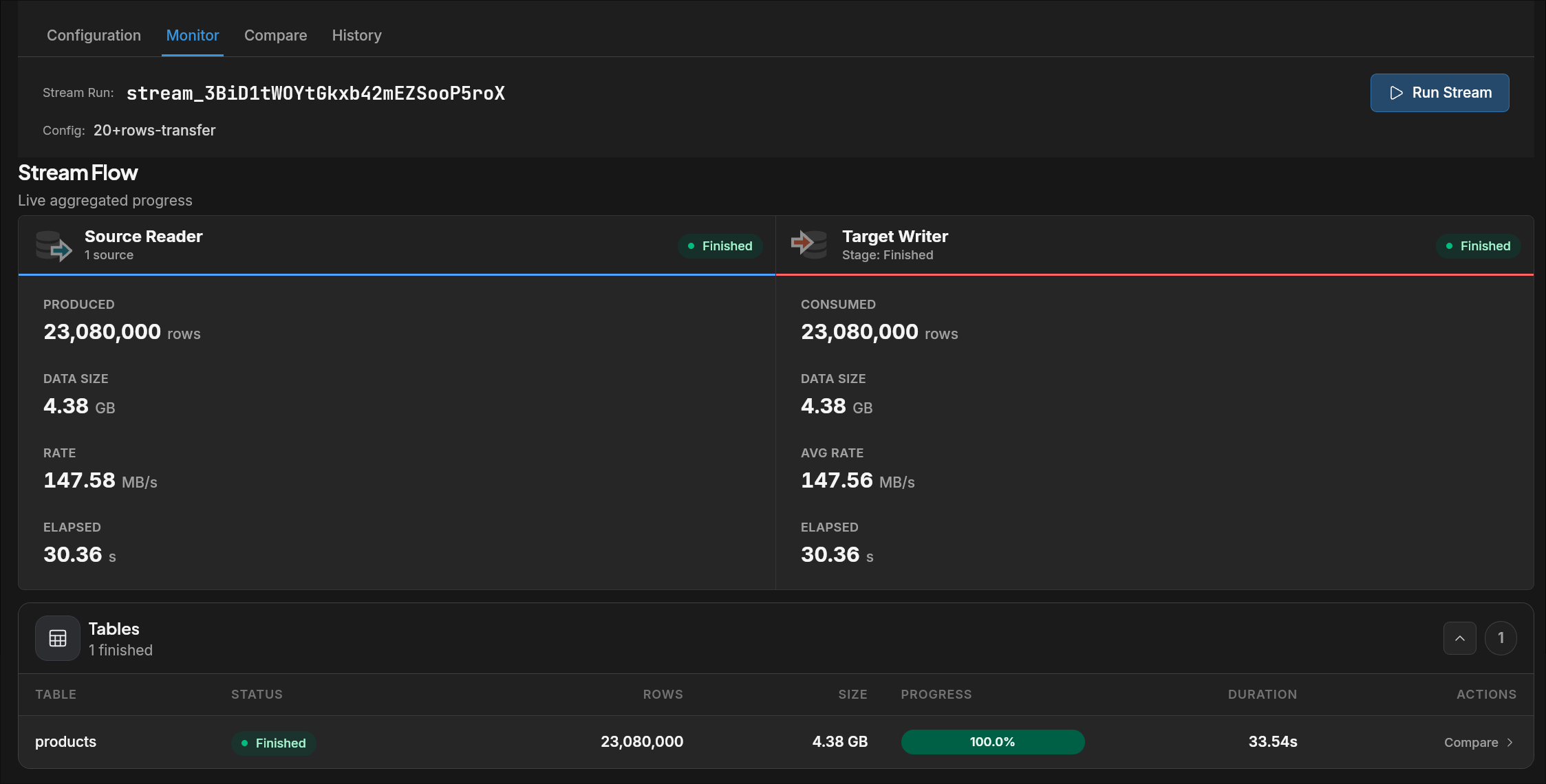
Run 2: MySQL → PostgreSQL Same source, same 23 million rows, writing into a live Postgres instance. The Monitor tab shows both sides in real time: source produced 23,080,000 rows; target consumed 23,080,000 rows. No guessing whether it landed. No logs to parse. No jobs to inspect.
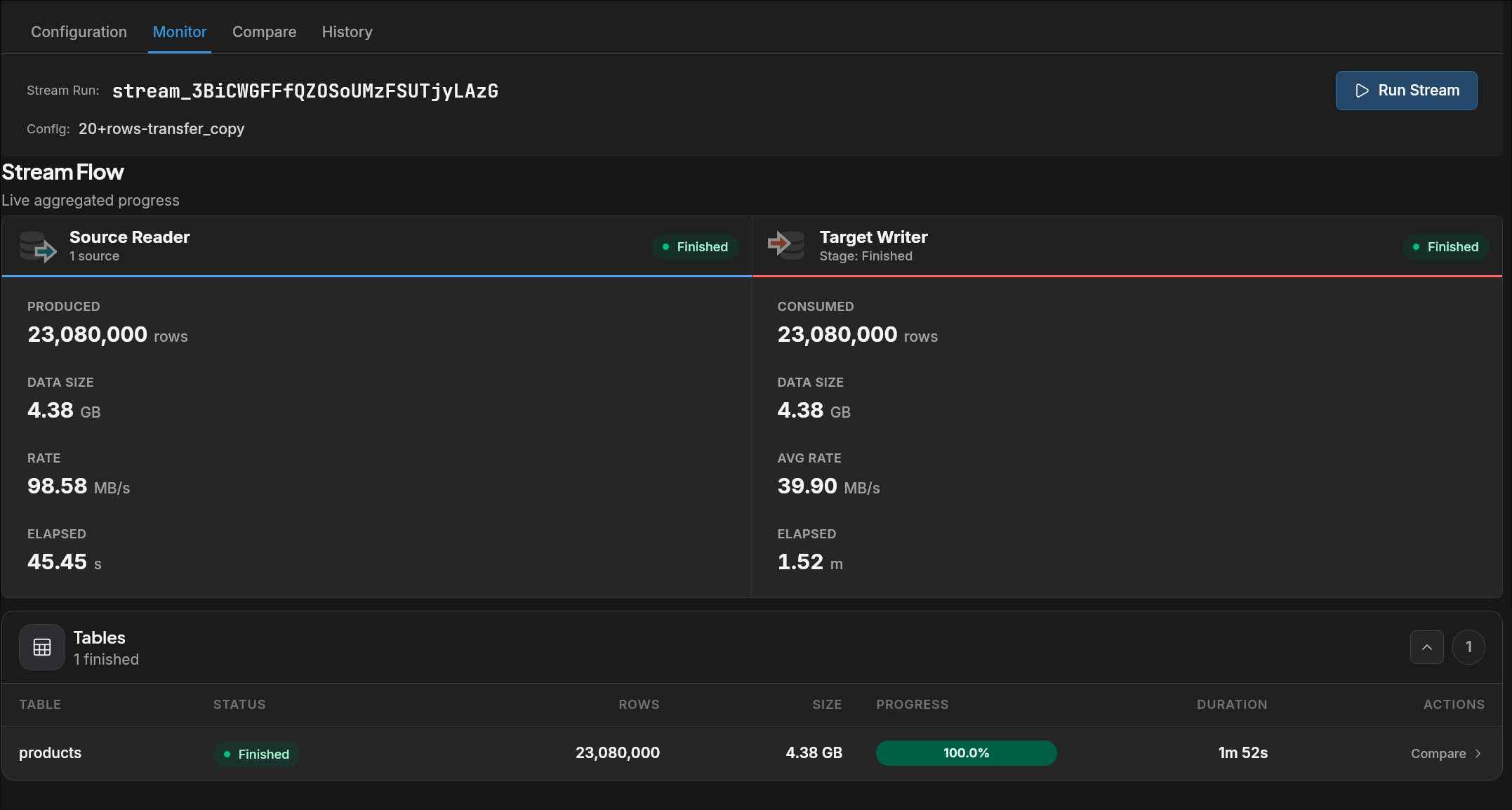
You don't switch contexts. You don't open another tool. You see it finish.
(Screenshots above are live Monitor output from DBConvert Streams 2.0 — not mocked up.)
Files and S3 as first-class sources
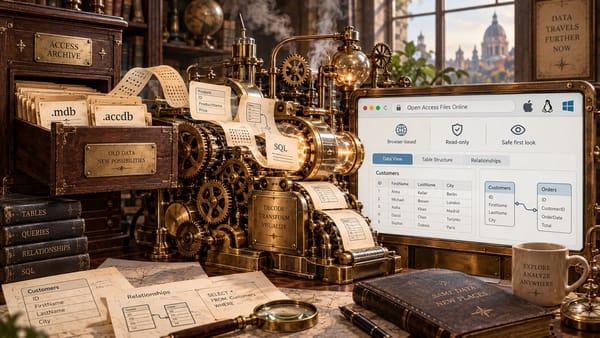
Work with CSV, JSON, JSONL, Parquet, and any S3-compatible storage. Browse, query, or stream them — the same way you'd work with a live database.
Example workflows:
- Export database data directly to files
- Validate file contents before streaming
- Combine database and file sources in a single query
- Stream database changes directly to S3
What makes 2.0 different
Most tools make a trade-off: rich exploration with no pipeline, or powerful CDC with no workspace. You end up stitching them together.
DBConvert Streams 2.0 is the first time the IDE and the pipeline are the same product. Migration is not a separate tool from the IDE — it's part of the same workflow.
You explore the same data you migrate.
You validate the same query you run in production.
You monitor the same flow you just configured.
The context never breaks.
No Kafka. No cloud dependency. No switching tools at the worst possible moment.
Pricing
The IDE is free forever — no trial period, no feature limits.
Streams are licensed per seat:
- $49/month per seat
- $399/year per seat
Evaluation limits:
- 500 MB for Convert — enough for a real schema migration
- 48 hours for CDC — enough to validate a full sync cycle
No usage-based pricing. No surprises. No per-GB billing.
Get started
No setup. No pipeline glue.
Install in under five minutes.
Run your first query. Move real data. Turn on CDC.
Same tool. Same workflow.