A pgloader alternative for MySQL → Neon: no-code migration with continuous sync
Looking to migrate your local MySQL database to Neon without writing a single line of code? Forget pgloader. Learn how DBConvert Streams makes serverless PostgreSQL migration fast, simple, and real-time.
As developers and teams look for scalable, flexible database infrastructure, Neon emerges as a modern serverless PostgreSQL platform. It offers features like autoscaling, branching, and separation of storage and compute—making it ideal for cloud-native apps.
While Neon's official documentation suggests using pgloader for migration from MySQL, that approach requires scripting and command-line tools.
For those looking for a no-code, streamlined experience, DBConvert Streams provides a powerful, real-time migration solution with a friendly web interface.
Why Neon?
Neon provides a cloud-native PostgreSQL environment with:
- Autoscaling — scales compute resources automatically based on demand.
- Branching — spin up isolated database branches instantly for dev/test.
- Separation of compute and storage — optimized for elasticity and performance.
- Pay-as-you-go pricing — ideal for startups and scaling workloads.
🔄 What Is DBConvert Streams?
DBConvert Streams is a no-code, real-time database migration and replication tool. It supports migrating from MySQL to PostgreSQL - perfect for transferring data to Neon from any MySQL source, whether it's hosted locally, self-hosted on your own servers, running on cloud platforms (AWS, GCP, Azure), or on managed database services like Amazon RDS or Google Cloud SQL.
Key Features
- ✅ Web UI — no CLI or code needed.
- ✅ Real-time CDC (Change Data Capture) sync.
- ✅ Automated schema mapping and transformation.
- ✅ Deployable locally or to the cloud (DigitalOcean, AWS, etc.).
🛠️ Prerequisites
Before starting the migration, make sure you have:
- Local MySQL database:
- Host:
localhost - Port:
3306(default) - Credentials (user, password)
- Database name
- Host:
- Neon PostgreSQL instance:
- Sign up at neon.tech
- Create a database project
- Copy the PostgreSQL connection string from the Neon Console
- Deployment of DBConvert Streams:
- Go to: https://streams.dbconvert.com/deploy
- Choose your preferred deployment (Docker, local binary, or cloud)
🔧 Step-by-Step Migration Process
1. Launch DBConvert Streams
After deployment:
- Open the web interface at:
http://localhost(for local)
orhttp://<your_server_ip>(for cloud-hosted)
2. Set Up Source and Target
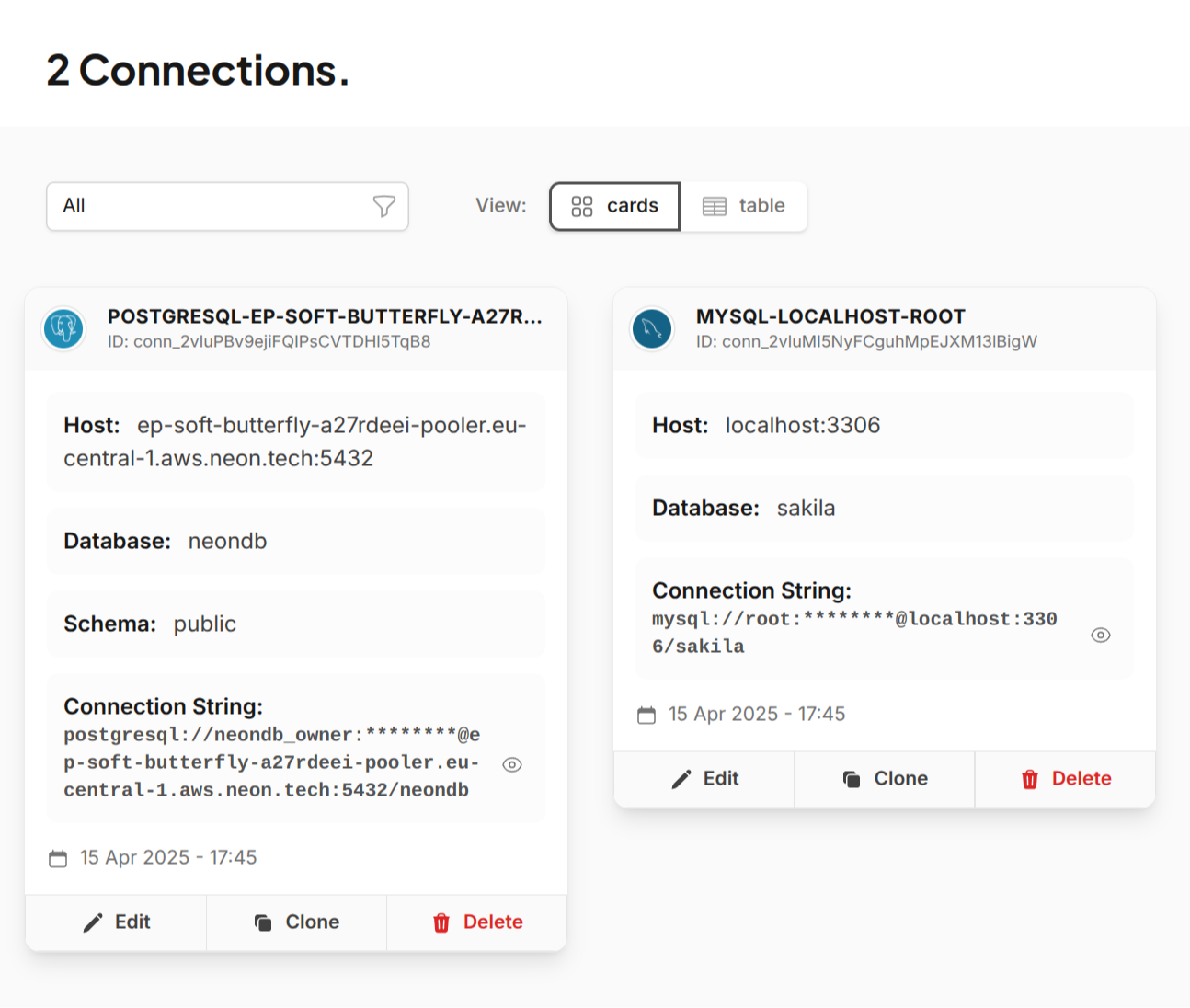
- Source:
Choose MySQL, and enter your local database details:host=localhost,port=3306,username=root,password=yourpassword,database=mydb - Target:
Choose PostgreSQL, and paste your Neon connection string.
For detailed instructions on connecting to Neon, refer to our Neon Connection Guide.
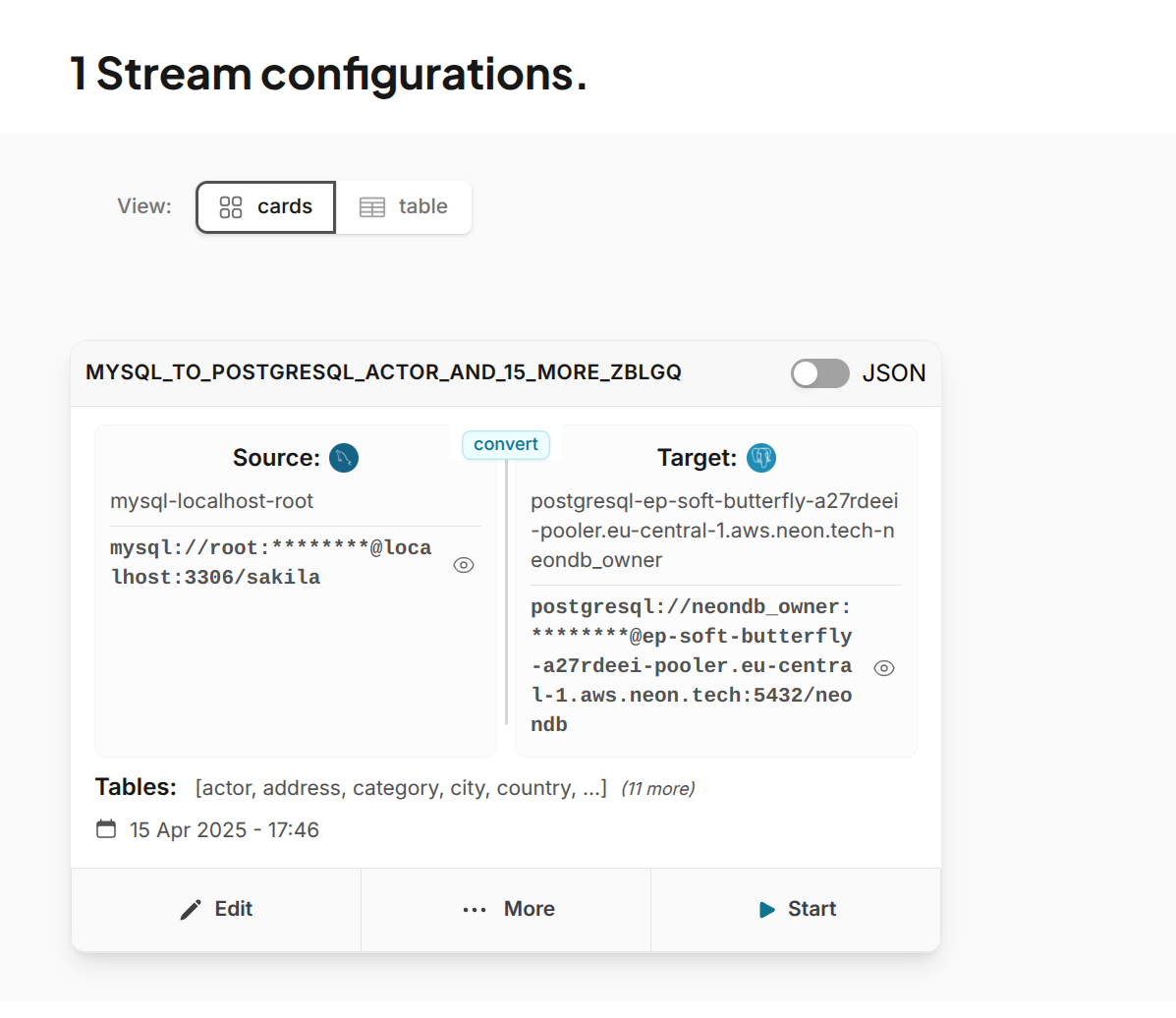
3. Create a Migration Stream
- Select the tables you want to migrate.
- Choose "One-time migration" for transferring data to Neon.
- Start the stream.
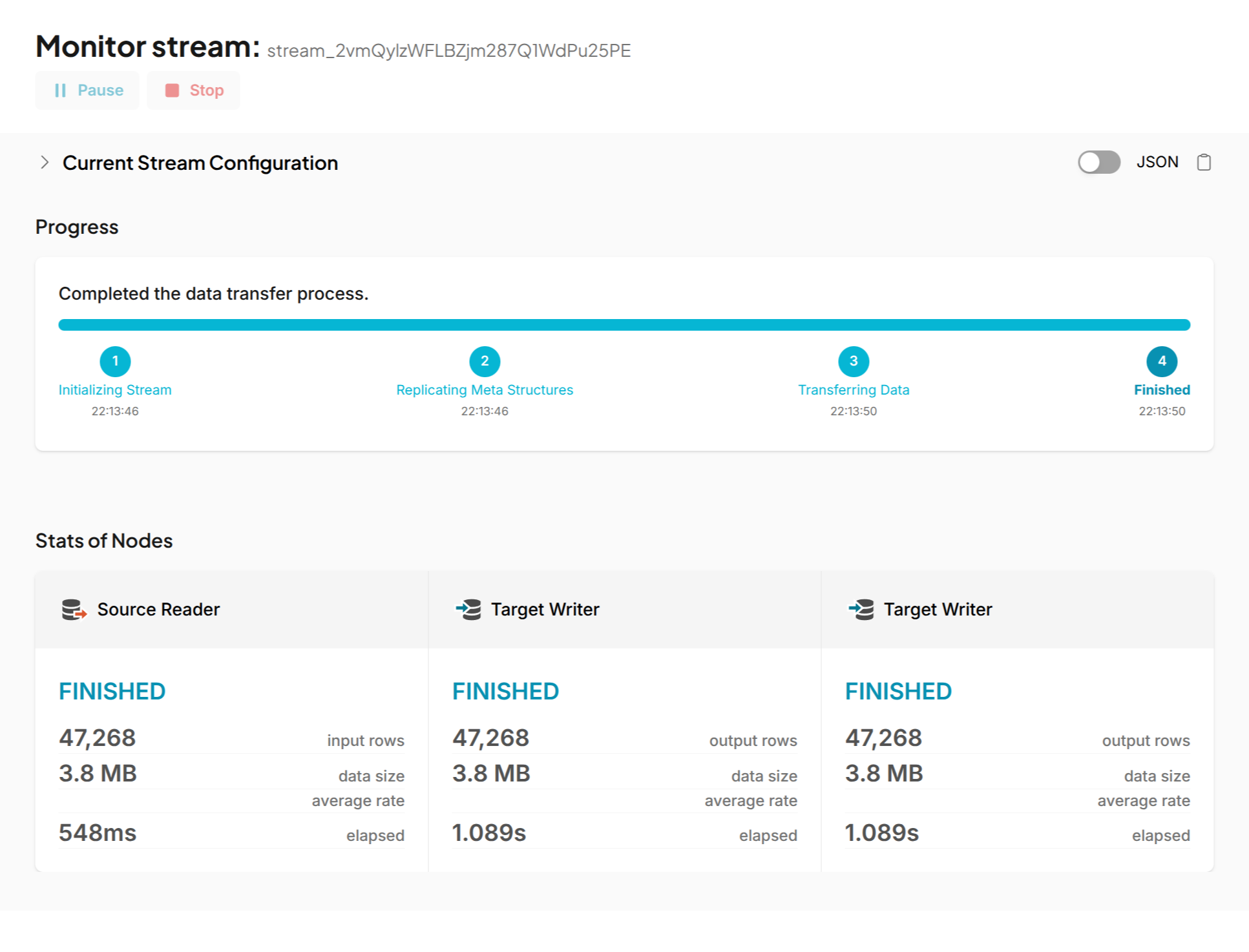
4. Monitor Progress
- Use the dashboard to track row-level sync.
- Logs and statistics are available in real time.
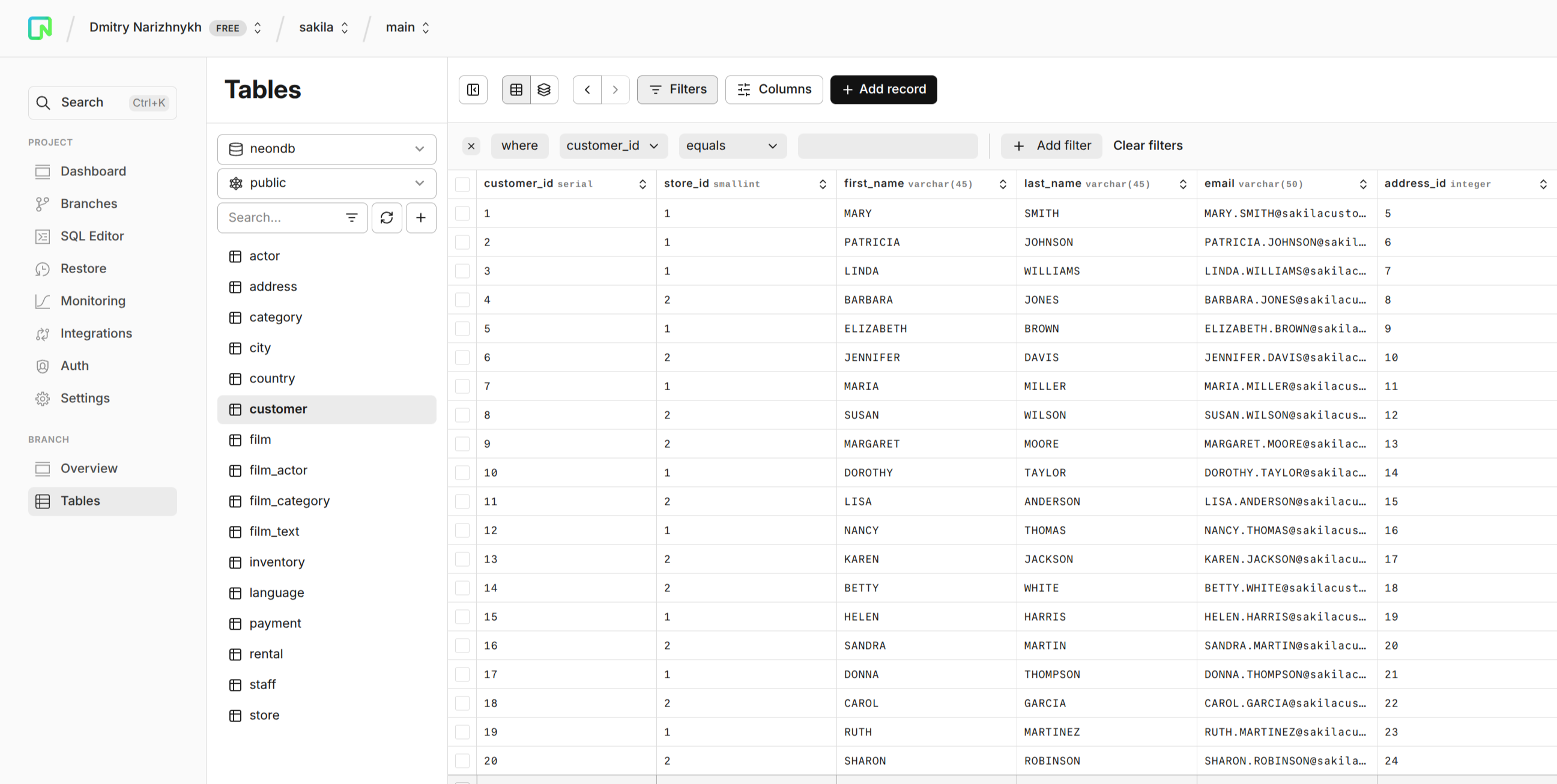
5. Verify in Neon
- Connect to your Neon database using
psql, or Neon's Viewer. - Verify schema, data, and constraints.
📊 Real-World Example: Migrating the Sakila Database
To demonstrate the power and simplicity of DBConvert Streams, let's look at migrating the standard Sakila sample database (a widely-used sample database that models a DVD rental store).
The pgloader Approach (Command Line)
Using pgloader requires creating a configuration file like this:
LOAD DATABASE
    FROM mysql://root:password@mysql-source/sakila?useSSL=false
    INTO pgsql://neondb_owner:endpoint=endpoint;[email protected]/neondb?sslmode=allow
WITH include drop,
     create tables,
     create indexes,
     reset sequences,
     workers = 4,
     concurrency = 1,
     multiple readers per thread,
     rows per range = 50000,
     drop indexes
SET MySQL PARAMETERS
    net_read_timeout  = '120',
    net_write_timeout = '120'
CAST
    type datetime to timestamptz drop default using zero-dates-to-null,
    type timestamp to timestamptz drop default using zero-dates-to-null,
    type date to date drop default using zero-dates-to-null,
    type tinyint to smallint drop typemod,
    /* and many more type mappings... */
pgloader load.config
This requires understanding data type mappings, SQL specifics, and executing commands via CLI.
The DBConvert Streams Approach (No-Code)
With DBConvert Streams, the process is dramatically simplified:
- Select MySQL source and enter connection details for Sakila database
- Select PostgreSQL target and enter Neon connection string
- Click to select all tables
- Start the migration
pgloader: ~13 seconds with manual configuration
DBConvert Streams: ~1 second with zero configuration
While both tools successfully migrated the data, DBConvert Streams did it:
- Without requiring coding knowledge
- Without manual type mapping configuration
- With less setup
- Through an intuitive web interface
On this dataset — 3.8 MB, ~47,000 rows — the run took ~1 s against pgloader's ~13 s with hand-written configuration. That is a small database, and most of the gap is setup rather than throughput: read it as how much work each approach asks of you, not as bulk speed on a large migration.
🧩 Where pgloader fits — and where it doesn't
Neon's docs recommend pgloader, and for a one-off bulk load it is a solid choice: mature, scriptable, and good at what it does. The differences that matter here are about what happens after that first load.
- pgloader is CLI-driven; this is a visual, no-code path.
- pgloader ships default casting rules and takes custom CAST rules for the exceptions; here the mapping is handled for you.
- pgloader performs a one-time migration — it has no CDC, so it cannot keep the target in sync afterwards.
- No visual monitoring of an ongoing pipeline.
If you need a single migration and are comfortable on the command line, pgloader will serve you well. If you need the target to keep receiving changes, that is a different job.
DBConvert Streams provides a visual, no-code, production-friendly alternative with CDC and web-based control.
💡 Note: The Sakila database migration in our example transferred approximately 3.8 MB of data containing around 47,000 records. DBConvert Streams offers a free trial with a generous 5 GB data transfer limit - enough to migrate most small to medium-sized databases without any cost.
Need to migrate from AWS RDS, Google Cloud SQL, or DigitalOcean? Stay tuned — support’s just as easy.
🌐 Visit https://streams.dbconvert.com/deploy to get started.
Experience the simplicity of no-code database migration and the power of Neon's serverless PostgreSQL platform – together, they represent the modern approach to database management.