How We Solved the Snowflake Parquet Timestamp Corruption Problem
Timestamps from Parquet files were showing up as year 37366 in Snowflake. Here’s how we diagnosed and solved this issue in DBConvert Streams using Arrow and proper Snowflake configuration.
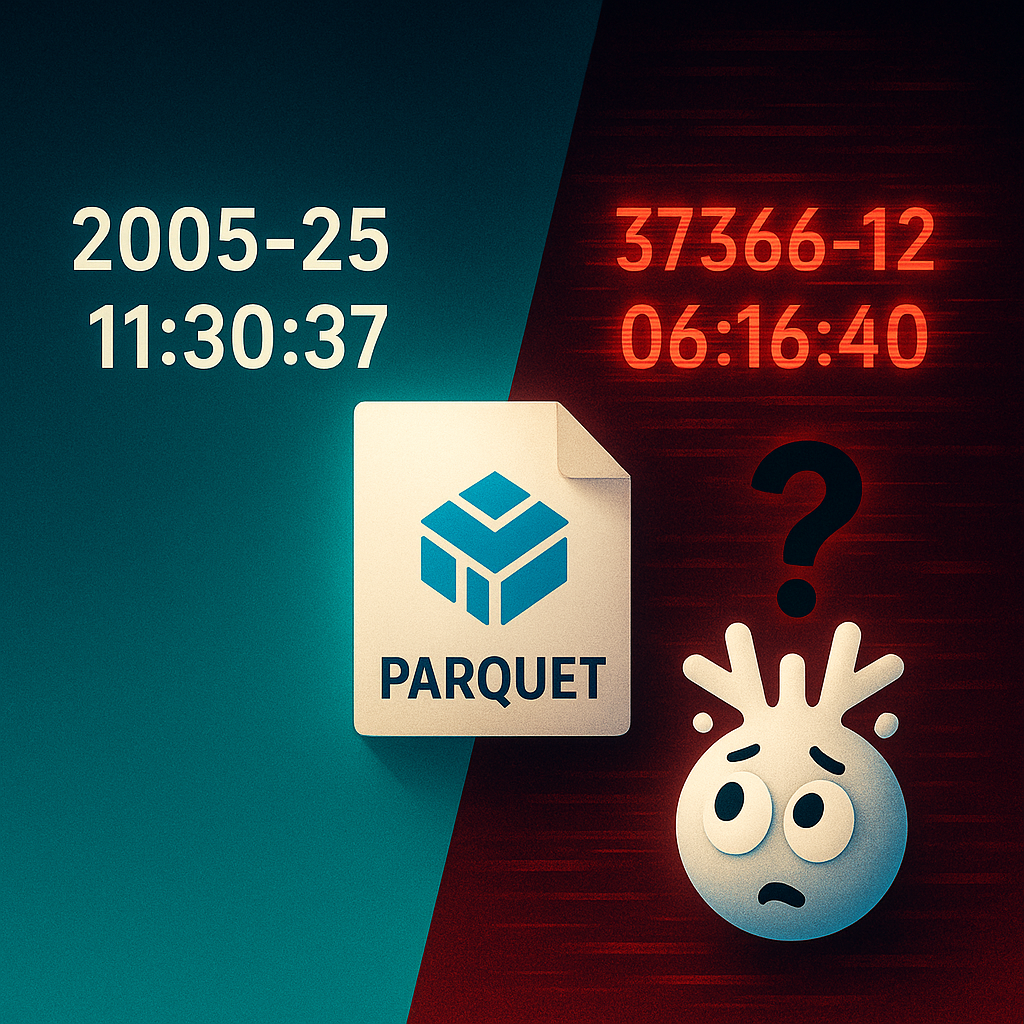
Snowflake loads Parquet timestamps as far-future dates, so 2005-05-25 11:30:37 arrives as 37366-12-22, when the file format does not set USE_LOGICAL_TYPE = TRUE.
The Parquet file stores the value as an int64 count of milliseconds since the Unix epoch and labels it with the TIMESTAMP_MILLIS logical type. Without the option Snowflake ignores that label and reads the number as seconds, which puts the date about 35,400 years after 1970.
The fix is one option on the file format, shown below. DBConvert Streams sets it on every COPY INTO it runs into Snowflake.
Understanding the problem
What are Parquet and Arrow?
For those new to these technologies:
- Parquet is a columnar storage format that's highly efficient for analytics workloads
- Apache Arrow is an in-memory data format that provides rich metadata about data types
Understanding Arrow logical types
Arrow separates physical storage from logical interpretation:
Physical Type: How the data is actually stored in bytes
- Example:
int64(8-byte integer) - Value:
1117027837000
Logical Type: Metadata that tells you how to interpret those bytes
- Example:
TIMESTAMP_MILLIS - Meaning: "This int64 represents milliseconds since Unix epoch (1970-01-01)"
Without logical type metadata, a consumer seeing 1117027837000 wouldn't know:
- Is this milliseconds? Microseconds? Days? Seconds?
- Since when? Unix epoch? Some other reference point?
- Should this even be treated as a timestamp?
This metadata is exactly what Snowflake ignores by default.
The root cause
DBConvert Streams uses an Apache Arrow-based Parquet writer that stores timestamps in the timestamp[ms] format with the TIMESTAMP_MILLIS logical type. This approach works flawlessly with most modern data tools:
✅ MySQL/PostgreSQL sources - timestamps read correctly
✅ DuckDB - interprets Parquet files properly
✅ Apache Spark - handles the format natively
✅ Presto - reads metadata correctly
❌ Snowflake - ignores the metadata by default
Here's what happens under the hood:
- Our Parquet writer converts
2005-05-25 11:30:37to1117027837000(milliseconds since Unix epoch) - Physical storage: Saves this as an
int64value in the Parquet file - Arrow metadata: Labels this column as
TIMESTAMP_MILLIS(meaning "interpret this int64 as milliseconds since epoch") - Most tools: Read the metadata and correctly interpret
1117027837000as milliseconds →2005-05-25 11:30:37 - Snowflake (default): Ignores the
TIMESTAMP_MILLISmetadata and assumes1117027837000represents seconds since epoch - Result:
1117027837000seconds is about 35,400 years after 1970, which lands in the year 37366
The solution
The fix is surprisingly simple and comes straight from Snowflake's own documentation. You need to tell Snowflake to respect the logical type metadata:
CREATE OR REPLACE FILE FORMAT parquet_with_timestamps
TYPE = 'PARQUET'
USE_LOGICAL_TYPE = TRUE;  -- This is the magic line
Then use this file format when loading:
COPY INTO target_table
FROM @my_stage/file.parquet
FILE_FORMAT = (FORMAT_NAME = 'parquet_with_timestamps');
That's it. With USE_LOGICAL_TYPE = TRUE, Snowflake correctly reads the Arrow logical type metadata and interprets timestamps as milliseconds rather than seconds.
One more option to know about. Snowflake's USE_VECTORIZED_SCANNER file-format option currently defaults to FALSE, and Snowflake has said a future behavior change will make it TRUE. When it is on, USE_LOGICAL_TYPE is always treated as TRUE. Until that change reaches your account, set USE_LOGICAL_TYPE = TRUE explicitly.
View the schema and rows of a local Parquet file in your browser, then run read-only SQL to check what will reach your warehouse. Your file stays in this browser tab.
Open the free online Parquet viewerAlternative approaches we tested
Before finding the correct solution, we tested several workarounds:
| Approach | Result | Why We Moved On |
|---|---|---|
Arrow TIMESTAMP_MILLIS (default) |
Corrupted without USE_LOGICAL_TYPE |
Snowflake ignored the "milliseconds" metadata |
Arrow TIMESTAMP_MICROS |
Same corruption | Snowflake ignored the "microseconds" metadata too |
| Legacy INT96 format | Inconsistent | Poor compatibility with modern tools |
| String conversion | Always works | Inefficient (20+ bytes vs 8 bytes per timestamp) |
| SQL transformation during COPY | Works but manual | Impractical for automated multi-table replication |
Note: Both TIMESTAMP_MILLIS and TIMESTAMP_MICROS are Arrow logical types that tell consumers how to interpret the underlying int64 values. The issue wasn't the logical type itself, but Snowflake ignoring all logical type metadata by default.
The SQL transformation approach looked like this:
COPY INTO target_table
FROM (
  SELECT TO_TIMESTAMP(timestamp_col / 1000) AS timestamp_col, other_cols
  FROM @stage/file.parquet
)
FILE_FORMAT = (TYPE = PARQUET);
While functional, this approach requires manual column mapping for every table—not viable for our automated replication platform.
Why this solution is superior
✅ Correct native timestamps — no more corrupted dates
✅ Optimal storage efficiency — 8 bytes per timestamp
✅ High performance — leverages Snowflake's native timestamp operations
✅ Universal compatibility — same Parquet files work across DuckDB, Spark, Presto, and Snowflake
✅ Zero data transformation — direct load without manipulation
How we discovered this
The issue became apparent when testing with the Sakila sample database (16,044 rows of payment data). Every timestamp in the payment table showed dates in the year 37366—clearly wrong for a DVD rental system circa 2005!
The solution came from the Snowflake Community documentation: How to load logical type TIMESTAMP data from Parquet files into Snowflake.
Key takeaways
- Default isn't always safe — Snowflake's default Parquet handling can silently corrupt timestamp data
- Read the metadata — Modern data formats include rich type information for a reason
- Test with realistic data — Edge cases reveal problems that synthetic data might miss
- Community resources are gold — Sometimes the answer is already documented, just not where you expect
What shipped
Snowflake is now a DBConvert Streams target. The load handles the other type traps as well:
- Zone-aware timestamps keep their zone. PostgreSQL
TIMESTAMPTZlands asTIMESTAMP_TZ; every other timestamp lands asTIMESTAMP_NTZ. MySQLTIMESTAMPis stored in UTC by MySQL itself and arrives as that UTC value. - Binary columns cannot break the load. MySQL
BLOBdata is base64-encoded intoVARCHAR, which avoids UTF-8 validation errors duringCOPY INTO. - A short load fails. After
COPY INTO, the rows Snowflake reports loading are compared with the rows read from the source. - Changes replicate as well. A CDC stream sends MySQL or PostgreSQL changes through Snowpipe Streaming. That path writes rows, not Parquet files, so this timestamp issue does not apply to it.
Parquet staging, COPY INTO with logical types, and type handling for timestamps and binary columns.
Parquet carried the right answer all along. Snowflake only reads it when you ask it to.