Why Every Database Tool Uses Hardcoded Schema Names (And Why That's Actually Good Engineering)
Why PostgreSQL tools hardcode schema names, why dynamic detection fails, and what we learned while building DBConvert Streams 2.0’s schema navigation engine.
An analysis of how 10+ major database tools handle system schema detection in PostgreSQL
Every PostgreSQL tool cheats. Yup — DBeaver, pgAdmin, Hasura, Prisma, Supabase… all of them hardcode system schema names. And it turns out: that's exactly the right thing to do.
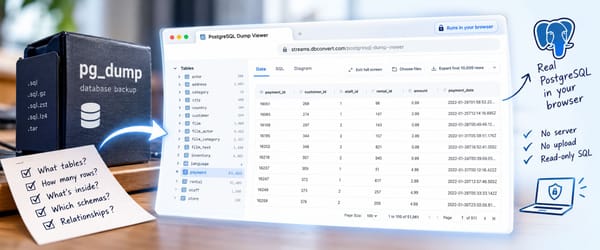
🚀 Coming Soon: DBConvert Streams 2.0 — We're putting the finishing touches on a major release that includes a powerful built-in database viewer and SQL console. The research in this article directly shaped how we're building it. Stay tuned for the launch!
When building database management tools, one of the first challenges developers face is a deceptively simple question: How do you tell the difference between user schemas and system schemas?
You'd expect PostgreSQL to have a simple flag like is_system_schema. It doesn't. After analyzing over 10 major database tools—from DBeaver to Prisma, Hasura to Drizzle ORM—we discovered something surprising: they all use the same approach. And it's not what you might think.
The Schema Landscape
Before diving in, here's what we're dealing with:
┌─────────────────────────────────────────────────────────┐
│                    YOUR DATABASE                        │
├─────────────────────────┬───────────────────────────────┤
│     USER SCHEMAS        │       SYSTEM SCHEMAS          │
├─────────────────────────┼───────────────────────────────┤
│  public                 │  pg_catalog                   │
│  sales                  │  information_schema           │
│  analytics              │  pg_toast                     │
│  customer_xyz           │  pg_toast_12345               │
│  app_data               │  pg_temp_1                    │
│                         │  pg_temp_2                    │
├─────────────────────────┼───────────────────────────────┤
│     EXTENSION SCHEMAS   │                               │
├─────────────────────────┤                               │
│  tiger (PostGIS)        │                               │
│  topology               │                               │
│  timescaledb_internal   │                               │
└─────────────────────────┴───────────────────────────────┘
The goal sounds simple: show users their schemas, hide the system noise. The reality? PostgreSQL makes this surprisingly hard.
The WTF Moments: Everything We Tried (And Failed)
We tried every "smart" detection method first. Here's how each one broke:
| Approach | Why It Seemed Smart | Why It Failed |
|---|---|---|
| OID ranges | System objects have OID < 16384 | public has OID 2200. Not a system schema. Thanks, Postgres 🙃 |
| Ownership check | System schemas owned by postgres? | ALL schemas typically owned by postgres, including yours |
| ACL patterns | Different permissions? | Useless. No consistent pattern |
obj_description() |
Check for system descriptions | Only pg_catalog and pg_toast have them. Two. Out of dozens |
pg_namespace flags |
Surely there's an is_system column? |
There isn't. We checked. Twice |
At some point you realize: PostgreSQL does NOT want to help you here.
This isn't an oversight by the PostgreSQL team—it's a reflection of the database's philosophy. PostgreSQL treats its system catalogs as regular tables that happen to contain metadata. The distinction between "system" and "user" is a UI concern, not a database-level concept.
The Industry-Wide Solution: Hardcoded Constants
When we examined how major database tools handle this problem, we found a remarkable consensus. Everyone hardcodes. Everyone.
DBeaver (40K+ GitHub Stars)
DBeaver, arguably the most popular open-source database client, defines system schemas explicitly in PostgreConstants.java:
public static final String INFO_SCHEMA_NAME = "information_schema";
public static final String SYSTEM_SCHEMA_PREFIX = "pg_";
public static final String CATALOG_SCHEMA_NAME = "pg_catalog";
public static final String TEMP_SCHEMA_NAME = "pg_temp";
public static final String TOAST_SCHEMA_PREFIX = "pg_toast";
Their isSystem() method simply checks if the schema name matches these constants or starts with the system prefix. No magic. No dynamic detection. Just string comparison.
Hasura GraphQL Engine
Hasura, the popular GraphQL engine, takes a similar approach in their pg_table_metadata.sql:
AND "table".table_schema NOT IN (
  'information_schema', 'hdb_catalog', 'hdb_lib', '_timescaledb_internal'
)
They maintain hardcoded exclusion lists for system schemas, plus their own internal schemas like hdb_catalog.
Drizzle ORM
The modern TypeScript ORM Drizzle uses direct SQL exclusions in pgSerializer.ts:
WHERE nspname NOT IN ('information_schema', 'pg_catalog', 'public')
  AND nspname NOT LIKE 'pg_toast%'
  AND nspname NOT LIKE 'pg_temp_%'
Prisma's OID Approach
Prisma tried to be clever with OID thresholds. Elegant on paper:
const FIRST_NORMAL_OBJECT_ID: u32 = 16384;
Broken in reality. The public schema laughs in lowercase OID (2200). This approach requires special-casing public anyway, defeating the purpose of "dynamic" detection.
The Complete Picture
| Tool | Primary Approach | Pattern Matching | User Configuration |
|---|---|---|---|
| DBeaver | Prefix + constants | pg_ prefix |
UI toggle |
| Hasura | Hardcoded list | pg_toast%, pg_temp_% |
No |
| Supabase | Constants + API | pg_toast in list |
includeSystemSchemas flag |
| Drizzle ORM | SQL WHERE clause | pg_toast%, pg_temp_% |
No |
| NocoDB | Hardcoded in SQL | No | No |
| Metabase | Extensible method | Via user config | Yes (schema-filters) |
| TypeORM | Schema-scoped | No | User specifies schemas |
| pgAdmin4 | OID + hardcoded | OID < 16384 | No |
| Prisma | OID threshold | OID >= 16384 | No |
Why Dynamic Detection Is a Trap
Beyond correctness issues, dynamic detection has performance problems:
| Method | Complexity | Reality Check |
|---|---|---|
| String comparison | O(1) | ✅ Instant |
| Walking all OIDs | O(n) | ❌ Expensive on large databases |
| Resolving ACLs | O(n×m) | ❌ Pointless — no consistent pattern |
Querying obj_description() |
O(n) | ❌ Only 2 schemas have descriptions anyway |
One WHERE nspname NOT IN (...) clause beats any "smart" detection. Sometimes boring is better.
How to Accidentally Break Things
Here are real mistakes developers make with schema detection:
1. Treating public as a system schema Many SaaS apps do this! The public schema is where PostgreSQL puts your tables by default. Hide it, and users see nothing.
2. Assuming pg_temp is always present It's session-local. Created only when you make a temp table. Your detection logic shouldn't expect it.
3. Ignoring extension schemas PostGIS creates tiger and topology. TimescaleDB creates _timescaledb_internal. These are system-ish but not pg_* prefixed. You need dynamic detection for extensions.
4. Hiding information_schema Some tools need it for introspection. Hide it completely, and you break tooling that depends on SQL-standard metadata queries.
5. Using only prefix matching pg_* catches most system schemas, but information_schema doesn't start with pg_. You need both approaches.
Why Hardcoding Is Actually Good Engineering
At first glance, hardcoding schema names might seem like a code smell. But consider:
1. These Names Are Guaranteed Standards
The schema names being hardcoded aren't arbitrary strings—they're part of PostgreSQL's documented architecture:
| Schema | Reason | Stability |
|---|---|---|
pg_catalog |
PostgreSQL system catalog—core to the database | Since PostgreSQL 7.x+ |
information_schema |
SQL Standard (ISO/IEC 9075)—required by spec | Since PostgreSQL 7.4+ |
pg_toast* |
Internal TOAST storage naming convention | Since PostgreSQL 7.1+ |
pg_temp* |
Session-specific temporary schema convention | Since PostgreSQL 8.0+ |
These conventions have been stable for over 20 years. They're more reliable than many "dynamic" detection methods.
2. The Hybrid Approach Works Best
The most robust tools combine hardcoded constants with dynamic detection where it's actually available:
Hardcoded (because PostgreSQL provides no alternative):
pg_cataloginformation_schemapg_toast*patternpg_temp*pattern
Dynamic detection (where metadata exists):
- Extension schemas (via
pg_extension) - Snowflake's
kindcolumn - MySQL's
TABLE_TYPE = 'SYSTEM VIEW'
Our Implementation
Based on this research, we implemented a detection strategy that follows industry best practices:
WITH extension_schemas AS (
    SELECT DISTINCT n.nspname, e.extname
    FROM pg_namespace n
    JOIN pg_extension e ON e.extnamespace = n.oid
    WHERE n.nspname != 'public'
)
SELECT n.nspname AS schema_name,
    CASE
        -- Hardcoded (industry standard, no native alternative)
        WHEN n.nspname = 'pg_catalog' THEN 'system_catalog'
        WHEN n.nspname = 'information_schema' THEN 'sql_standard'
        WHEN n.nspname ~ '^pg_toast' THEN 'system_toast'
        WHEN n.nspname ~ '^pg_temp' THEN 'system_temp'

        -- Dynamic detection via native metadata
        WHEN es.extname IS NOT NULL THEN 'extension:' || es.extname

        ELSE NULL  -- User schema
    END AS system_reason
FROM pg_namespace n
LEFT JOIN extension_schemas es ON n.nspname = es.nspname;
This gives us the best of both worlds: reliable detection for core system schemas, plus dynamic detection for extensions.
The Universal Constants
After analyzing all these tools, four schema patterns emerge as universally recognized as system schemas:
information_schema— SQL standard metadata schemapg_catalog— PostgreSQL system catalogpg_toast%— TOAST storage schemaspg_temp_%— Temporary session schemas
If you're building a database tool, these four patterns are what you need to detect. What you do with them—hide by default, collapse, or show with visual distinction—is a UX decision. We chose a simple toggle: show or hide system schemas with one click.
What's Next: DBConvert Streams 2.0
This research wasn't just an academic exercise. We're applying these findings directly to DBConvert Streams 2.0, our upcoming major release.
Introducing the Built-in Database Viewer & Editor
DBConvert Streams has always been about seamless data migration and real-time synchronization between databases. With version 2.0, we're adding something our users have been asking for: a powerful, integrated database viewer and SQL console.
What you'll get:
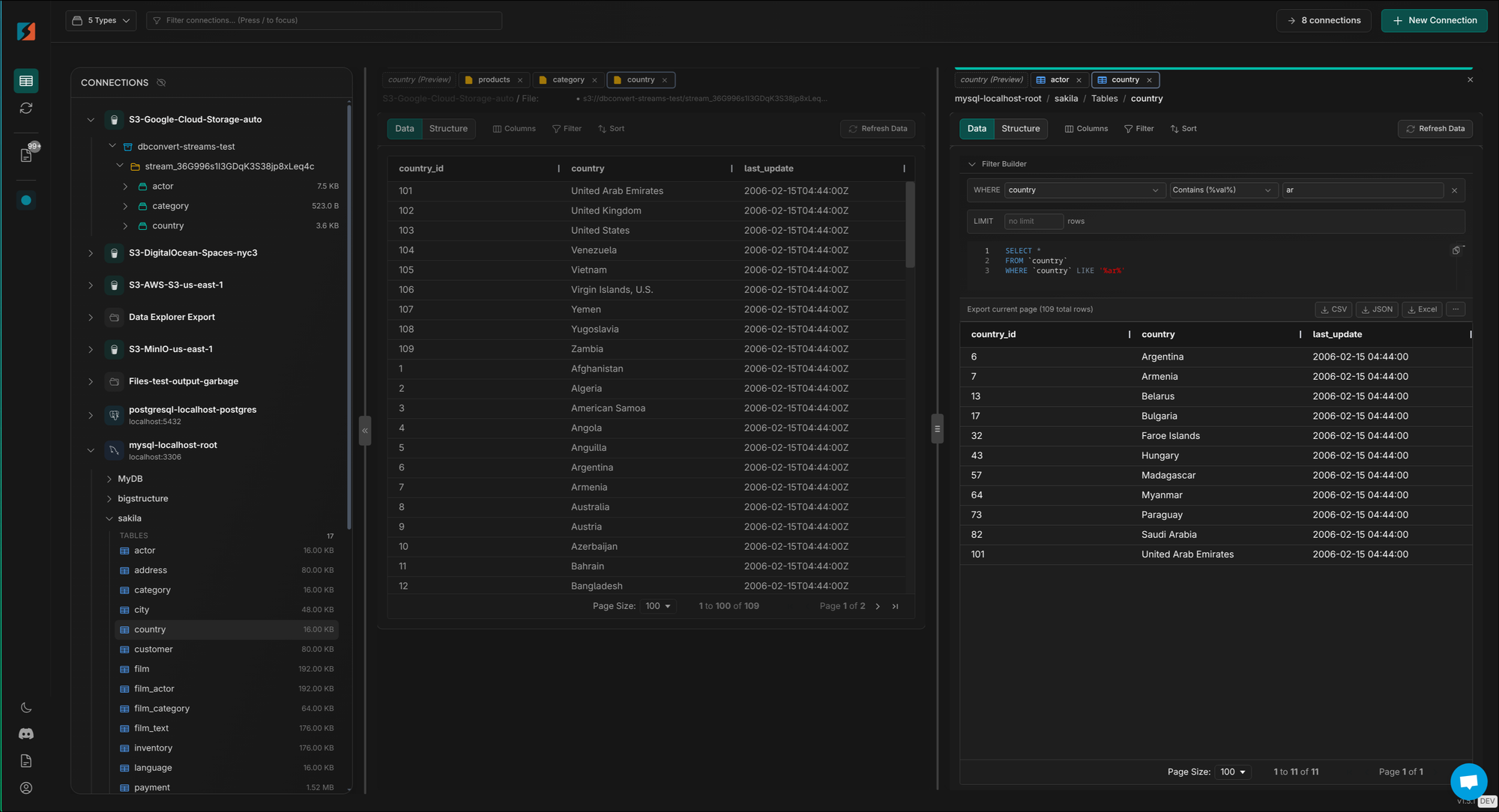
- 🔍 Smart Schema Navigation — A single interface for browsing PostgreSQL, MySQL, Snowflake, and S3-based file datasets (CSV, JSONL, Parquet) without switching tools.
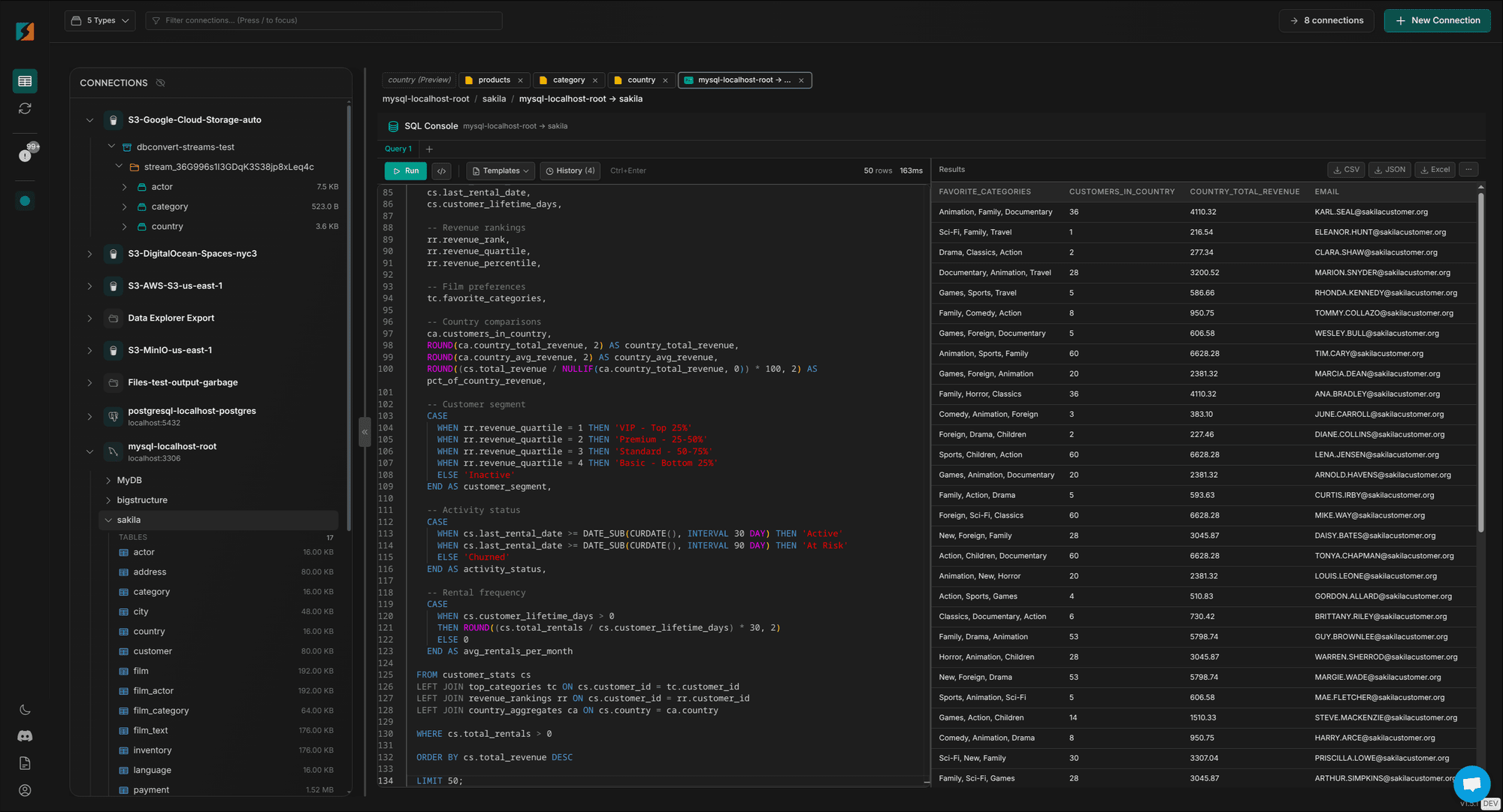
- 💻 Integrated SQL Console — Run queries and explore your data without leaving the streams interface
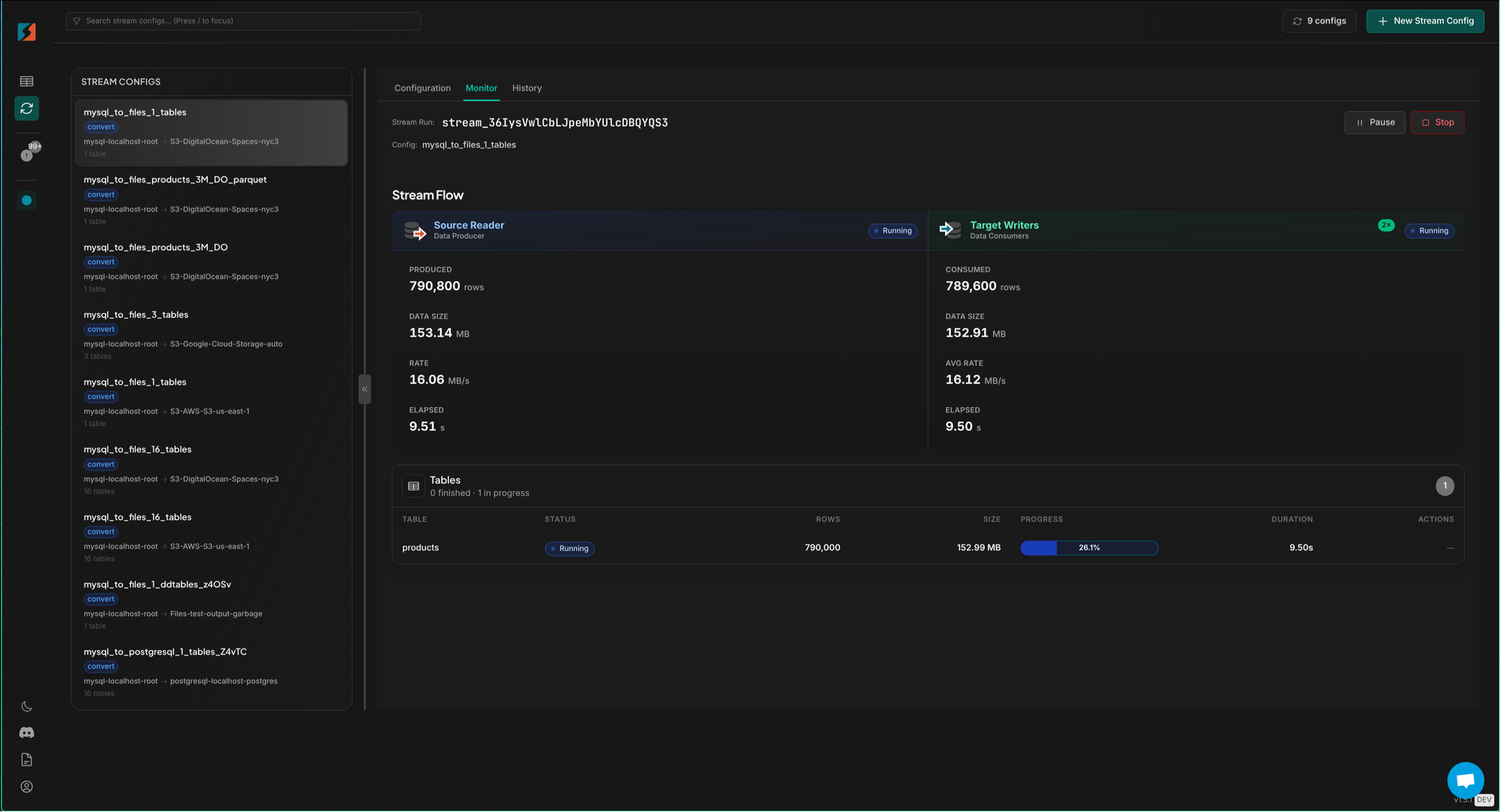
- 🔄 Live Data Migration Preview — See exactly what's being migrated in real-time
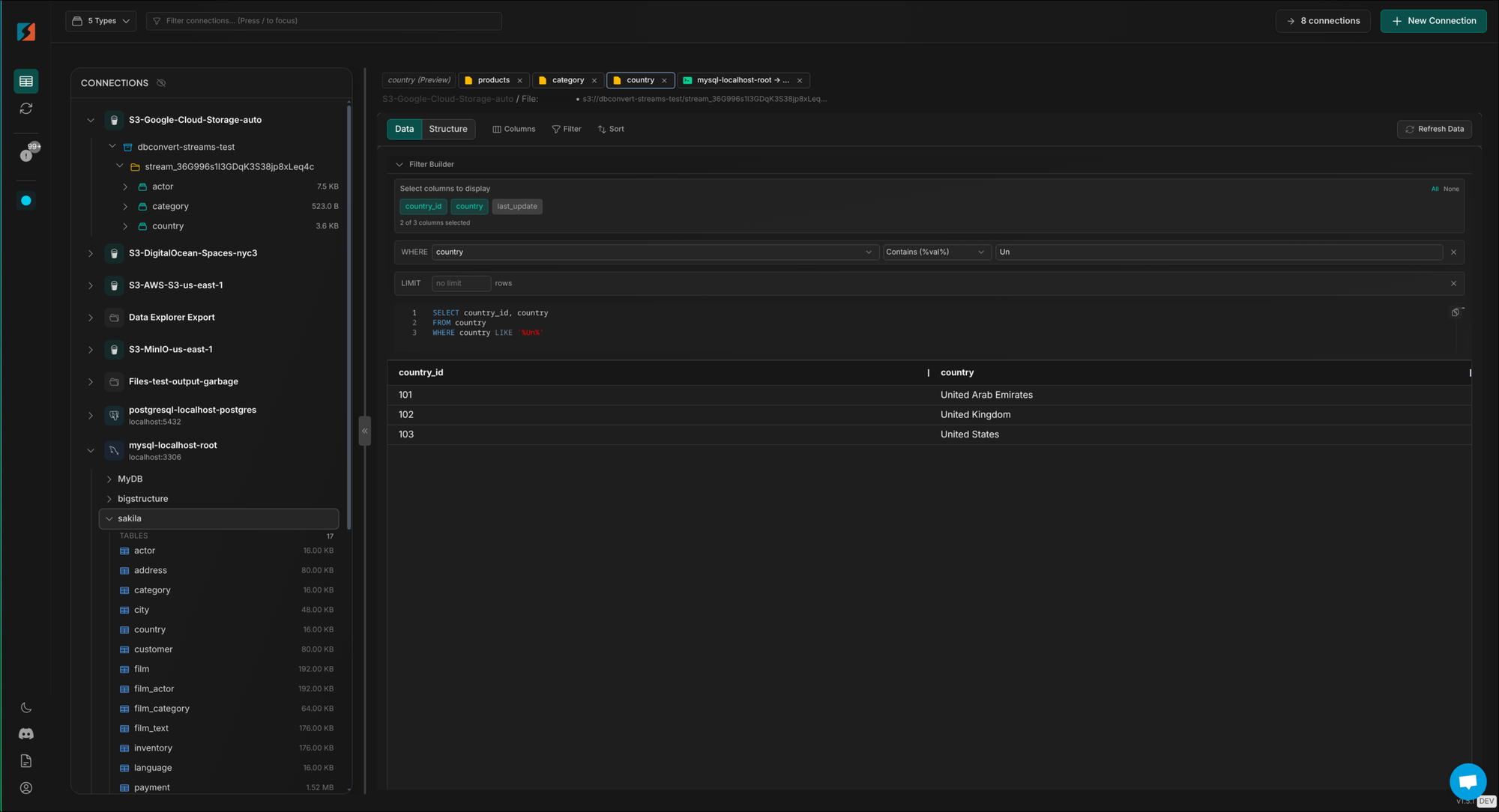
- 🎯 Advanced Data Filtering — Filter and select exactly the data you need to migrate
How it looks in practice:
- One-click toggle to show or hide system schemas
- Clear visual distinction between user and system schemas
- Extension schemas marked with badges (
postgis,timescaledb) - SQL console auto-completes only user objects by default — no
pg_toastnoise
The system schema detection strategy outlined in this article is exactly how we're building it — combining industry-proven hardcoded constants with dynamic extension detection for the most reliable experience.
Want early access? Join our mailing list to be the first to know when DBConvert Streams 2.0 launches.
Rules of Thumb
If you're building a database tool, here's the cheat sheet:
- Hardcode system schema names. It's fine. Everyone does it. It's the right approach.
- Never trust OIDs blindly.
publicwill break your clever detection. - Use
pg_extensionfor extension schemas. That's the one place PostgreSQL actually helps. - Never hide
information_schemacompletely. Tooling depends on it. - Hide
pg_toastby default. Users rarely need to see TOAST tables. Give them a toggle if they do.
References
- DBeaver PostgreConstants.java
- Hasura pg_table_metadata.sql
- Drizzle ORM pgSerializer.ts
- Supabase postgres-meta
- pgAdmin4 Schema Module
- PostgreSQL System Catalogs Documentation
- SQL Standard Information Schema
This article is based on our internal research into database management tool implementations while building the database viewer for DBConvert Streams 2.0. We analyzed source code from DBeaver, Hasura, Supabase, Drizzle ORM, NocoDB, Metabase, TypeORM, pgAdmin4, and Prisma to ensure we're following industry best practices.